
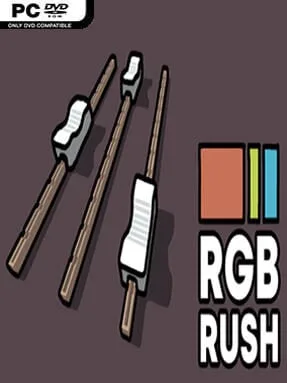
Game Overview
Colour matching becomes a brisk, focused challenge in this minimalist indie exercise, where every round asks you to rebuild a target shade as closely as possible. Rgb Rush turns an everyday design skill into a score-chasing puzzle, making you judge subtle shifts in warmth, saturation, brightness, and channel balance without relying solely on visual guesswork. The mood is clean and low-pressure, but accurately separating a near-black blue from a charcoal grey or spotting too much green quickly becomes demanding. It works equally well as a casual brain teaser and as practical practice for anyone who works with digital art, interfaces, or print.
Each attempt presents a colour and gives you the tools to recreate it, either by manipulating component values or entering them directly. RGB mode centres on the red, green, and blue light channels used by screens, while CMYK shifts the focus toward cyan, magenta, yellow, and black values associated with printing. HSV encourages players to think in terms of hue, saturation, and value, making it useful for understanding why colours feel vivid, pale, dark, or washed out. Hexadecimal options add another layer, asking you to read and construct colour codes through base-16 notation rather than treating them as random strings of letters and numbers.
What makes Rgb Rush stand apart is its narrow, practical premise: it does not bury colour theory behind a painting simulator or a complicated creative suite. Instead, it repeatedly tests visual memory and numerical intuition, so improvement feels measurable as you begin to anticipate which adjustments pull a shade closer to the target. The stripped-back presentation suits quick sessions, although players seeking narrative, unlocks, or broader puzzle variety may find its single-minded format limited. Designers, programmers, pixel artists, and curious newcomers to colour systems get the most from it, while veterans can use it as a compact warm-up for sharpening their eye.
Installation
- Click the green button below to be redirected to UploadHaven.
- Wait 15 seconds, then hit “Free Download.” (Free downloads may be slower — upgrade to UploadHaven Pro for faster speeds.)
- Once downloaded, right-click the .zip file and choose “Extract to Rgb Rush.” (You’ll need 7-Zip for this.)
- Open the extracted folder and run the game as administrator.
- Enjoy! 🎮 If you see missing DLL errors, check the <strong>_Redist</strong> folder inside and install what’s needed.
System Requirements
- OS: Windows 7
- Memory: 1 GB RAM
Setup Guide & Troubleshooting
How do I fix missing DLL errors for Rgb Rush (v1.1.2)?
After extracting Rgb Rush (v1.1.2), navigate to the _Redist or _CommonRedist folder inside the game directory and install DirectX, Vcredist, and any other dependencies included.
What should I do if the downloaded file is corrupted?
The full archive is 53.61 MB — make sure your download completed fully before extracting. Use 7-Zip to extract the files. If you still see a "file corrupted" error, re-download and try again.
Why should I run the game as administrator?
Right-click the game executable and select "Run as Administrator" to avoid save file issues and permission errors. This is especially important on the first launch.
How do I update my GPU drivers for this game?
Update your NVIDIA or AMD drivers to the latest version for the best performance and compatibility.
The game won't launch — what should I try?
Try running in compatibility mode, install the latest DirectX runtime, or install the All-in-One VC Redist Package.
My antivirus is blocking the game — is it safe?
Antivirus false positives are common with pre-installed games. Temporarily pause your antivirus during extraction to prevent it from quarantining game files. You can re-enable it after the extraction completes.