
Game Overview
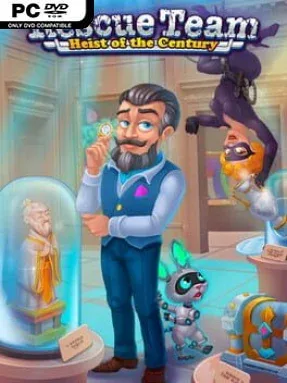
Masterpieces vanish from famous galleries just as earthquakes, storms, and environmental catastrophes strike around the globe, turning a rescue operation into a mystery chase. Rescue Team: Heist Of The Century is a bright, fast-paced time-management adventure that trades grim disaster realism for colorful maps, cheerful characters, and increasingly demanding logistical puzzles. You direct an emergency crew across damaged towns, ruined roads, flooded areas, and hazardous clean-up sites while clues slowly point toward the criminals behind the coordinated chaos. The tone stays playful and accessible, but the pace can become surprisingly intense when every second matters.
Each stage asks you to survey blocked routes, gather supplies, repair essential structures, rescue stranded people, and remove obstacles in the right order. Workers consume time as they travel and complete jobs, so success depends on planning efficient task chains rather than simply clicking everything available. Resources such as food, wood, and fuel need careful management, while bridges, workshops, and other facilities open new paths or expand what your crew can accomplish. The campaign includes 65 levels, beginning with tutorial-friendly scenarios and building toward maps that reward quick decisions, route planning, and replay attempts for better completion times.
The disaster theme gives the familiar casual strategy formula more personality than a standard farm or city-builder, especially when rescue dogs and eccentric hazards enter the action. Its art-filled theft storyline also provides a light narrative thread between missions, supported by collectible extras, character information, artwork notes, achievements, and a built-in guide for players who get stuck. There is no need for reflex-heavy combat or deep simulation knowledge; the challenge comes from juggling priorities under pressure. Fans of Rescue Team, Roads of Rome, and other click-management games find a polished, low-stress campaign here, while newcomers get a welcoming introduction to the genre’s satisfying “one more level” rhythm.
Installation
- Click the green button below to be redirected to UploadHaven.
- Wait 15 seconds, then hit “Free Download.” (Free downloads may be slower — upgrade to UploadHaven Pro for faster speeds.)
- Once downloaded, right-click the .zip file and choose “Extract to Rescue Team: Heist Of The Century.” (You’ll need 7-Zip for this.)
- Open the extracted folder and run the game as administrator.
- Enjoy! 🎮 If you see missing DLL errors, check the <strong>_Redist</strong> folder inside and install what’s needed.
System Requirements
- OS: Windows 7 or later
- Processor: 2 GHz processor
- Memory: 2 GB RAM
- Graphics: GPU with at least 512MB of VRAM
- DirectX: Version 11
- Storage: 500 MB available space
Setup Guide & Troubleshooting
How do I fix missing DLL errors for Rescue Team: Heist Of The Century?
After extracting Rescue Team: Heist Of The Century, navigate to the _Redist or _CommonRedist folder inside the game directory and install DirectX, Vcredist, and any other dependencies included.
What should I do if the downloaded file is corrupted?
The full archive is 677.68 MB — make sure your download completed fully before extracting. Use 7-Zip to extract the files. If you still see a "file corrupted" error, re-download and try again.
Why should I run the game as administrator?
Right-click the game executable and select "Run as Administrator" to avoid save file issues and permission errors. This is especially important on the first launch.
How do I update my GPU drivers for this game?
Rescue Team: Heist Of The Century requires a GPU with at least 512MB of VRAM or equivalent. Update your NVIDIA or AMD drivers to the latest version for the best performance.
The game won't launch — what should I try?
This game requires Version 11. Try running in compatibility mode, install the latest DirectX runtime, or install the All-in-One VC Redist Package.
My antivirus is blocking the game — is it safe?
Antivirus false positives are common with pre-installed games. Temporarily pause your antivirus during extraction to prevent it from quarantining game files. You can re-enable it after the extraction completes.