
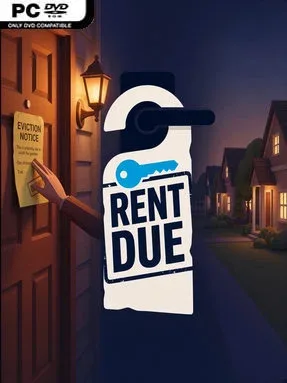
Game Overview
A deadbeat tenant, an overdue loan payment, and a phone ringing at midnight define the uneasy rhythm of property ownership here. Rent Due is a first-person landlord simulator that turns the unglamorous work behind a rental empire into its central challenge, starting you with $8,000, a laptop, and a modest trailer to transform into income. Its low-poly neighborhoods and day-night cycle lend the town a cozy appearance, but the atmosphere becomes increasingly tense as debts mount and tenants test your patience. Rather than abstracting management into menus, it puts you on the doorstep for the awkward parts.
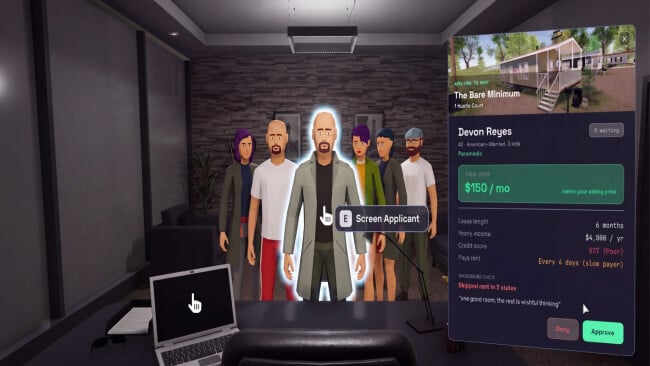
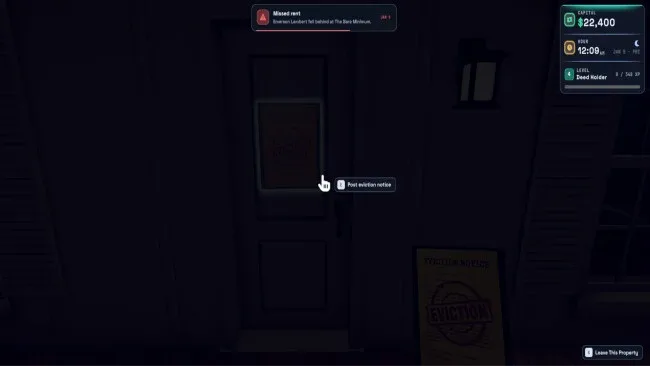
You search listings through an in-game desktop, inspect properties before purchase, buy furniture room by room, set rent, and wait to see whether your price attracts applicants or leaves a house vacant. Potential tenants arrive at your office with backgrounds, incomes, credit ratings, and occasionally absurd criminal records to investigate, while short leases force frequent decisions about renewals and rent increases. Rent collection means physically visiting each unit for a cheque, and missed payments can lead to hand-delivered notices, court disputes, property damage, and evictions. Loans from the bank fund expansion, but weekly installments keep pressure on your cash flow, making every acquisition, auction bid, and furnishing upgrade a calculated risk.
What separates Rent Due from broader tycoon games is its commitment to personal consequences: tenants remember ignored calls, favorable deals, aggressive increases, and any violence you initiate. Emergency calls involving leaks, storms, and unauthorized occupants force you to weigh repair costs against reputation, while foreclosure auctions provide a riskier route to growth when normal listings dry up. The progression from trailer park landlord to neighborhood owner has the compulsive financial balancing of House Flipper and the uneasy social friction of The Sims, filtered through a more hands-on first-person format. It suits management fans who want a quirky, systemic property sim and do not mind its intentionally uncomfortable confrontations.
Screenshots
Installation
- Click the green button below to be redirected to UploadHaven.
- Wait 15 seconds, then hit “Free Download.” (Free downloads may be slower — upgrade to UploadHaven Pro for faster speeds.)
- Once downloaded, right-click the .zip file and choose “Extract to Rent Due.” (You’ll need 7-Zip for this.)
- Open the extracted folder and run the game as administrator.
- Enjoy! 🎮 If you see missing DLL errors, check the <strong>_Redist</strong> folder inside and install what’s needed.
System Requirements
- Requires a 64-bit processor and operating system
- OS: Windows 10 or Windows 11
- Processor: Intel Core i5-4590 or AMD Ryzen 3 1200
- Memory: 8 GB RAM
- Graphics: NVIDIA GeForce GTX 960 4 GB or AMD Radeon RX 570 4 GB
- DirectX: Version 12
- Storage: 10 GB available space
Setup Guide & Troubleshooting
How do I fix missing DLL errors for Rent Due (v0.1.3)?
After extracting Rent Due (v0.1.3), navigate to the _Redist or _CommonRedist folder inside the game directory and install DirectX, Vcredist, and any other dependencies included.
What should I do if the downloaded file is corrupted?
The full archive is 1.59 GB — make sure your download completed fully before extracting. Use 7-Zip to extract the files. If you still see a "file corrupted" error, re-download and try again.
Why should I run the game as administrator?
Right-click the game executable and select "Run as Administrator" to avoid save file issues and permission errors. This is especially important on the first launch.
How do I update my GPU drivers for this game?
Rent Due (v0.1.3) requires a NVIDIA GeForce GTX 960 4 GB or AMD Radeon RX 570 4 GB or equivalent. Update your NVIDIA or AMD drivers to the latest version for the best performance.
The game won't launch — what should I try?
This game requires Version 12. Try running in compatibility mode, install the latest DirectX runtime, or install the All-in-One VC Redist Package.
My antivirus is blocking the game — is it safe?
Antivirus false positives are common with pre-installed games. Temporarily pause your antivirus during extraction to prevent it from quarantining game files. You can re-enable it after the extraction completes.