
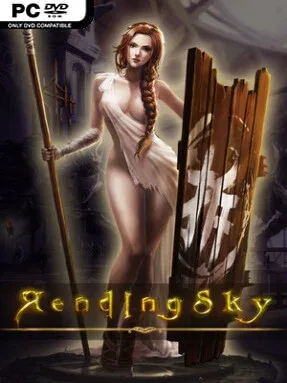
Game Overview
A hand-painted fantasy war unfolds across a grim medieval world where rival clans, political schemes, and open rebellion keep every alliance unstable. Rending Sky is a 2D side-scrolling action game built around a looming disaster connected to a mysterious necklace, with its story placing characters between ruthless power and desperate resistance. The tone leans dramatic rather than cheerful, pairing arcade immediacy with an oil-painting-like visual style full of ruined strongholds, supernatural scenery, and imposing enemies. Moral tension runs beneath the fighting, asking players to consider where their loyalties lie as the conflict escalates.
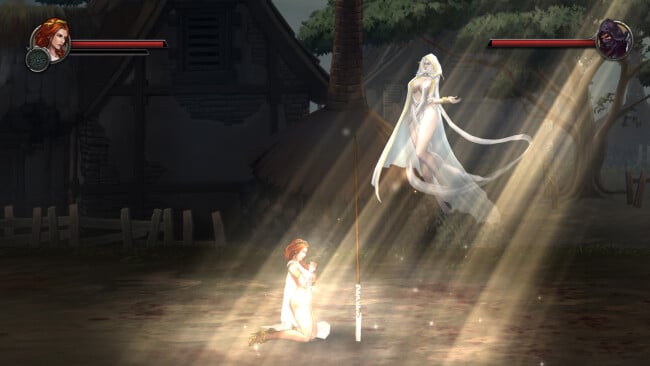
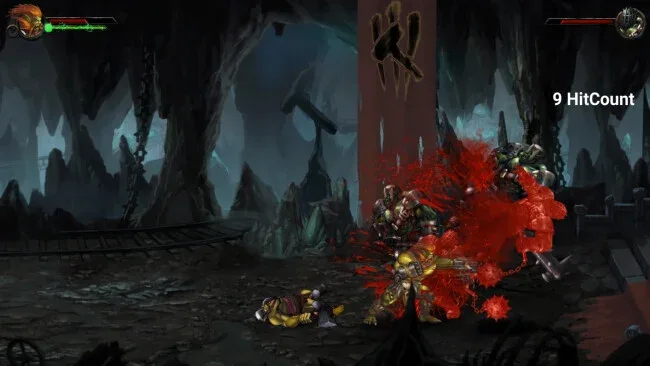
Combat uses an intentionally accessible control scheme, relying on a small set of inputs to produce quick strikes, extended combos, and decisive finishing blows. Rather than burying its action under complicated commands, the game emphasizes timing, positioning, and recognizing when an enemy leaves an opening. Boss battles provide the main test, since major opponents have individual behaviors and shifting attack patterns that demand observation before brute force pays off. Different playable protagonists bring their own combat approach, while each can shift between two forms or appearances in response to the situation, giving encounters a little more tactical flexibility than a straightforward arcade brawler.
The strongest draw is the combination of old-school side-scrolling action and a more ornate, story-driven fantasy presentation. Its backgrounds aim for texture and atmosphere instead of pixel-art nostalgia, while secret bonus areas reward players who pay attention to stages beyond the obvious path forward. Rending Sky suits players who enjoy focused, stage-based action in the vein of classic arcade beat-’em-ups, but want dramatic bosses and darker fantasy artwork alongside the familiar format. Newcomers can appreciate the simple controls, while experienced action fans are likely to get the most from mastering boss weaknesses and character transformations.
Screenshots
Installation
- Click the green button below to be redirected to UploadHaven.
- Wait 15 seconds, then hit “Free Download.” (Free downloads may be slower — upgrade to UploadHaven Pro for faster speeds.)
- Once downloaded, right-click the .zip file and choose “Extract to Rending Sky.” (You’ll need 7-Zip for this.)
- Open the extracted folder and run the game as administrator.
- Enjoy! 🎮 If you see missing DLL errors, check the <strong>_Redist</strong> folder inside and install what’s needed.
System Requirements
- OS: win7 or higher
- Processor: i5-3450 or faster processor
- Memory: 8 GB RAM
- Graphics: 2G
- DirectX: Version 11
- Network: Broadband Internet connection
- Storage: 4 GB available space
Setup Guide & Troubleshooting
How do I fix missing DLL errors for Rending Sky (R18 Patched)?
After extracting Rending Sky (R18 Patched), navigate to the _Redist or _CommonRedist folder inside the game directory and install DirectX, Vcredist, and any other dependencies included.
What should I do if the downloaded file is corrupted?
The full archive is 2.63 GB — make sure your download completed fully before extracting. Use 7-Zip to extract the files. If you still see a "file corrupted" error, re-download and try again.
Why should I run the game as administrator?
Right-click the game executable and select "Run as Administrator" to avoid save file issues and permission errors. This is especially important on the first launch.
How do I update my GPU drivers for this game?
Rending Sky (R18 Patched) requires a 2G or equivalent. Update your NVIDIA or AMD drivers to the latest version for the best performance.
The game won't launch — what should I try?
This game requires Version 11. Try running in compatibility mode, install the latest DirectX runtime, or install the All-in-One VC Redist Package.
My antivirus is blocking the game — is it safe?
Antivirus false positives are common with pre-installed games. Temporarily pause your antivirus during extraction to prevent it from quarantining game files. You can re-enable it after the extraction completes.