
Game Overview
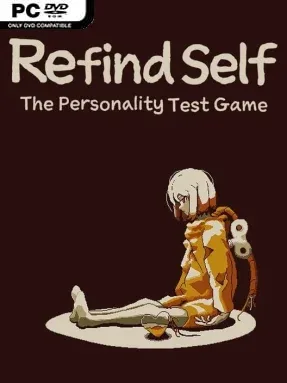
An android stands beside its creator’s grave, then sets out across a quiet robot-inhabited world to understand both the Doctor’s final plans and its own purpose. Refind Self: The Personality Test Game turns a compact adventure into an unusually personal experiment, observing how you talk, investigate, spend resources, and respond to other machines. Its mood is gentle but faintly melancholy, with a story about artificial emotions, memory, and the consequences of giving a machine the freedom to choose. Rather than judging players for right or wrong answers, it treats every decision as a reflection of their natural play style.
Most of the hour-long playthrough involves wandering between small locations tied to the Doctor’s past, speaking with quirky robots, completing light tasks, and deciding what deserves your time. You might rush toward story objectives, inspect every object, help strangers, manage money carefully, or approach simple confrontations head-on; the game quietly records these habits instead of presenting a traditional morality meter. Dialogue choices, optional activities, purchases, exploration, and even your tendency to retry or avoid danger feed into the final personality reading. Replaying is essential: the third completed test offers the broadest assessment of your traits while carrying the narrative toward its conclusion, encouraging you to make different kinds of choices rather than merely chase a better score.
What makes it stand out is the way its personality-test premise is embedded in ordinary adventure-game behavior, so the analysis feels earned by play rather than filled out like a questionnaire. The world is small, colorful, and easy to navigate, while its robot cast gives each stop a little personality without overwhelming the reflective central story. It is not a deep RPG or demanding puzzle game, and players seeking intricate combat or huge branching routes may find it slight. For fans of short narrative indies such as A Short Hike or games that reward curiosity and self-expression, it offers a clever, low-pressure experience that is especially enjoyable with friends comparing results afterward.
Installation
- Click the green button below to be redirected to UploadHaven.
- Wait 15 seconds, then hit “Free Download.” (Free downloads may be slower — upgrade to UploadHaven Pro for faster speeds.)
- Once downloaded, right-click the .zip file and choose “Extract to Refind Self: The Personality Test Game.” (You’ll need 7-Zip for this.)
- Open the extracted folder and run the game as administrator.
- Enjoy! 🎮 If you see missing DLL errors, check the <strong>_Redist</strong> folder inside and install what’s needed.
System Requirements
- OS: Windows 7+
- Processor: Intel(R) Core(TM) i5-3230M CPU @ 2.60GHz
- Memory: 1 GB RAM
- Graphics: Intel(R) HD Graphics 4000
- DirectX: Version 11
- Storage: 200 MB available space
Setup Guide & Troubleshooting
How do I fix missing DLL errors for Refind Self: The Personality Test Game?
After extracting Refind Self: The Personality Test Game, navigate to the _Redist or _CommonRedist folder inside the game directory and install DirectX, Vcredist, and any other dependencies included.
What should I do if the downloaded file is corrupted?
The full archive is 122.72 MB — make sure your download completed fully before extracting. Use 7-Zip to extract the files. If you still see a "file corrupted" error, re-download and try again.
Why should I run the game as administrator?
Right-click the game executable and select "Run as Administrator" to avoid save file issues and permission errors. This is especially important on the first launch.
How do I update my GPU drivers for this game?
Refind Self: The Personality Test Game requires a Intel(R) HD Graphics 4000 or equivalent. Update your NVIDIA or AMD drivers to the latest version for the best performance.
The game won't launch — what should I try?
This game requires Version 11. Try running in compatibility mode, install the latest DirectX runtime, or install the All-in-One VC Redist Package.
My antivirus is blocking the game — is it safe?
Antivirus false positives are common with pre-installed games. Temporarily pause your antivirus during extraction to prevent it from quarantining game files. You can re-enable it after the extraction completes.