
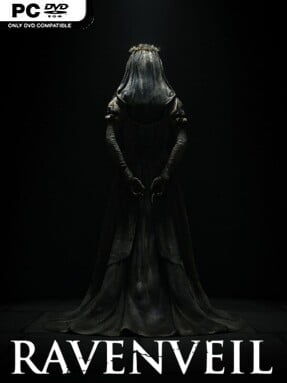
Game Overview
An abandoned village becomes a maze of grief, superstition, and lingering terror in this first-person psychological horror experience. RavenVeil centers on the aftermath of a catastrophe involving a figure known only as the Bride, an event so disturbing that the entire community abandons its homes and streets. The premise is less about fighting monsters than living with the unnerving sense that the village remembers what happened, even when its survivors are gone. Its tone is bleak, intimate, and deliberately uneasy, using isolation and unanswered questions to keep tension high.
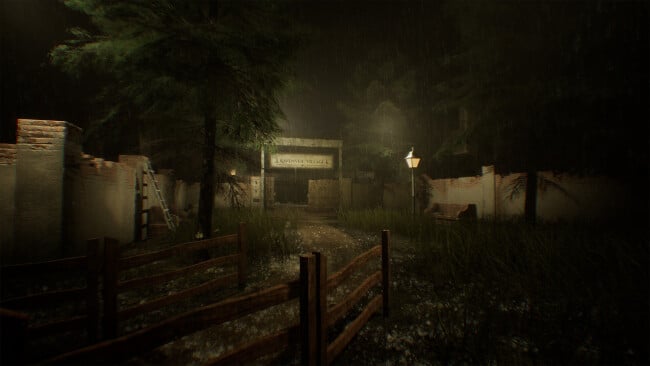
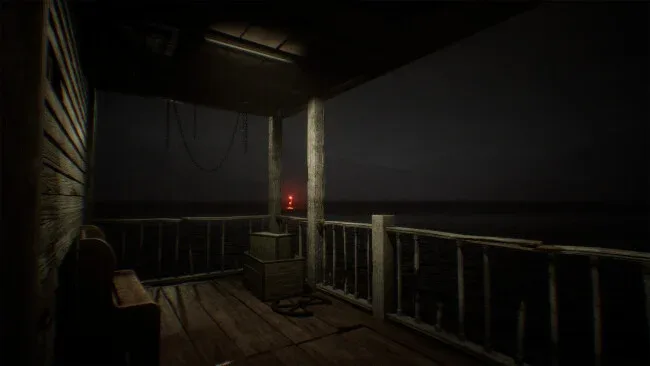
Players move through deserted lanes, neglected buildings, and other remnants of ordinary life warped by a violent past. Progress comes from examining environments closely, collecting clues, interpreting notes and objects, and solving puzzles that gradually open new areas and reveal more of the Bride’s story. Exploration is the central loop: every locked door, strange sound, or carefully placed detail may point toward the next answer, while the game continually asks whether what you see can be trusted. Rather than relying on constant action, RavenVeil builds pressure through pacing, atmosphere, and the vulnerability of being alone in a place that clearly does not feel empty.
The strongest appeal lies in its focused village setting, which gives the mystery a personal scale instead of scattering horror across a huge open world. RavenVeil aims for the slow-burning dread associated with first-person horror games such as Layers of Fear and Amnesia, though its emphasis rests on environmental investigation and a single local legend. Players who enjoy deciphering fragmented narratives, searching every room for context, and letting atmosphere do the heavy lifting should find plenty to engage with. It is best suited to horror fans who prefer unsettling stories and puzzle-led exploration over combat-heavy survival mechanics, while newcomers can approach it as a compact, accessible introduction to psychological horror.
Screenshots
Installation
- Click the green button below to be redirected to UploadHaven.
- Wait 15 seconds, then hit “Free Download.” (Free downloads may be slower — upgrade to UploadHaven Pro for faster speeds.)
- Once downloaded, right-click the .zip file and choose “Extract to RavenVeil.” (You’ll need 7-Zip for this.)
- Open the extracted folder and run the game as administrator.
- Enjoy! 🎮 If you see missing DLL errors, check the <strong>_Redist</strong> folder inside and install what’s needed.
System Requirements
- Requires a 64-bit processor and operating system
- OS: Windows 10/11
- Processor: Intel® Core™ i5-3470 or AMD™ Ryzen 5 3600
- Memory: 12 GB RAM
- Graphics: Graphics: NVIDIA® GeForce® GTX 1660 or AMD Radeon™ RX 580
- DirectX: Version 12
- Storage: 18 GB available space
Setup Guide & Troubleshooting
How do I fix missing DLL errors for RavenVeil?
After extracting RavenVeil, navigate to the _Redist or _CommonRedist folder inside the game directory and install DirectX, Vcredist, and any other dependencies included.
What should I do if the downloaded file is corrupted?
The full archive is 10.69 GB — make sure your download completed fully before extracting. Use 7-Zip to extract the files. If you still see a "file corrupted" error, re-download and try again.
Why should I run the game as administrator?
Right-click the game executable and select "Run as Administrator" to avoid save file issues and permission errors. This is especially important on the first launch.
How do I update my GPU drivers for this game?
RavenVeil requires a Graphics: NVIDIA® GeForce® GTX 1660 or AMD Radeon™ RX 580 or equivalent. Update your NVIDIA or AMD drivers to the latest version for the best performance.
The game won't launch — what should I try?
This game requires Version 12. Try running in compatibility mode, install the latest DirectX runtime, or install the All-in-One VC Redist Package.
My antivirus is blocking the game — is it safe?
Antivirus false positives are common with pre-installed games. Temporarily pause your antivirus during extraction to prevent it from quarantining game files. You can re-enable it after the extraction completes.