
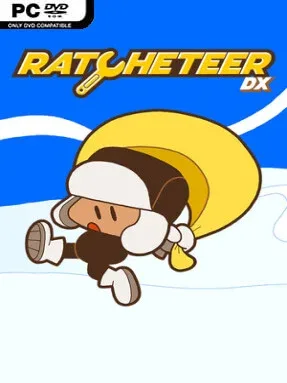
Game Overview
An impact winter has sealed humanity beneath ice and soil, turning survival into a mechanical problem as much as an environmental one. You play a young apprentice who wakes inside a failing cryogenic colony, where dead power and water systems threaten everyone still asleep. A search for your mentor’s missing wrench quickly grows into a sprawling underground adventure that reaches from shadowy tunnels to the hostile, snow-covered surface. The mood balances lonely post-apocalyptic tension with the colorful, approachable spirit of a classic 2D action-adventure.
Progress comes through exploration, combat, and a steadily expanding set of tools rather than simple key collecting. The Crank Lantern lights dark passages, while the Wrench Sword handles enemies, and later gadgets let you drill through obstacles, launch across gaps, glide over hazards, stomp weakened floors, and dash into new routes. More than 250 compact rooms spread across six regions, so each new ability encourages return trips to earlier areas where previously unreachable paths and stranded characters await. Six bosses test both timing and tool knowledge, making the adventure feel closer to a focused Zelda-style dungeon crawl than a purely relaxed exploration game.
Ratcheteer DX stands out through its mechanical theme: every upgrade feels like practical equipment salvaged for a world that has stopped working. Its full-color presentation preserves a crisp retro look, while optional Pea Soup green and high-contrast monochrome modes honor the original handheld version for players who prefer that stripped-back aesthetic. A stereo soundtrack, ten-language support, and a hidden boss-rush time trial add welcome polish and replay value without bloating the core quest. Fans of compact Metroidvania exploration, Game Boy-era adventure games, and puzzle-heavy tool progression should find plenty to enjoy, while newcomers benefit from its readable rooms and clear sense of forward momentum.
Installation
- Click the green button below to be redirected to UploadHaven.
- Wait 15 seconds, then hit “Free Download.” (Free downloads may be slower — upgrade to UploadHaven Pro for faster speeds.)
- Once downloaded, right-click the .zip file and choose “Extract to Ratcheteer DX.” (You’ll need 7-Zip for this.)
- Open the extracted folder and run the game as administrator.
- Enjoy! 🎮 If you see missing DLL errors, check the <strong>_Redist</strong> folder inside and install what’s needed.
System Requirements
- Requires a 64-bit processor and operating system
- OS: Windows 10
- Processor: Intel Core 2 Duo E6550 or AMD Athlon 64×2 Dual Core 5400+
- Memory: 4 GB RAM
- Graphics: NVIDIA GeForce 210, 512 MB or AMD Radeon HD 4250, 512 MB
- Storage: 400 MB available space
Setup Guide & Troubleshooting
How do I fix missing DLL errors for Ratcheteer DX (v1.0.3)?
After extracting Ratcheteer DX (v1.0.3), navigate to the _Redist or _CommonRedist folder inside the game directory and install DirectX, Vcredist, and any other dependencies included.
What should I do if the downloaded file is corrupted?
The full archive is 259.73 MB — make sure your download completed fully before extracting. Use 7-Zip to extract the files. If you still see a "file corrupted" error, re-download and try again.
Why should I run the game as administrator?
Right-click the game executable and select "Run as Administrator" to avoid save file issues and permission errors. This is especially important on the first launch.
How do I update my GPU drivers for this game?
Ratcheteer DX (v1.0.3) requires a NVIDIA GeForce 210, 512 MB or AMD Radeon HD 4250, 512 MB or equivalent. Update your NVIDIA or AMD drivers to the latest version for the best performance.
The game won't launch — what should I try?
Try running in compatibility mode, install the latest DirectX runtime, or install the All-in-One VC Redist Package.
My antivirus is blocking the game — is it safe?
Antivirus false positives are common with pre-installed games. Temporarily pause your antivirus during extraction to prevent it from quarantining game files. You can re-enable it after the extraction completes.