
Game Overview
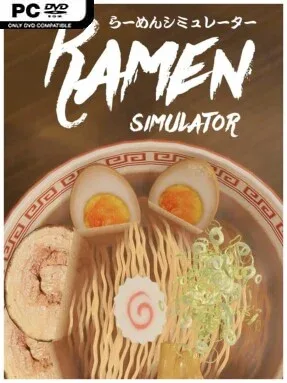
A steaming bowl becomes the entire playground in this relaxed, food-focused simulator. Ramen Simulator trades pressure and precision for colorful experimentation, letting players assemble bowls that range from traditional-looking comfort food to towering, wildly impractical creations. Its tone is lighthearted and playful, built around the simple satisfaction of choosing ingredients, arranging toppings, and admiring the result before taking a virtual slurp. Anyone who enjoys food games as a creative outlet rather than a demanding restaurant-management challenge will immediately understand the appeal.
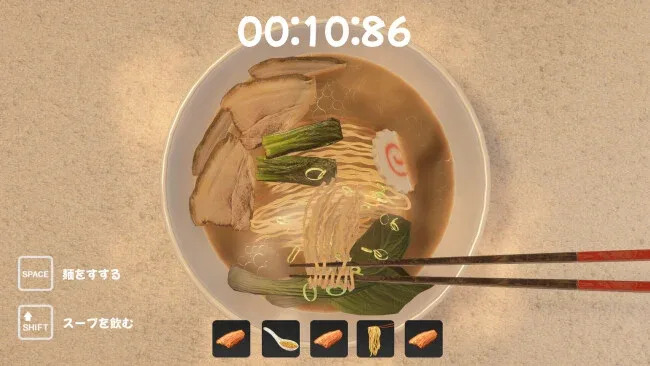
Each session begins with the fundamentals of a bowl: players select broth components, noodle types, sauces, aromatic oils, and the finishing ingredients that define its personality. More than 100 toppings support plenty of combinations, with familiar options such as chashu sitting alongside stranger additions intended for sillier presentations. Free Mode acts as the main sandbox, while More More Mode turns assembly into a stacking challenge where the goal is to pile ingredients as high as possible without worrying about culinary realism. Daily quests and a shop provide a modest progression loop, rewarding continued play with additional items, and short ramen-themed minigames offer a break from bowl building.
The strongest feature is the game’s willingness to treat ramen as both cooking and toy-box design. Instead of judging every recipe against strict real-world standards, it encourages players to test flavors, chase an attractive presentation, or make something deliberately absurd. A photo-saving gallery gives creations a purpose beyond the moment, especially for players who enjoy collecting and comparing their best-looking bowls. Ramen Simulator suits younger players, casual sim fans, and anyone who likes the decorating side of games such as Cooking Simulator or DIY food apps; serious culinary-management veterans may find it too simple, but its cheerful freedom is exactly the point.
Screenshots

Installation
- Select the <strong>Download</strong> button at the top of this page to open UploadHaven.
- On UploadHaven, wait for any countdown, then select <strong>Free Download</strong>. Optional: UploadHaven Pro for faster downloads.
- When complete, extract the archive to a <strong>Ramen Simulator</strong> folder using 7-Zip.
- Open the extracted folder and start the game normally.
- For errors, check <strong>Setup Guide & Troubleshooting</strong> below. Keep your security software enabled.
System Requirements
- OS: Windows 10
- Processor: i3
- Memory: 4 GB RAM
- Graphics: Modern GPU recommended
- Storage: 1 GB available space