
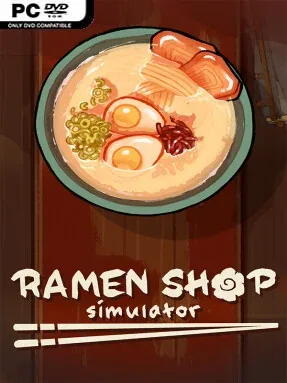
Game Overview
Ramen Shop Simulator (v0.6.8.9) is a Simulation game for Windows. This tested release features 0.6.8.9 with an estimated download size of 2.07 GB. Pre-installed, DRM-free, verified clean, and ready to play offline with full gamepad support.
A neglected alley in Japan becomes the starting point for a hands-on restaurant sim about transforming a shabby noodle bar into a local fixture. Ramen Shop Simulator favors a warm, tactile rhythm over frantic spectacle: lantern-lit side streets, convenience-store stops, and gradual improvements give its modest setting personality. Beneath the cozy presentation, success depends on balancing culinary ambition with the less glamorous work of keeping a business clean, functional, and profitable.
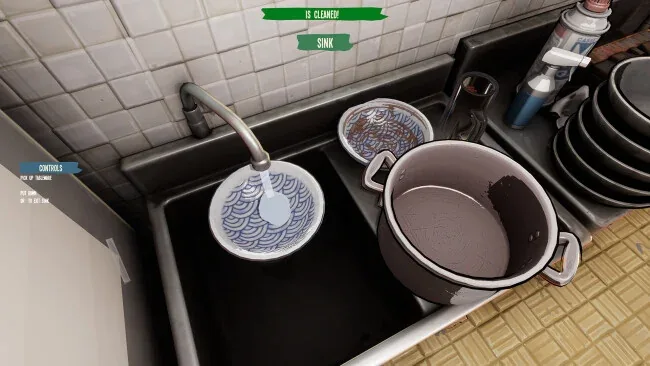
Running the shop means repairing kitchen equipment, repainting tired walls, sweeping floors, emptying rubbish, and making sure even the toilet and lights are ready for customers. Players prepare broth, proteins, and other ingredients before assembling ordered bowls, while an expanding recipe collection lets the menu move beyond basic ramen. The restaurant’s vending-machine-style menu board helps shape what customers can order, so menu choices matter as much as cooking speed. Income feeds directly back into better ingredients, improved tools, and more ways to customize the space, creating a steady loop of serving, earning, and upgrading.
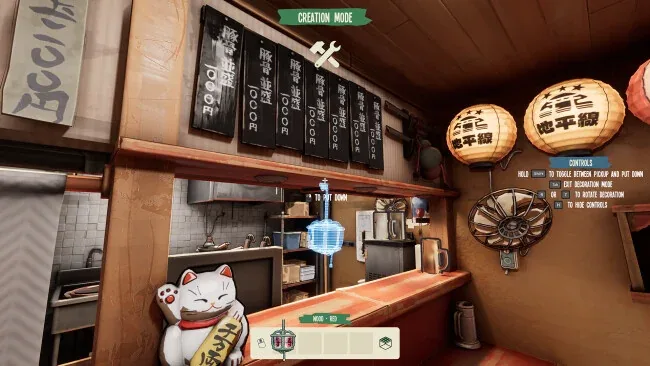
Its appeal lies in how it treats the restaurant as a lived-in place rather than just a production line. Decoration options allow anything from a cluttered neighborhood diner to a polished, upscale noodle spot, while challenge rewards and a gacha machine add an element of surprise to collecting furnishings. Fans of House Flipper’s restoration work, Cooking Simulator’s food preparation, or relaxed shop-management games should find plenty to like in its blend of cleaning, decorating, and cooking. It suits newcomers who want a low-pressure business sim, though players who enjoy optimizing menus and building an efficient routine have room to chase a more successful ramen operation.
Screenshots
Installation
- Select the <strong>Download</strong> button at the top of this page to open UploadHaven.
- On UploadHaven, wait for any countdown, then select <strong>Free Download</strong>. Optional: UploadHaven Pro for faster downloads.
- When complete, extract the archive to a <strong>Ramen Shop Simulator</strong> folder using 7-Zip.
- Open the extracted folder and start the game normally.
- For errors, check <strong>Setup Guide & Troubleshooting</strong> below. Keep your security software enabled.
System Requirements
- Requires a 64-bit processor and operating system
- OS: Windows 10
- Processor: i5-8400 / Ryzen 5 2600
- Memory: 8 GB RAM
- Graphics: NVIDIA GeForce GTX 1060 6GB / AMD Radeon RX 580
- DirectX: Version 11
- Storage: 8 GB available space
- Additional Notes: Except for handhelds and processors with very good integrated GPUs, a discrete GPU is required
Setup Guide & Troubleshooting
Is Ramen Shop Simulator (0.6.8.9) free to download on Steam Unlocked?
Yes, Ramen Shop Simulator (0.6.8.9) is available as a full-version direct download on Steam Unlocked with verified mirror links and complete release files.
How do I install Ramen Shop Simulator without errors?
Download the complete archive from the mirror links, extract using 7-Zip or WinRAR into a path without special characters, install any required runtime redistributables, and launch the main executable.
Does this release of Ramen Shop Simulator include the latest updates?
This listing provides build 0.6.8.9 of Ramen Shop Simulator, tested for offline play and compatibility with modern operating systems and emulators.
What should I do if Ramen Shop Simulator crashes on startup?
Verify that your GPU drivers and Visual C++ / DirectX runtimes are updated, run the executable as administrator, and ensure your antivirus did not block any extracted game files.