
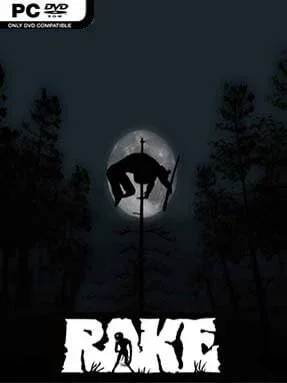
Game Overview
A lonely forest becomes a hunting ground where every distant scream, snapped branch, and failed flashlight battery can signal that something is closing in. Rake is a first-person indie survival-horror game built around the urban-legend creature of the same name, placing players in an isolated wilderness full of abandoned structures, occult rumors, and incomplete evidence. Its mood is deliberately raw and unnerving rather than cinematic: the map feels empty until the night makes it painfully clear that you are not alone. The premise leans into found-footage paranoia, asking you to investigate a monster that is rarely visible until it is already dangerous.
Most of the time is spent searching the forest for supplies, notes, equipment, and clues while trying to stay alive through increasingly hostile nights. Players use firearms, melee tools, traps, cameras, night-vision gear, and defensive items to track the creature or create enough breathing room to escape an encounter. Darkness is the central mechanic, since visibility drops sharply after sunset and the Rake can stalk, wound, and kill an unprepared survivor with alarming speed. Exploration rewards caution and route planning, while scattered points of interest give the open map a reason to be searched rather than simply crossed.
What makes Rake effective is its stripped-back approach to monster horror: there is no army of enemies or elaborate campaign constantly directing the action, only the pressure of being watched in a place too large to secure. The creature’s appearances can feel unpredictable, turning routine scavenging into a frantic fight or flight decision, especially when resources run low. Its low-budget presentation and rough edges are part of the package, so players expecting polished blockbuster production may find it dated, but the sound design and nighttime tension still carry real weight. Fans of Slender: The Eight Pages, early survival sandboxes, and cryptid-focused horror will get the most from it, while newcomers should approach it patiently and treat every night as a dangerous expedition.
Installation
- Click the green button below to be redirected to UploadHaven.
- Wait 15 seconds, then hit “Free Download.” (Free downloads may be slower — upgrade to UploadHaven Pro for faster speeds.)
- Once downloaded, right-click the .zip file and choose “Extract to Rake.” (You’ll need 7-Zip for this.)
- Open the extracted folder and run the game as administrator.
- Enjoy! 🎮 If you see missing DLL errors, check the <strong>_Redist</strong> folder inside and install what’s needed.
System Requirements
- OS: Windows Vista or higher
- Processor: 2.1GHz Intel dual-core and above
- Memory: 2 GB RAM
- Graphics: Intel HD5000 with minimum 512MB VRAM and Pixel Shader 3.0 support
- DirectX: Version 9.0c
- Storage: 2 GB available space
Setup Guide & Troubleshooting
How do I fix missing DLL errors for Rake?
After extracting Rake, navigate to the _Redist or _CommonRedist folder inside the game directory and install DirectX, Vcredist, and any other dependencies included.
What should I do if the downloaded file is corrupted?
The full archive is 752.53 MB — make sure your download completed fully before extracting. Use 7-Zip to extract the files. If you still see a "file corrupted" error, re-download and try again.
Why should I run the game as administrator?
Right-click the game executable and select "Run as Administrator" to avoid save file issues and permission errors. This is especially important on the first launch.
How do I update my GPU drivers for this game?
Rake requires a Intel HD5000 with minimum 512MB VRAM and Pixel Shader 3.0 support or equivalent. Update your NVIDIA or AMD drivers to the latest version for the best performance.
The game won't launch — what should I try?
This game requires Version 9.0c. Try running in compatibility mode, install the latest DirectX runtime, or install the All-in-One VC Redist Package.
My antivirus is blocking the game — is it safe?
Antivirus false positives are common with pre-installed games. Temporarily pause your antivirus during extraction to prevent it from quarantining game files. You can re-enable it after the extraction completes.