
Game Overview
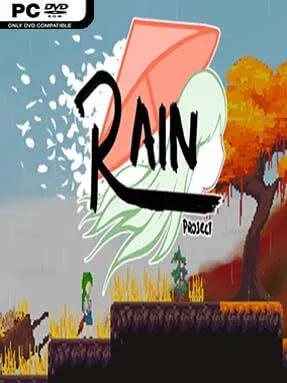
A failed ritual leaves Sanae Kochiya stranded, memoryless, and climbing Youkai Mountain through a version of Gensokyo built for fast 2D action. Rain Project – A Touhou Fangame turns the series’ famous bullet-pattern battles into a platforming adventure, balancing colorful fantasy scenery with the pressure of storms, hostile creatures, and gods who have slipped beyond control. Its mood is adventurous rather than grim, but danger is always close when the screen fills with elaborate danmaku. Even players with no Touhou background can follow Sanae’s straightforward search for answers.
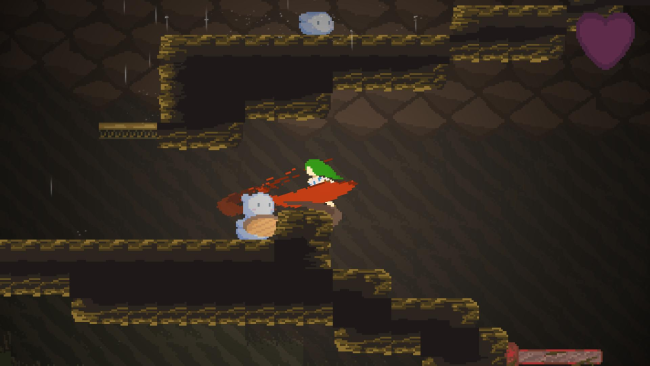
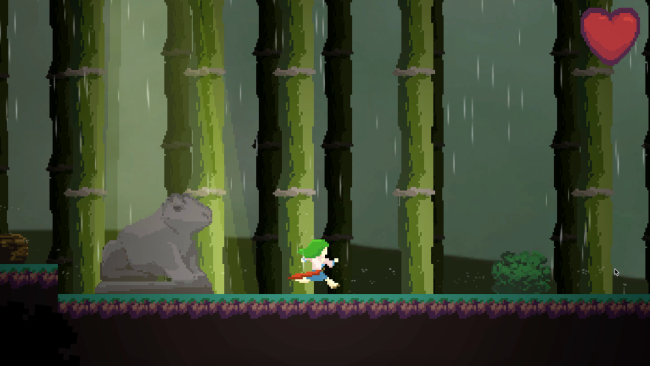
Movement and combat drive the journey across broad, interconnected stages packed with enemies, NPCs, hidden routes, and optional tasks. Sanae has to read attack patterns, evade dense waves of projectiles, and choose safe openings to strike, making boss encounters as much about positioning and patience as reflexes. Smaller opponents test platforming awareness between major fights, while the mountain’s larger areas encourage detours for players looking for extra challenges. The central loop is simple but demanding: push farther into each region, learn its hazards, meet its inhabitants, and overcome increasingly elaborate spell-card duels.
What separates Rain Project from a conventional Touhou shooter is how it preserves the franchise’s spectacle while giving every encounter a sense of physical space. Bullet patterns are not merely something to survive in an arena; they become obstacles to navigate while jumping, moving around bosses, and reacting to changing terrain. The hand-crafted world also gives Gensokyo more room to breathe than a sequence of isolated shoot-’em-up stages, with side content rewarding curiosity. Fans of Touhou who want a fresh take on its characters and spell cards should find plenty to appreciate, while players who enjoy demanding indie platformers and boss-focused games such as Cuphead will find an approachable entry point with a distinctly Japanese fantasy identity.
Installation
- Click the green button below to be redirected to UploadHaven.
- Wait 15 seconds, then hit “Free Download.” (Free downloads may be slower — upgrade to UploadHaven Pro for faster speeds.)
- Once downloaded, right-click the .zip file and choose “Extract to Rain Project - A Touhou Fangame.” (You’ll need 7-Zip for this.)
- Open the extracted folder and run the game as administrator.
- Enjoy! 🎮 If you see missing DLL errors, check the <strong>_Redist</strong> folder inside and install what’s needed.
System Requirements
- OS: Windows XP
- Processor: Pentium
- Memory: 1 GB RAM
- Graphics: Onboard
- DirectX: Version 9.0
- Storage: 100 MB available space
- Sound Card: Onboard
Setup Guide & Troubleshooting
How do I fix missing DLL errors for Rain Project – A Touhou Fangame?
After extracting Rain Project – A Touhou Fangame, navigate to the _Redist or _CommonRedist folder inside the game directory and install DirectX, Vcredist, and any other dependencies included.
What should I do if the downloaded file is corrupted?
The full archive is 215.44 MB — make sure your download completed fully before extracting. Use 7-Zip to extract the files. If you still see a "file corrupted" error, re-download and try again.
Why should I run the game as administrator?
Right-click the game executable and select "Run as Administrator" to avoid save file issues and permission errors. This is especially important on the first launch.
How do I update my GPU drivers for this game?
Rain Project – A Touhou Fangame requires a Onboard or equivalent. Update your NVIDIA or AMD drivers to the latest version for the best performance.
The game won't launch — what should I try?
This game requires Version 9.0. Try running in compatibility mode, install the latest DirectX runtime, or install the All-in-One VC Redist Package.
My antivirus is blocking the game — is it safe?
Antivirus false positives are common with pre-installed games. Temporarily pause your antivirus during extraction to prevent it from quarantining game files. You can re-enable it after the extraction completes.