
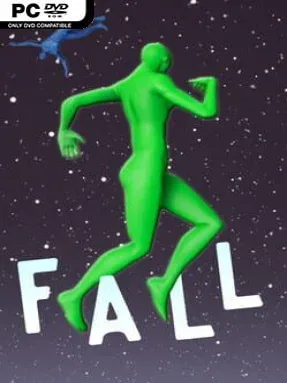
Game Overview
Chaotic physics takes center stage in this lighthearted indie obstacle game, where simply reaching the ground is rarely the whole objective. Ragdoll: Fall and Destroy turns a floppy, highly customizable character loose across stunt courses filled with breakable scenery, towering structures, moving hazards, and opportunities for spectacular slow-motion crashes. The mood is gleefully silly rather than punishingly serious, built around watching bodies, balls, cubes, and debris react in unpredictable ways.
Players tackle a variety of short levels by running, jumping, navigating obstacles, and using momentum to survive rides or smash through structures. Falling remains a major attraction, especially when a bad landing sends the ragdoll tumbling through props in exaggerated slow motion, but levels also ask for timing and control rather than mindless destruction alone. Physical settings let players alter the character’s weight, stiffness, and general behavior, creating anything from a feather-light figure with loose limbs to a heavy body that resists being thrown around. Large bouncing balls can flatten or scatter obstacles, while fragile cubes burst apart with minimal contact, making each course feel like a small physics playground.
The strongest appeal lies in the freedom to experiment with how the simulation behaves instead of chasing flawless precision. Adjusting character properties and broader gameplay settings can dramatically change how a familiar challenge plays, encouraging repeated attempts purely to see what sort of disaster follows. Its rough-and-ready ragdoll humor should suit players who enjoy the destructive toybox energy of physics sandboxes and stunt games more than tightly tuned platforming. Newcomers can enjoy the immediate slapstick, while players willing to test settings and master momentum get the most replay value from its intentionally unstable courses.
Installation
- Click the green button below to be redirected to UploadHaven.
- Wait 15 seconds, then hit “Free Download.” (Free downloads may be slower — upgrade to UploadHaven Pro for faster speeds.)
- Once downloaded, right-click the .zip file and choose “Extract to Ragdoll: Fall and Destroy.” (You’ll need 7-Zip for this.)
- Open the extracted folder and run the game as administrator.
- Enjoy! 🎮 If you see missing DLL errors, check the <strong>_Redist</strong> folder inside and install what’s needed.
System Requirements
- Requires a 64-bit processor and operating system
- OS: Windows XP and newer
- Processor: Intel Core i3
- Memory: 2 GB RAM
- Graphics: GeForce GTX 650
- Storage: 3 GB available space
Setup Guide & Troubleshooting
How do I fix missing DLL errors for Ragdoll: Fall and Destroy?
After extracting Ragdoll: Fall and Destroy, navigate to the _Redist or _CommonRedist folder inside the game directory and install DirectX, Vcredist, and any other dependencies included.
What should I do if the downloaded file is corrupted?
The full archive is 1.43 GB — make sure your download completed fully before extracting. Use 7-Zip to extract the files. If you still see a "file corrupted" error, re-download and try again.
Why should I run the game as administrator?
Right-click the game executable and select "Run as Administrator" to avoid save file issues and permission errors. This is especially important on the first launch.
How do I update my GPU drivers for this game?
Ragdoll: Fall and Destroy requires a GeForce GTX 650 or equivalent. Update your NVIDIA or AMD drivers to the latest version for the best performance.
The game won't launch — what should I try?
Try running in compatibility mode, install the latest DirectX runtime, or install the All-in-One VC Redist Package.
My antivirus is blocking the game — is it safe?
Antivirus false positives are common with pre-installed games. Temporarily pause your antivirus during extraction to prevent it from quarantining game files. You can re-enable it after the extraction completes.