
Game Overview
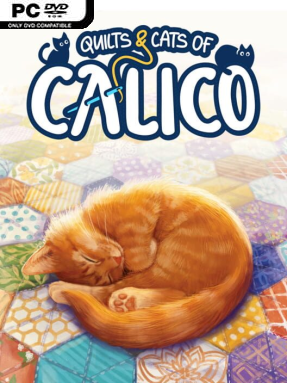
A patchwork board fills with color, pattern, and the occasional cat determined to sit directly on your careful planning. Quilts and Cats of Calico turns the acclaimed Calico tabletop game into a warm digital puzzle, asking players to assemble a quilt that satisfies overlapping scoring goals. Its atmosphere is deliberately gentle, with animated feline visitors, soft music, and a story campaign set in a whimsical city where cats carry genuine social influence. Beneath that cozy presentation sits a surprisingly demanding strategy game built around limited space and difficult choices.
Each turn revolves around selecting a fabric tile from a shared market and placing it onto a personal hexagonal quilt board. Matching colors in the right formations earns buttons, while arranging specific fabric patterns creates attractive resting spots for cats; fulfilling both objectives at once is where the best scores come from. Every placement affects the remaining board, so an early mistake can close off a valuable scoring route several turns later. Solo players can tackle AI opponents at different strengths, while cross-platform online play supports friends, random matchmaking, and ranked competition. The campaign adds narrative challenges and altered rules that give experienced Calico players more than a straight conversion of the physical game.
Cats are more than a decorative layer: they wander around the board, react to the action, and can be petted or shooed away when their antics obstruct the view. Customizing a personal cat with fur colors, outfits, and a name adds a pleasant bit of ownership, while selectable portraits and backgrounds help matches feel less sterile. The digital presentation gives the abstract puzzle a tactile charm without obscuring how tight and tactical its tile placement remains. Fans of Azul, Sagrada, or Wingspan’s thoughtful digital adaptation will find a similarly calm but competitive experience here, and newcomers can enjoy it too—provided they are willing to learn why one innocent-looking fabric scrap can ruin an entire quilt.
Installation
- Click the green button below to be redirected to UploadHaven.
- Wait 15 seconds, then hit “Free Download.” (Free downloads may be slower — upgrade to UploadHaven Pro for faster speeds.)
- Once downloaded, right-click the .zip file and choose “Extract to Quilts and Cats of Calico.” (You’ll need 7-Zip for this.)
- Open the extracted folder and run the game as administrator.
- Enjoy! 🎮 If you see missing DLL errors, check the <strong>_Redist</strong> folder inside and install what’s needed.
System Requirements
- Requires a 64-bit processor and operating system
- OS *: Microsoft® Windows® 7 / 8 / 10 64 Bit
- Processor: i5-2430M
- Memory: 4 GB RAM
- Graphics: Nvidia GT540
- Storage: 2 GB available space
- Sound Card: DirectX compatible
Setup Guide & Troubleshooting
How do I fix missing DLL errors for Quilts and Cats of Calico (v1.0.77.0304.1140)?
After extracting Quilts and Cats of Calico (v1.0.77.0304.1140), navigate to the _Redist or _CommonRedist folder inside the game directory and install DirectX, Vcredist, and any other dependencies included.
What should I do if the downloaded file is corrupted?
The full archive is 1.24 GB — make sure your download completed fully before extracting. Use 7-Zip to extract the files. If you still see a "file corrupted" error, re-download and try again.
Why should I run the game as administrator?
Right-click the game executable and select "Run as Administrator" to avoid save file issues and permission errors. This is especially important on the first launch.
How do I update my GPU drivers for this game?
Quilts and Cats of Calico (v1.0.77.0304.1140) requires a Nvidia GT540 or equivalent. Update your NVIDIA or AMD drivers to the latest version for the best performance.
The game won't launch — what should I try?
Try running in compatibility mode, install the latest DirectX runtime, or install the All-in-One VC Redist Package.
My antivirus is blocking the game — is it safe?
Antivirus false positives are common with pre-installed games. Temporarily pause your antivirus during extraction to prevent it from quarantining game files. You can re-enable it after the extraction completes.