
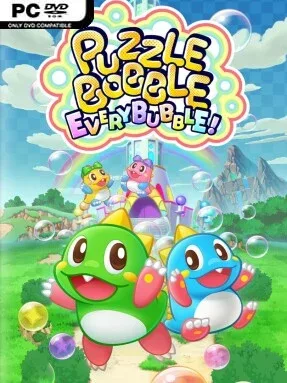
Game Overview
Rainbow Island becomes a bright, bubble-clogged playground where Bub, Bob, Peb, and Pab fire colored orbs upward to clear the sky one satisfying chain reaction at a time. Puzzle Bobble Everybubble! keeps the series’ instantly readable match-three shooting at its center, but wraps it in a cheerful story campaign full of strange visitors, light comedy, and steadily trickier boards. Its tone stays inviting rather than stressful, even when a single poorly aimed bubble leaves a messy ceiling hanging over the whole playfield. The result is an action-puzzle game built for quick sessions that can easily turn into an all-evening score chase.
Every stage revolves around lining up shots, matching three or more bubbles of the same color, and using dangling connections to drop huge clusters at once. Angle shots off the walls, plan around the next bubbles in the queue, and decide whether to make a safe clear or gamble on a larger collapse; later layouts demand more deliberate positioning and faster recovery from mistakes. Story Mode supports solo play as well as local cooperative teams of up to four players, allowing friends to coordinate shots or happily create chaos on the same board. Competitive options shift the focus from clearing screens to outplaying opponents, with one-on-one online battles, two-versus-two matches, password-based friend lobbies, and leaderboards for players who want to refine every shot.
What makes Everybubble! more than a familiar revival is the amount of ways it supports the same elegant idea: a substantial campaign, couch co-op, online rivalry, and the unusual Puzzle Bobble vs. Space Invaders collaboration mode. The colorful presentation and simple controls make it easy for children, casual players, and puzzle newcomers to join in, while the geometry, random bubble sequences, and competitive pressure give veterans plenty to master. Fans of Bust-A-Move, Snood, and relaxed arcade puzzlers get exactly the kind of clean, skill-based loop they expect, with more social options than the series usually offers. It is especially easy to recommend for households looking for a cooperative puzzle game that remains fun even when players have wildly different skill levels.
Installation
- Click the green button below to be redirected to UploadHaven.
- Wait 15 seconds, then hit “Free Download.” (Free downloads may be slower — upgrade to UploadHaven Pro for faster speeds.)
- Once downloaded, right-click the .zip file and choose “Extract to Puzzle Bobble Everybubble!.” (You’ll need 7-Zip for this.)
- Open the extracted folder and run the game as administrator.
- Enjoy! 🎮 If you see missing DLL errors, check the <strong>_Redist</strong> folder inside and install what’s needed.
System Requirements
- OS: Windows10
- Memory: 4 GB RAM
- Graphics: NVIDIA® GeForce® GTX 950
- DirectX: Version 11
- Storage: 3 GB available space
Setup Guide & Troubleshooting
How do I fix missing DLL errors for Puzzle Bobble Everybubble! (v1.0)?
After extracting Puzzle Bobble Everybubble! (v1.0), navigate to the _Redist or _CommonRedist folder inside the game directory and install DirectX, Vcredist, and any other dependencies included.
What should I do if the downloaded file is corrupted?
The full archive is 1.71 GB — make sure your download completed fully before extracting. Use 7-Zip to extract the files. If you still see a "file corrupted" error, re-download and try again.
Why should I run the game as administrator?
Right-click the game executable and select "Run as Administrator" to avoid save file issues and permission errors. This is especially important on the first launch.
How do I update my GPU drivers for this game?
Puzzle Bobble Everybubble! (v1.0) requires a NVIDIA® GeForce® GTX 950 or equivalent. Update your NVIDIA or AMD drivers to the latest version for the best performance.
The game won't launch — what should I try?
This game requires Version 11. Try running in compatibility mode, install the latest DirectX runtime, or install the All-in-One VC Redist Package.
My antivirus is blocking the game — is it safe?
Antivirus false positives are common with pre-installed games. Temporarily pause your antivirus during extraction to prevent it from quarantining game files. You can re-enable it after the extraction completes.