
Game Overview
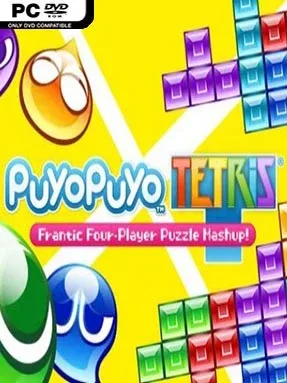
Falling blocks and bouncing blobs turn into a surprisingly fierce competitive sport in Puyo Puyo Tetris. SEGA’s crossover pits the clean, geometric pressure of Tetris against Puyo Puyo’s chain-building color matches, creating a party puzzler where quick hands matter but smart setup wins matches. Its bright anime cast, playful story scenes, and energetic music keep the mood light, even when an opponent is seconds away from burying your board in garbage. Whether played alone or on a crowded couch, it delivers the kind of immediate competition that makes “one more round” an easy promise to break.
Matches revolve around clearing your own playfield efficiently while sending nuisance pieces to rival players. Tetris players rotate and drop Tetrominoes to complete lines, while Puyo players link four or more matching blobs and build elaborate chain reactions; both systems produce attacks that translate cleanly across the shared battlefield. Adventure mode introduces characters and rule sets through a lengthy, dialogue-heavy campaign, while Challenge offers focused score and endurance tests for sharpening fundamentals. Arcade supports local battles for up to four people, and online Puzzle League and Free Play modes let players test their speed, planning, and composure against others. Unlockable voices, backgrounds, character options, and board skins provide a steady stream of cosmetic rewards alongside the improving skill curve.
The clever part is that neither puzzle game feels like a lesser version of itself. Standard Versus mode highlights their natural rivalry, while Swap alternates between Tetris and Puyo boards, Fusion combines both piece types on one grid, and Big Bang turns matches into rapid-fire clearing contests. That variety makes Puyo Puyo Tetris more flexible than a conventional Tetris release and more approachable than many dedicated competitive puzzlers, though high-level chains and efficient stacking give veterans plenty to master. Fans of Tetris Effect’s pressure, Dr. Mario’s competitive clearing, or chaotic couch games such as Mario Kart will find a colorful, deeply replayable alternative here.
Installation
- Click the green button below to be redirected to UploadHaven.
- Wait 15 seconds, then hit “Free Download.” (Free downloads may be slower — upgrade to UploadHaven Pro for faster speeds.)
- Once downloaded, right-click the .zip file and choose “Extract to Puyo Puyo Tetris.” (You’ll need 7-Zip for this.)
- Open the extracted folder and run the game as administrator.
- Enjoy! 🎮 If you see missing DLL errors, check the <strong>_Redist</strong> folder inside and install what’s needed.
System Requirements
- Requires a 64-bit processor and operating system
- OS: Microsoft Windows 7 / 8 (8.1) / 10 64Bit
- Processor: Intel Core i3 or AMD equivalent
- Memory: 4 GB RAM
- Graphics: DX11 compliant video card with 1 GB VRAM
- DirectX: Version 11
- Storage: 7 GB available space
Setup Guide & Troubleshooting
How do I fix missing DLL errors for Puyo Puyo Tetris?
After extracting Puyo Puyo Tetris, navigate to the _Redist or _CommonRedist folder inside the game directory and install DirectX, Vcredist, and any other dependencies included.
What should I do if the downloaded file is corrupted?
The full archive is 2.87 GB — make sure your download completed fully before extracting. Use 7-Zip to extract the files. If you still see a "file corrupted" error, re-download and try again.
Why should I run the game as administrator?
Right-click the game executable and select "Run as Administrator" to avoid save file issues and permission errors. This is especially important on the first launch.
How do I update my GPU drivers for this game?
Puyo Puyo Tetris requires a DX11 compliant video card with 1 GB VRAM or equivalent. Update your NVIDIA or AMD drivers to the latest version for the best performance.
The game won't launch — what should I try?
This game requires Version 11. Try running in compatibility mode, install the latest DirectX runtime, or install the All-in-One VC Redist Package.
My antivirus is blocking the game — is it safe?
Antivirus false positives are common with pre-installed games. Temporarily pause your antivirus during extraction to prevent it from quarantining game files. You can re-enable it after the extraction completes.