
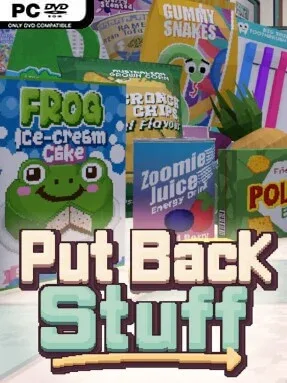
Game Overview
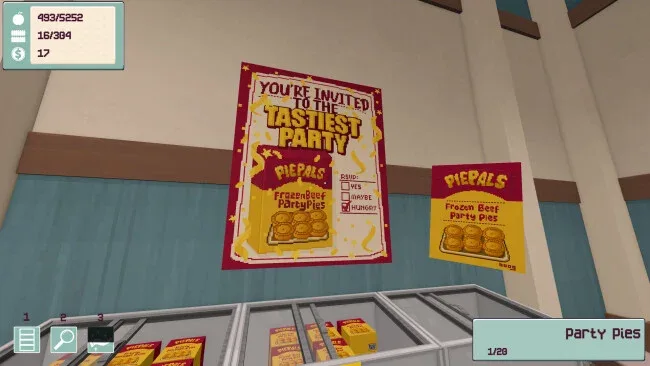
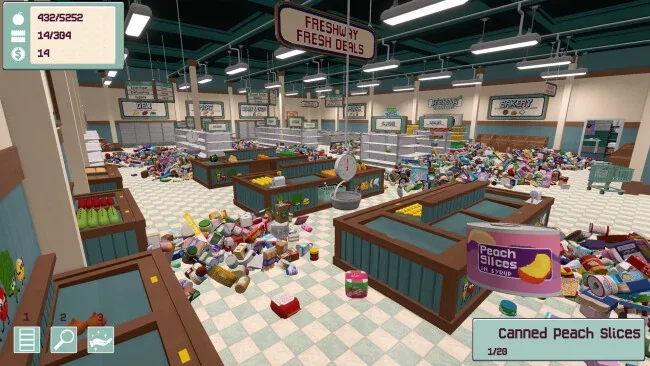
Order gradually replaces chaos in this relaxed first-person organisation sim, where the reward is not a high score but the clean visual snap of a shelf finally making sense. Set inside an Australian supermarket buried beneath a mountain of misplaced stock, it turns the ordinary work of sorting groceries into a calm, surprisingly absorbing puzzle. Thousands of colourful products, empty displays, and hidden patches of floor give every cleared corner a tangible sense of progress. The mood stays family-friendly and unhurried, supported by soft feedback, custom music choices, and a playful low-poly presentation with pixel-art textures.
Players pick up items, identify their department, and decide how neatly to arrange them among more than 300 shelves. Matching products can be grouped with as much precision as desired, whether that means simply returning canned food to its aisle or obsessively lining up every variety and size. Restoring a level earns coins for a skill system that improves practical abilities, including faster movement, increased carrying capacity, shelf-location help, and ways to summon objects that remain missing. Optional lost-property trinkets add a scavenger-hunt layer, while up to 100 sticky notes per level let meticulous planners label sections, map out jobs, or leave themselves amusing reminders.
Put Back Stuff stands out by treating tidying as the entire point rather than a side activity between action sequences. Its enormous item count makes it feel closer to the satisfying spatial logic of Unpacking mixed with the broad cleanup scale of PowerWash Simulator, though its focus remains on classification and display arrangement rather than narrative or physics spectacle. A craft-store setting expands the concept with paint, fabric, yarn, and the sort of categorisation debates that organisation enthusiasts genuinely enjoy. It suits players who want a low-pressure solo game to unwind with, especially anyone who finds inventory sorting, visual order, and slowly completed checklists more satisfying than combat or time limits.
Screenshots
Installation
- Select the <strong>Download</strong> button at the top of this page to open UploadHaven.
- On UploadHaven, wait for any countdown, then select <strong>Free Download</strong>. Optional: UploadHaven Pro for faster downloads.
- When complete, extract the archive to a <strong>Put Back Stuff</strong> folder using 7-Zip.
- Open the extracted folder and start the game normally.
- For errors, check <strong>Setup Guide & Troubleshooting</strong> below. Keep your security software enabled.
System Requirements
- OS: Windows 10
- Processor: Intel Core i5
- Memory: 8 GB RAM
- Graphics: GTX 960 or equivalent
- DirectX: Version 12
- Storage: 6 GB available space