
Game Overview
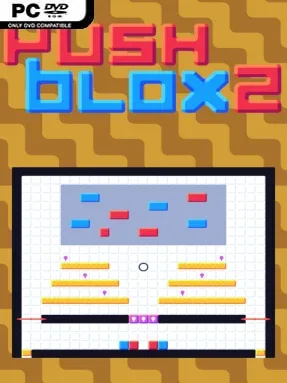
Colored blocks, compact rooms, and a deceptively simple goal drive Push Blox 2: bring every matching block together without trapping yourself in the process. It is a pure grid-based puzzle game built around careful planning rather than quick reflexes, with each level turning a small space into a tightly engineered mechanical problem. The clean presentation and gentle guitar-led soundtrack keep the mood calm, but the puzzles steadily become demanding enough to punish every careless push. Players who enjoy methodical brainteasers will find a lot to chew on behind its minimalist surface.
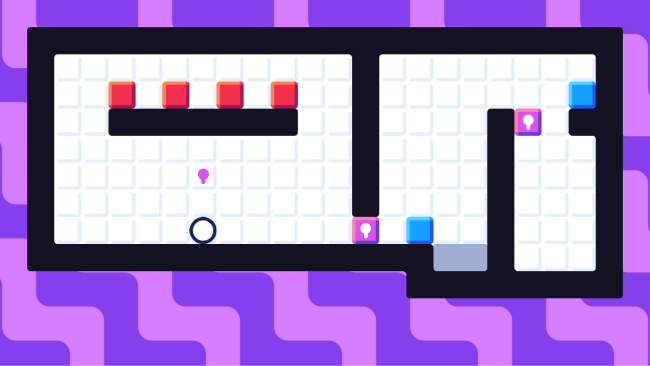
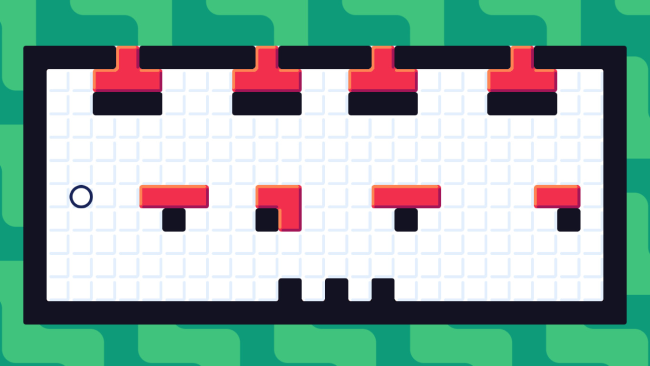
Each stage asks you to shove blocks across the board until blocks sharing a color connect, while learning how to use or avoid the hazards built into the layout. Locks restrict access, conveyor belts alter movement, lasers create dangerous lanes, and other devices force you to consider not only where a block needs to finish, but the exact order in which everything moves. Early boards teach the basic rules in approachable scenarios, then later challenges combine several systems into intricate chains of dependencies. There is no action combat or sprawling exploration here; success comes from reading the room, testing an idea, recognizing a dead end, and restarting with a smarter plan.
The appeal lies in how deliberately each puzzle is constructed. Rather than relying on random generation or endless filler stages, Push Blox 2 focuses on hand-made boards that introduce mechanics clearly before twisting them into more advanced applications. Reaching 75 percent completion is enough to earn the victory, which is a welcome option for players who want a satisfying finish without conquering every brutal optional challenge; clearing everything earns a place in the Hall of Push Blox Masters. Its sparse interface makes the board easy to parse, while the soundtrack prevents repeated experimentation from becoming stressful. Fans of Sokoban-style games, especially players who appreciate the precision of Baba Is You or Stephen’s Sausage Roll without their more abstract presentation, should feel at home, though puzzle veterans will get the most from its tougher late-game designs.
Installation
- Click the green button below to be redirected to UploadHaven.
- Wait 15 seconds, then hit “Free Download.” (Free downloads may be slower — upgrade to UploadHaven Pro for faster speeds.)
- Once downloaded, right-click the .zip file and choose “Extract to Push Blox 2.” (You’ll need 7-Zip for this.)
- Open the extracted folder and run the game as administrator.
- Enjoy! 🎮 If you see missing DLL errors, check the <strong>_Redist</strong> folder inside and install what’s needed.
System Requirements
- OS: Windows 7-10
- Processor: 1 GHz
- Memory: 1 GB RAM
- Graphics: DirectX 9 or later with WDDM 1.0 driver
- Storage: 126 MB available space
- Sound Card: N/A
- Additional Notes: N/A
Setup Guide & Troubleshooting
How do I fix missing DLL errors for Push Blox 2 (v1.20)?
After extracting Push Blox 2 (v1.20), navigate to the _Redist or _CommonRedist folder inside the game directory and install DirectX, Vcredist, and any other dependencies included.
What should I do if the downloaded file is corrupted?
The full archive is 110.91 MB — make sure your download completed fully before extracting. Use 7-Zip to extract the files. If you still see a "file corrupted" error, re-download and try again.
Why should I run the game as administrator?
Right-click the game executable and select "Run as Administrator" to avoid save file issues and permission errors. This is especially important on the first launch.
How do I update my GPU drivers for this game?
Push Blox 2 (v1.20) requires a DirectX 9 or later with WDDM 1.0 driver or equivalent. Update your NVIDIA or AMD drivers to the latest version for the best performance.
The game won't launch — what should I try?
Try running in compatibility mode, install the latest DirectX runtime, or install the All-in-One VC Redist Package.
My antivirus is blocking the game — is it safe?
Antivirus false positives are common with pre-installed games. Temporarily pause your antivirus during extraction to prevent it from quarantining game files. You can re-enable it after the extraction completes.