
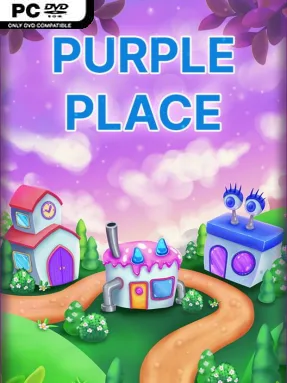
Game Overview
Bright colors, simple challenges, and a dose of early-PC nostalgia define Purple Place – Classic Games, a casual collection built around three approachable minigames. Its cheerful presentation trades pressure-heavy action for quick sessions of baking, card matching, and outfit creation. The mood is playful and family-friendly, making it an easy pick for younger players, parents sharing a screen, or anyone who remembers the era of compact Windows puzzle games. Rather than telling a large story, it focuses on familiar activities that are easy to understand within minutes.
Cake Master asks players to study an order, select the correct cake components, and assemble a finished dessert before mistakes pile up. Recipes become harder as additional layers, colors, decorations, and combinations demand closer attention, turning a simple bakery theme into a memory and observation challenge. Memory Match uses a traditional face-down card board, rewarding players who remember where each colorful image appears while working against a timer. Fashion Frenzy shifts the focus toward styling, letting players combine clothing options into looks intended to meet the mode’s scoring goals; together, the modes create a rotating set of short, low-commitment tasks rather than one deep campaign.
What makes the package appealing is its directness: each activity has one clear objective, readable visuals, and a gentle learning curve that suits pick-up-and-play sessions. Cake Master carries the strongest nostalgic pull, recalling classic pattern-recognition games, while the card mode adds a more conventional brain-training element and the fashion mode offers room for personal expression. There is little evidence of complex systems, competitive multiplayer, or long-form progression, so players wanting a demanding simulation or expansive adventure may find it lightweight. Fans of Purble Place-style school-computer classics, cozy casual games, and kid-friendly puzzle collections are the best audience, especially if they value simple replayable challenges over modern production scale.
Installation
- Click the green button below to be redirected to UploadHaven.
- Wait 15 seconds, then hit “Free Download.” (Free downloads may be slower — upgrade to UploadHaven Pro for faster speeds.)
- Once downloaded, right-click the .zip file and choose “Extract to Purple Place - Classic Games.” (You’ll need 7-Zip for this.)
- Open the extracted folder and run the game as administrator.
- Enjoy! 🎮 If you see missing DLL errors, check the <strong>_Redist</strong> folder inside and install what’s needed.
System Requirements
- Requires a 64-bit processor and operating system
- OS *: Windows 7
- Processor: x64 architecture
- Memory: 1 GB RAM
- Storage: 250 MB available space
Setup Guide & Troubleshooting
How do I fix missing DLL errors for Purple Place – Classic Games (v1.0.12b)?
After extracting Purple Place – Classic Games (v1.0.12b), navigate to the _Redist or _CommonRedist folder inside the game directory and install DirectX, Vcredist, and any other dependencies included.
What should I do if the downloaded file is corrupted?
The full archive is 111.33 MB — make sure your download completed fully before extracting. Use 7-Zip to extract the files. If you still see a "file corrupted" error, re-download and try again.
Why should I run the game as administrator?
Right-click the game executable and select "Run as Administrator" to avoid save file issues and permission errors. This is especially important on the first launch.
How do I update my GPU drivers for this game?
Update your NVIDIA or AMD drivers to the latest version for the best performance and compatibility.
The game won't launch — what should I try?
Try running in compatibility mode, install the latest DirectX runtime, or install the All-in-One VC Redist Package.
My antivirus is blocking the game — is it safe?
Antivirus false positives are common with pre-installed games. Temporarily pause your antivirus during extraction to prevent it from quarantining game files. You can re-enable it after the extraction completes.