
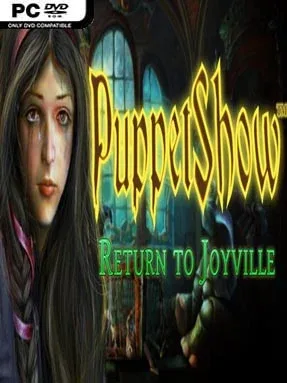
Game Overview
A ruined puppet theater, a child marked by tragedy, and a chance to rewrite one catastrophic night give this hidden-object adventure an unusually melancholy hook. Set in the eerie Joyville of the past, PuppetShow: Return to Joyville Collector’s Edition follows Felicia before she becomes the series’ familiar villain, when a fire destroys her father’s theater and changes her life forever. The tone balances fairy-tale wonder with damaged dolls, mechanical puppets, and a looming sense that altering history may create fresh consequences. Beneath its theatrical gothic style lies a straightforward mystery about blame, redemption, and the person truly responsible for Joyville’s downfall.
Players move through illustrated static scenes, searching for useful objects, gathering inventory pieces, and unlocking new areas of the town and theater. Hidden-object sequences ask you to locate themed items in densely detailed environments, while logic puzzles, mechanical contraptions, and pattern-based minigames break up the searching. Progress comes from observing each location closely and using collected tools in sensible ways, rather than through reflex-heavy action or combat. Casual players can rely on hint systems and the included strategy guide when a puzzle stalls them, while genre veterans can enjoy untangling the adventure’s chain of locks, secrets, and story revelations. The Collector’s Edition also adds a separate bonus chapter that extends the plot after the main campaign.
Joyville’s greatest strength is its handcrafted atmosphere: every battered stage prop, porcelain face, and clockwork device reinforces the central puppet-theater theme. The time-travel angle gives the narrative more emotional weight than a typical haunted-house hidden-object game, even if its puzzles remain comfortably familiar to fans of the genre. Concept art, wallpapers, music, and screensavers are pleasant extras for collectors, though the bonus gameplay is the most meaningful addition. Fans of Dark Parables, Grim Tales, or other Big Fish-style puzzle adventures will feel immediately at home, while newcomers get an accessible, story-led introduction to the format.
Installation
- Click the green button below to be redirected to UploadHaven.
- Wait 15 seconds, then hit “Free Download.” (Free downloads may be slower — upgrade to UploadHaven Pro for faster speeds.)
- Once downloaded, right-click the .zip file and choose “Extract to PuppetShow: Return to Joyville Collector's Edition.” (You’ll need 7-Zip for this.)
- Open the extracted folder and run the game as administrator.
- Enjoy! 🎮 If you see missing DLL errors, check the <strong>_Redist</strong> folder inside and install what’s needed.
System Requirements
- OS: Windows XP/Windows Vista/Windows 7/Windows 8
- Processor: 1.4 GHz
- Memory: 1024 MB RAM
- DirectX: Version 9.0
- Storage: 540 MB available space
Setup Guide & Troubleshooting
How do I fix missing DLL errors for PuppetShow: Return to Joyville Collector’s Edition?
After extracting PuppetShow: Return to Joyville Collector’s Edition, navigate to the _Redist or _CommonRedist folder inside the game directory and install DirectX, Vcredist, and any other dependencies included.
What should I do if the downloaded file is corrupted?
The full archive is 545.22 MB — make sure your download completed fully before extracting. Use 7-Zip to extract the files. If you still see a "file corrupted" error, re-download and try again.
Why should I run the game as administrator?
Right-click the game executable and select "Run as Administrator" to avoid save file issues and permission errors. This is especially important on the first launch.
How do I update my GPU drivers for this game?
Update your NVIDIA or AMD drivers to the latest version for the best performance and compatibility.
The game won't launch — what should I try?
This game requires Version 9.0. Try running in compatibility mode, install the latest DirectX runtime, or install the All-in-One VC Redist Package.
My antivirus is blocking the game — is it safe?
Antivirus false positives are common with pre-installed games. Temporarily pause your antivirus during extraction to prevent it from quarantining game files. You can re-enable it after the extraction completes.