
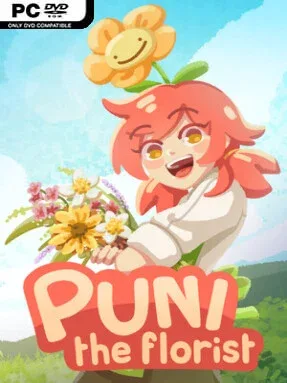
Game Overview
A small magical flower shop becomes the center of a warm, whimsical story in Puni the Florist, a cozy adventure built around creativity, friendship, and finding meaning in everyday work. You share the counter with Puni, an unusual but lovable flower fairy whose presence brings equal parts charm and disorder to the routine. Rather than chasing high-stakes danger, the game leans into gentle humor and heartfelt personal moments as a growing florist finds their place among an eccentric community. Its cheerful, storybook atmosphere makes the experience feel like a relaxing break from more demanding simulation games.
Most of your time goes toward listening to customers, interpreting what they want, and assembling bouquets from different flowers and decorative elements. Each arrangement is an opportunity to experiment with color, style, and sentiment, especially as the scrapbook reveals floriography—the traditional meanings associated with particular blooms. Completing collections gives the floral catalog a sense of progression, while customer interactions gradually open up the lives and personalities of the town’s residents. Between orders, you can reshape the shop itself with cute furnishings and decorations, turning the workplace into a reflection of your own taste, then preserve favorite arrangements in a gallery.
The strongest appeal lies in how it treats floristry as both a puzzle and a form of self-expression: bouquets are not merely items to hand over, but personal responses to each visitor’s needs. Puni’s antics and the colorful cast keep the shop from becoming a purely mechanical crafting loop, while the flower-language system adds a thoughtful layer to every design choice. Players who enjoy the low-pressure routine of games such as Sticky Business, with the interpersonal warmth of a small-town life sim, should find plenty to like here. It suits newcomers to cozy games especially well, while dedicated decorators and collectors have reason to linger over every bloom, layout, and relationship.
Installation
- Click the green button below to be redirected to UploadHaven.
- Wait 15 seconds, then hit “Free Download.” (Free downloads may be slower — upgrade to UploadHaven Pro for faster speeds.)
- Once downloaded, right-click the .zip file and choose “Extract to Puni the Florist.” (You’ll need 7-Zip for this.)
- Open the extracted folder and run the game as administrator.
- Enjoy! 🎮 If you see missing DLL errors, check the <strong>_Redist</strong> folder inside and install what’s needed.
System Requirements
- OS: Windows 10 or later
- Processor: Requires a 64-bit processor
- Memory: 4 GB RAM
- Graphics: Requires GPU with 1GB VRAM
- Storage: 1 GB available space
Setup Guide & Troubleshooting
How do I fix missing DLL errors for Puni the Florist (v1.0.2)?
After extracting Puni the Florist (v1.0.2), navigate to the _Redist or _CommonRedist folder inside the game directory and install DirectX, Vcredist, and any other dependencies included.
What should I do if the downloaded file is corrupted?
The full archive is 456.68 MB — make sure your download completed fully before extracting. Use 7-Zip to extract the files. If you still see a "file corrupted" error, re-download and try again.
Why should I run the game as administrator?
Right-click the game executable and select "Run as Administrator" to avoid save file issues and permission errors. This is especially important on the first launch.
How do I update my GPU drivers for this game?
Puni the Florist (v1.0.2) requires a Requires GPU with 1GB VRAM or equivalent. Update your NVIDIA or AMD drivers to the latest version for the best performance.
The game won't launch — what should I try?
Try running in compatibility mode, install the latest DirectX runtime, or install the All-in-One VC Redist Package.
My antivirus is blocking the game — is it safe?
Antivirus false positives are common with pre-installed games. Temporarily pause your antivirus during extraction to prevent it from quarantining game files. You can re-enable it after the extraction completes.