
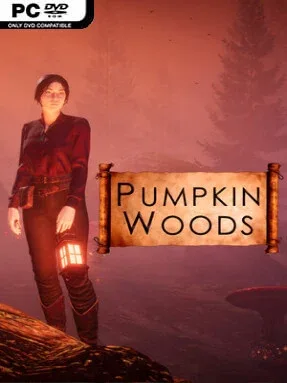
Game Overview
A hostile fairytale forest turns witchcraft into a practical survival tool, asking you to endure as much as you enchant. Pumpkin Woods is an open-world crafting sandbox where every journey beyond the safety of a cabin can uncover useful ingredients, strange ruins, merchants, or another reason to reconsider your route home. Its tone balances cozy autumnal witch aesthetics with genuine danger: the woods are beautiful, but hunger, thirst, bad weather, and poor preparation can end an expedition quickly. Rather than guiding you through a fixed story, it lets curiosity and hard-earned knowledge shape each attempt.
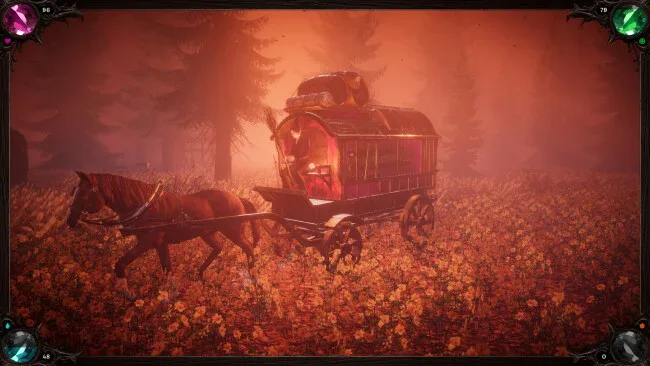
Survival revolves around scavenging magical materials, turning them into potions and supplies, and managing the physical and emotional needs of your witch. You travel on foot, ride an enchanted broom, or use a traveler wagon to carry yourself and your finds across procedurally generated terrain, while changing weather affects the feel and risk of each outing. Landmarks encourage detours and experimentation, and merchants provide another avenue for acquiring essentials when your own crafting plans fall apart. Death is part of the intended loop rather than a simple failure state, since learning where resources appear, how systems interact, and which dangers to avoid makes later runs more successful; players wanting less pressure can choose Chill Mode.
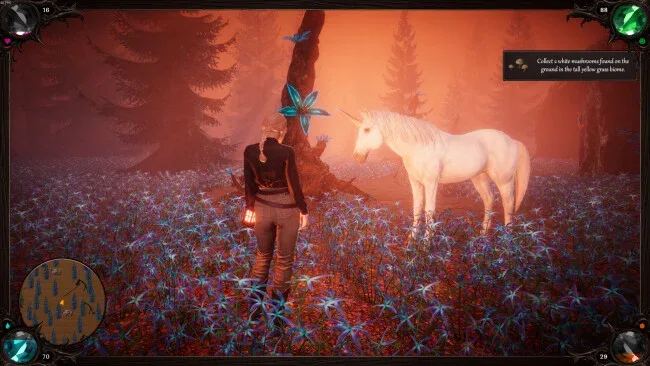
What separates Pumpkin Woods from more combat-driven survival games is its focus on domestic witch life alongside wilderness hardship. Outfits, cabin furnishings, potion brewing, and the option to keep a cat or unicorn companion give the game a personal, storybook quality, while its intentionally sparse instruction preserves a sense of mystery. The mouse-and-keyboard-only design and 16:9 focus are worth noting, especially for players using controllers or ultrawide displays. Fans of Don’t Starve’s survival tension, Valheim’s self-directed gathering, and cozy witch simulators should find plenty to like, although it suits patient experimenters far more than anyone seeking constant quests or clear objectives.
Screenshots
Installation
- Click the green button below to be redirected to UploadHaven.
- Wait 15 seconds, then hit “Free Download.” (Free downloads may be slower — upgrade to UploadHaven Pro for faster speeds.)
- Once downloaded, right-click the .zip file and choose “Extract to Pumpkin Woods.” (You’ll need 7-Zip for this.)
- Open the extracted folder and run the game as administrator.
- Enjoy! 🎮 If you see missing DLL errors, check the <strong>_Redist</strong> folder inside and install what’s needed.
System Requirements
- OS: 64-bit Windows 10
- Processor: Intel Core i5-6600 (3.3Ghz) or AMD Ryzen 5 1400 (3.2Ghz)
- Memory: 8 GB RAM
- Graphics: NVIDIA GeForce GTX 960 4GB or AMD Radeon RX 470 4GB
- DirectX: Version 12
- Storage: 7 GB available space
- Additional Notes: Low Quality Settings
Setup Guide & Troubleshooting
How do I fix missing DLL errors for Pumpkin Woods?
After extracting Pumpkin Woods, navigate to the _Redist or _CommonRedist folder inside the game directory and install DirectX, Vcredist, and any other dependencies included.
What should I do if the downloaded file is corrupted?
The full archive is 6.60 GB — make sure your download completed fully before extracting. Use 7-Zip to extract the files. If you still see a "file corrupted" error, re-download and try again.
Why should I run the game as administrator?
Right-click the game executable and select "Run as Administrator" to avoid save file issues and permission errors. This is especially important on the first launch.
How do I update my GPU drivers for this game?
Pumpkin Woods requires a NVIDIA GeForce GTX 960 4GB or AMD Radeon RX 470 4GB or equivalent. Update your NVIDIA or AMD drivers to the latest version for the best performance.
The game won't launch — what should I try?
This game requires Version 12. Try running in compatibility mode, install the latest DirectX runtime, or install the All-in-One VC Redist Package.
My antivirus is blocking the game — is it safe?
Antivirus false positives are common with pre-installed games. Temporarily pause your antivirus during extraction to prevent it from quarantining game files. You can re-enable it after the extraction completes.