
Game Overview
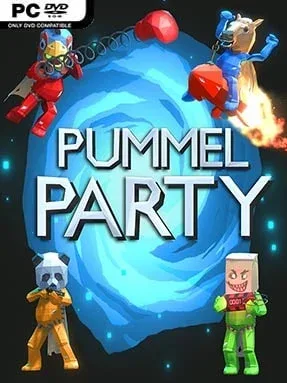
Chaotic board-game competition sits at the center of Pummel Party, a multiplayer brawler built to turn friendly gatherings into loud accusations and last-second betrayals. Up to eight players race around hazardous boards, collect weapons, chase victory goals, and sabotage anyone who looks remotely successful. Its tone is knowingly ridiculous, pairing cartoonish characters and slapstick gadgets with the kind of ruthless luck swings that make every lead feel temporary. Whether played on one screen or online, it thrives on shared reactions: a perfectly timed punch, an unfortunate trap, or a stolen win can become the whole evening’s story.
Matches alternate between board movement and fast, varied minigames. Players earn resources and items while navigating spaces that can help, hinder, or dump them into dangerous terrain, then use everything from straightforward melee tools to bizarre remote-controlled weapons to ruin rivals’ plans. Minigames test quick reflexes, platforming, aiming, survival, and opportunistic teamwork, with challenges ranging from scrambling for buried treasure to knocking opponents off an icy arena or passing around a lethal explosive. The board mode supplies the long-form rivalry, while individual minigames also make it easy to run shorter competitive sessions, and AI bots can fill empty slots for practice or smaller groups.
What separates Pummel Party from a simple Mario Party imitation is its nastier edge: items are less about mild inconvenience and more about openly weaponizing the leaderboard. The large minigame selection keeps rounds unpredictable, while the mixture of chance, skill, and direct player interference means even less experienced players can occasionally upset the strongest competitor. Local multiplayer is the ideal setting, but online support makes it a dependable choice for distant friend groups as well. Anyone seeking a relaxed co-op experience should look elsewhere; players who enjoy Mario Party’s structure, Gang Beasts-style laughter, and competitive trash talk will find a consistently effective friendship stress test here.
Installation
- Click the green button below to be redirected to UploadHaven.
- Wait 15 seconds, then hit “Free Download.” (Free downloads may be slower — upgrade to UploadHaven Pro for faster speeds.)
- Once downloaded, right-click the .zip file and choose “Extract to Pummel Party.” (You’ll need 7-Zip for this.)
- Open the extracted folder and run the game as administrator.
- Enjoy! 🎮 If you see missing DLL errors, check the <strong>_Redist</strong> folder inside and install what’s needed.
System Requirements
- OS: Windows 7
- Processor: Dual Core 2.4Ghz
- Memory: 3 GB RAM
- Graphics: GeForce 8800 GT / AMD HD 6850 / Intel HD Graphics 4400 or above
- DirectX: Version 11
- Storage: 1 GB available space
Setup Guide & Troubleshooting
How do I fix missing DLL errors for Pummel Party (v1.14.1j & Multiplayer)?
After extracting Pummel Party (v1.14.1j & Multiplayer), navigate to the _Redist or _CommonRedist folder inside the game directory and install DirectX, Vcredist, and any other dependencies included.
What should I do if the downloaded file is corrupted?
The full archive is 1.82 GB — make sure your download completed fully before extracting. Use 7-Zip to extract the files. If you still see a "file corrupted" error, re-download and try again.
Why should I run the game as administrator?
Right-click the game executable and select "Run as Administrator" to avoid save file issues and permission errors. This is especially important on the first launch.
How do I update my GPU drivers for this game?
Pummel Party (v1.14.1j & Multiplayer) requires a GeForce 8800 GT / AMD HD 6850 / Intel HD Graphics 4400 or above or equivalent. Update your NVIDIA or AMD drivers to the latest version for the best performance.
The game won't launch — what should I try?
This game requires Version 11. Try running in compatibility mode, install the latest DirectX runtime, or install the All-in-One VC Redist Package.
My antivirus is blocking the game — is it safe?
Antivirus false positives are common with pre-installed games. Temporarily pause your antivirus during extraction to prevent it from quarantining game files. You can re-enable it after the extraction completes.