
Game Overview
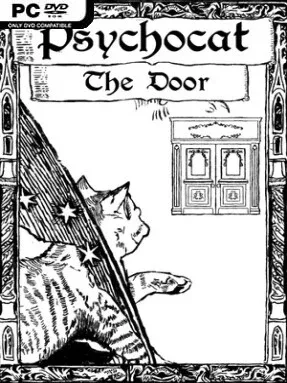
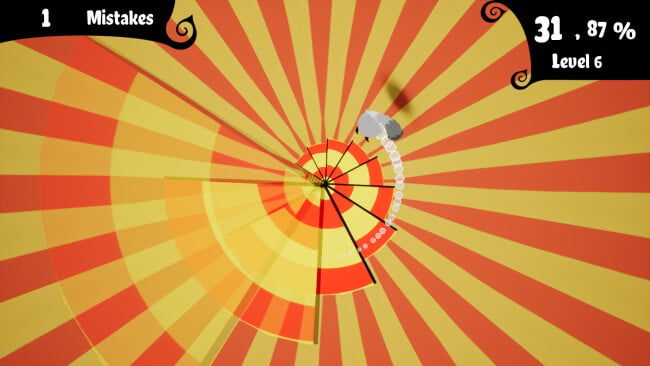
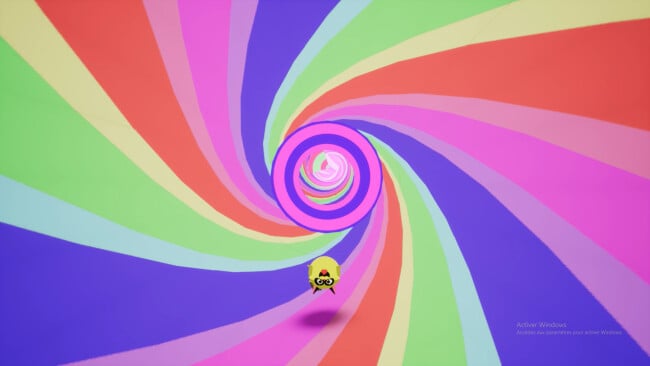
Zag the cat’s escape route is not a corridor, a battlefield, or a conventional platforming level—it is a shifting nightmare tunnel built to scramble your instincts. Psychocat: The Door is an abstract arcade challenge where the single-minded goal is to catch a fleeing door before the dreamlike world overwhelms you. Its neon, psychedelic visuals and hypnotic soundtrack give every run an uneasy, playful energy, like a surreal cartoon filtered through a bad dream. The mood is bizarre rather than frightening, but the constant sensory misdirection keeps it tense.
Movement forms the entire challenge: guide Zag through a rushing tunnel, react to hazards and changing patterns, and line up with the door at exactly the right moment. Controls deliberately behave in inverted, counterintuitive ways, so success depends less on familiar reflexes than on retraining your brain to interpret what your hands are doing. Early attempts are likely to end quickly as the visual motion and reversed inputs pull you in opposite directions, but repeated runs gradually turn confusion into muscle memory. There is no elaborate story campaign or loot-driven progression here; the appeal lies in mastering a demanding arcade loop and shaving mistakes off each attempt.
What makes it memorable is how completely its design commits to disorientation. The tunnel’s warped imagery, the cat-and-door premise, and music from Robert Austin and Kevin MacLeod combine into a compact sensory puzzle rather than a standard reaction game. It has the immediate retry appeal of old-school score-chasing arcade titles, though its main opponent is your own learned control habits. Psychocat: The Door suits players who enjoy experimental indies, surreal aesthetics, and short games built around difficult mechanical mastery; anyone expecting conventional platforming or a lengthy adventure may find its intentionally frustrating gimmick too narrow.
Screenshots
Installation
- Click the green button below to be redirected to UploadHaven.
- Wait 15 seconds, then hit “Free Download.” (Free downloads may be slower — upgrade to UploadHaven Pro for faster speeds.)
- Once downloaded, right-click the .zip file and choose “Extract to Psychocat: The Door.” (You’ll need 7-Zip for this.)
- Open the extracted folder and run the game as administrator.
- Enjoy! 🎮 If you see missing DLL errors, check the <strong>_Redist</strong> folder inside and install what’s needed.
System Requirements
- OS *: Windows 7
- Processor: Intel® Pentium® 4 2.0 GHz equivalent or faster processor
- Memory: 4 GB RAM
- Graphics: NVidia GeForce 8600/9600GT, ATI/AMD Radeon HD2600/3600
- Storage: 2 GB available space
- Sound Card: Standard audio
Setup Guide & Troubleshooting
How do I fix missing DLL errors for Psychocat: The Door?
After extracting Psychocat: The Door, navigate to the _Redist or _CommonRedist folder inside the game directory and install DirectX, Vcredist, and any other dependencies included.
What should I do if the downloaded file is corrupted?
The full archive is 1.56 GB — make sure your download completed fully before extracting. Use 7-Zip to extract the files. If you still see a "file corrupted" error, re-download and try again.
Why should I run the game as administrator?
Right-click the game executable and select "Run as Administrator" to avoid save file issues and permission errors. This is especially important on the first launch.
How do I update my GPU drivers for this game?
Psychocat: The Door requires a NVidia GeForce 8600/9600GT, ATI/AMD Radeon HD2600/3600 or equivalent. Update your NVIDIA or AMD drivers to the latest version for the best performance.
The game won't launch — what should I try?
Try running in compatibility mode, install the latest DirectX runtime, or install the All-in-One VC Redist Package.
My antivirus is blocking the game — is it safe?
Antivirus false positives are common with pre-installed games. Temporarily pause your antivirus during extraction to prevent it from quarantining game files. You can re-enable it after the extraction completes.