
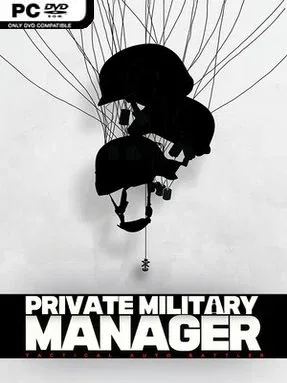
Game Overview
Cordivia’s collapsing 1990s political order turns private warfare into a ruthless management problem. Private Military Manager: Tactical Auto Battler casts you as the CEO of a mercenary outfit taking anonymous contracts amid cartel expansion, compromised authorities, rebel activity, and foreign intelligence interference. Every job carries the promise of serious money, but clients keep their distance and leave your company to absorb the consequences when an operation goes wrong. The mood is tense and pragmatic, focused less on heroic gunplay than on making hard calls before armed professionals cross the first threshold.
Rather than directly aiming weapons or moving soldiers, you assemble a team and watch your decisions play out through combat simulations. Recruiting mercenaries, selecting their equipment, arranging squad combinations, and defining tactical behavior form the heart of each operation. Close-quarters engagements demand particular attention, as engagement rules and weapon choices can decide whether a unit clears a hostile position or gets trapped in it. Missions rarely yield to a single obvious strategy, so failure becomes useful intelligence: study enemy behavior, identify vulnerable points, adjust the squad, and try a new plan before the deadline closes in. Company growth matters as much as individual missions, since stronger personnel and better tactical options expand the jobs you can realistically accept.
Its appeal lies in the gap between high-level executive control and the messy, unpredictable violence unfolding on the ground. The setting gives the tactical planning a suitably grim context, while the auto-battler format makes preparation, observation, and iteration more important than reflexes. Players who enjoy the planning side of games such as Door Kickers, XCOM, or management-focused strategy titles should appreciate the emphasis on loadouts and operational doctrine, even though combat itself is hands-off. It suits patient tacticians who can accept repeated setbacks, learn from simulations, and treat every successful extraction as proof that their private army is becoming smarter, not merely larger.
Installation
- Click the green button below to be redirected to UploadHaven.
- Wait 15 seconds, then hit “Free Download.” (Free downloads may be slower — upgrade to UploadHaven Pro for faster speeds.)
- Once downloaded, right-click the .zip file and choose “Extract to Private Military Manager: Tactical Auto Battler.” (You’ll need 7-Zip for this.)
- Open the extracted folder and run the game as administrator.
- Enjoy! 🎮 If you see missing DLL errors, check the <strong>_Redist</strong> folder inside and install what’s needed.
System Requirements
- Requires a 64-bit processor and operating system
- OS: Windows 10 (64bit)
- Processor: Intel(R) Core(TM) i5-9400F CPU @ 2.90GHz 2.90 GHz
- Memory: 8 GB RAM
- Graphics: NVIDIA GeForce GTX 1660
- DirectX: Version 12
- Storage: 10 GB available space
- Sound Card: Any
Setup Guide & Troubleshooting
How do I fix missing DLL errors for Private Military Manager: Tactical Auto Battler?
After extracting Private Military Manager: Tactical Auto Battler, navigate to the _Redist or _CommonRedist folder inside the game directory and install DirectX, Vcredist, and any other dependencies included.
What should I do if the downloaded file is corrupted?
The full archive is 1.77 GB — make sure your download completed fully before extracting. Use 7-Zip to extract the files. If you still see a "file corrupted" error, re-download and try again.
Why should I run the game as administrator?
Right-click the game executable and select "Run as Administrator" to avoid save file issues and permission errors. This is especially important on the first launch.
How do I update my GPU drivers for this game?
Private Military Manager: Tactical Auto Battler requires a NVIDIA GeForce GTX 1660 or equivalent. Update your NVIDIA or AMD drivers to the latest version for the best performance.
The game won't launch — what should I try?
This game requires Version 12. Try running in compatibility mode, install the latest DirectX runtime, or install the All-in-One VC Redist Package.
My antivirus is blocking the game — is it safe?
Antivirus false positives are common with pre-installed games. Temporarily pause your antivirus during extraction to prevent it from quarantining game files. You can re-enable it after the extraction completes.