
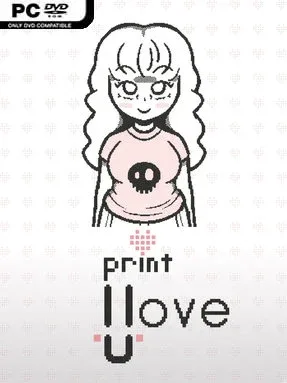
Game Overview
An abandoned laptop frames a compact psychological visual novel that feels less like a conventional story and more like a message not meant for you. A note claims the software is a personal creation for someone named Alice, while its former owner has vanished, giving the whole experience an uneasy found-footage quality. Hand-drawn characters, intimate writing, and a memorable original soundtrack create a strangely tender mood beneath the growing sense that something is wrong. The result is brief, melancholy, and unsettling rather than overtly frightening, with its mystery lingering after the screen goes dark.
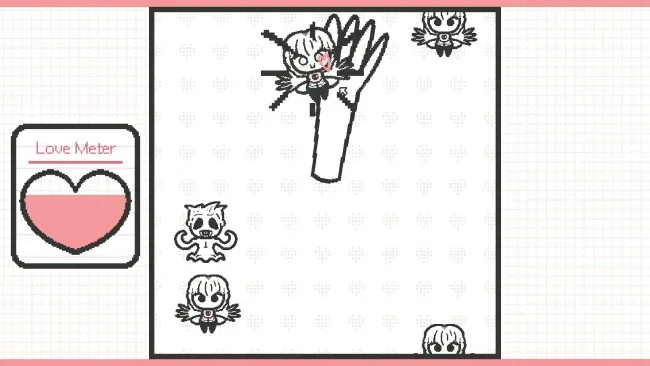
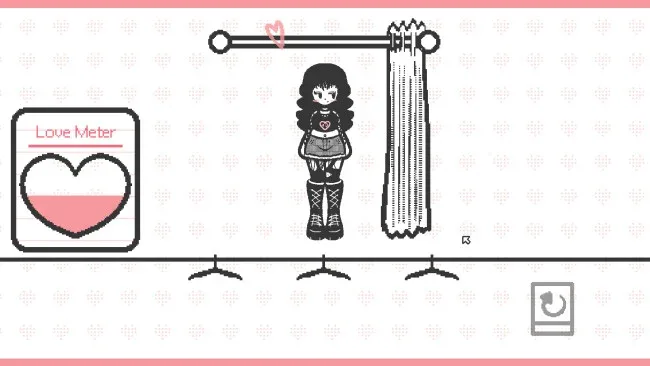
Players read through a linear-looking narrative, make choices at key moments, and complete three small minigames that break up the dialogue. The entire first run lasts roughly fifteen minutes, so it works best as a focused one-sitting experience instead of a sprawling visual novel. Decisions lead toward several endings, and revisiting scenes is essential for seeing how different outcomes reshape the meaning of the central relationship and the search for Alice. Its mechanics remain intentionally simple, keeping attention on atmosphere, implication, and the uncomfortable gaps in what the game actually explains.
What stands out is the way it turns limitations into part of its identity: the rough, personal artwork and desktop-discovery premise make it feel like an artifact recovered from somebody else’s life. Rather than offering clean answers, the narrative uses ambiguity to invite speculation, and some conclusions feel more like another clue than a resolution. Players who enjoy short experimental horror-adjacent works, intimate indie visual novels, or the uneasy digital-fiction style of games such as Doki Doki Literature Club will likely appreciate its approach. Anyone seeking deep systems or lengthy branching routes may find it slight, but newcomers to visual novels can finish it easily, while genre veterans may get the most from replaying it and piecing together its implications.
Screenshots
Installation
- Click the green button below to be redirected to UploadHaven.
- Wait 15 seconds, then hit “Free Download.” (Free downloads may be slower — upgrade to UploadHaven Pro for faster speeds.)
- Once downloaded, right-click the .zip file and choose “Extract to Print I Love U.” (You’ll need 7-Zip for this.)
- Open the extracted folder and run the game as administrator.
- Enjoy! 🎮 If you see missing DLL errors, check the <strong>_Redist</strong> folder inside and install what’s needed.
System Requirements
- OS: Windows 10 / 11 (64-bit)
- Processor: Dual core 2.0 GHz
- Memory: 1 GB RAM
- Graphics: Integrated Graphic Card
- DirectX: Version 11
- Storage: 210 MB available space
Setup Guide & Troubleshooting
How do I fix missing DLL errors for Print I Love U?
After extracting Print I Love U, navigate to the _Redist or _CommonRedist folder inside the game directory and install DirectX, Vcredist, and any other dependencies included.
What should I do if the downloaded file is corrupted?
The full archive is 245.81 MB — make sure your download completed fully before extracting. Use 7-Zip to extract the files. If you still see a "file corrupted" error, re-download and try again.
Why should I run the game as administrator?
Right-click the game executable and select "Run as Administrator" to avoid save file issues and permission errors. This is especially important on the first launch.
How do I update my GPU drivers for this game?
Print I Love U requires a Integrated Graphic Card or equivalent. Update your NVIDIA or AMD drivers to the latest version for the best performance.
The game won't launch — what should I try?
This game requires Version 11. Try running in compatibility mode, install the latest DirectX runtime, or install the All-in-One VC Redist Package.
My antivirus is blocking the game — is it safe?
Antivirus false positives are common with pre-installed games. Temporarily pause your antivirus during extraction to prevent it from quarantining game files. You can re-enable it after the extraction completes.