
Game Overview
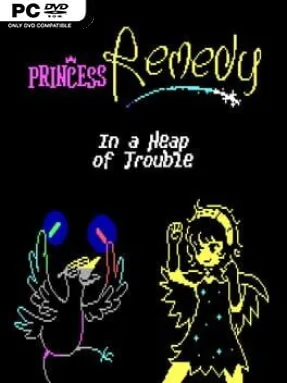
A towering fortress erupts beneath a peaceful land and carries whole settlements into the sky, turning everyday life into a strange vertical kingdom of sickness, secrets, and oversized bosses. Princess Remedy 2: In A Heap Of Trouble is a cheerful retro action-RPG that trades grim dungeon crawling for magical medicine, absurd characters, and rapid-fire healing battles. Remedy is still studying at Saturnian healing school, but the spreading illnesses inside the Boss Tower demand more practical work than any classroom can offer. Its Game Boy-inspired presentation, playful dialogue, and sincere focus on romance give the adventure a warm, goofy personality even when the screen fills with enemy fire.
Most of the journey revolves around speaking with residents, diagnosing their bizarre ailments, and entering Healing Mode to cure them through top-down shooter encounters. Remedy fires restorative shots while weaving around hostile projectiles, with each condition effectively becoming a compact bullet-hell arena that rewards alert movement and quick reactions. Healing someone also opens the door to dating them, and chosen companions travel alongside Remedy with practical combat powers such as a dash move, homing attacks, or injections that alter how each fight feels. The tower offers towns, hidden routes, shops, conversations, bosses, and optional secrets, so progress is more about steadily expanding your options than grinding for levels.
Its smartest idea is making friendship and dating part of the mechanical toolkit rather than leaving them as throwaway dialogue choices. Companions are wonderfully odd, their stories are short but memorable, and experimenting with different partners encourages revisits to earlier challenges. The simple pixel art and compact world keep the pace brisk, while the boss fights add enough intensity to prevent the cute premise from becoming too soft. Fans of Princess Remedy In A World of Hurt, Undertale’s offbeat warmth, or accessible bullet-hell games like Touhou will find plenty to enjoy, and newcomers can comfortably start here despite its prequel status.
Installation
- Click the green button below to be redirected to UploadHaven.
- Wait 15 seconds, then hit “Free Download.” (Free downloads may be slower — upgrade to UploadHaven Pro for faster speeds.)
- Once downloaded, right-click the .zip file and choose “Extract to Princess Remedy 2: In A Heap Of Trouble.” (You’ll need 7-Zip for this.)
- Open the extracted folder and run the game as administrator.
- Enjoy! 🎮 If you see missing DLL errors, check the <strong>_Redist</strong> folder inside and install what’s needed.
System Requirements
- OS: Windows 7 or later
- Processor: SSE2 instruction set support
- Memory: 512 MB RAM
- Graphics: DX9 (shader model 3.0) or later
- Storage: 200 MB available space
Setup Guide & Troubleshooting
How do I fix missing DLL errors for Princess Remedy 2: In A Heap Of Trouble?
After extracting Princess Remedy 2: In A Heap Of Trouble, navigate to the _Redist or _CommonRedist folder inside the game directory and install DirectX, Vcredist, and any other dependencies included.
What should I do if the downloaded file is corrupted?
The full archive is 184.22 MB — make sure your download completed fully before extracting. Use 7-Zip to extract the files. If you still see a "file corrupted" error, re-download and try again.
Why should I run the game as administrator?
Right-click the game executable and select "Run as Administrator" to avoid save file issues and permission errors. This is especially important on the first launch.
How do I update my GPU drivers for this game?
Princess Remedy 2: In A Heap Of Trouble requires a DX9 (shader model 3.0) or later or equivalent. Update your NVIDIA or AMD drivers to the latest version for the best performance.
The game won't launch — what should I try?
Try running in compatibility mode, install the latest DirectX runtime, or install the All-in-One VC Redist Package.
My antivirus is blocking the game — is it safe?
Antivirus false positives are common with pre-installed games. Temporarily pause your antivirus during extraction to prevent it from quarantining game files. You can re-enable it after the extraction completes.