
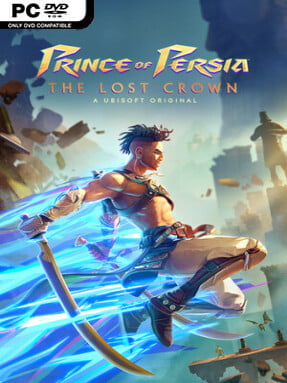
Game Overview
A fast, exacting Metroidvania turns Persian mythology into a 2D action adventure built around acrobatic movement and spectacular swordplay. You play Sargon, a gifted member of the Immortals, who races into the cursed heights of Mount Qaf after Prince Ghassan disappears. The journey balances heroic fantasy with a darker, stranger atmosphere as divine monsters, corrupted soldiers, and shifting time threaten every corner of the mountain.
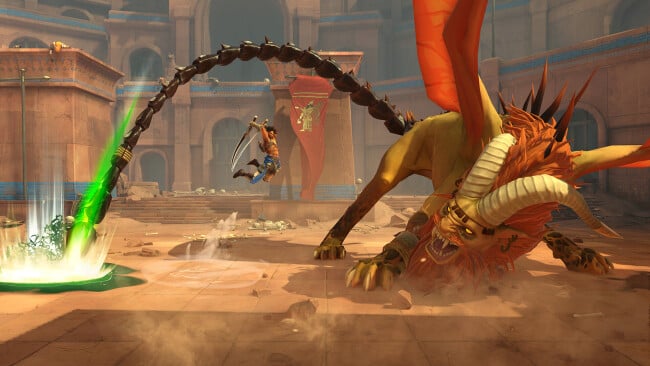
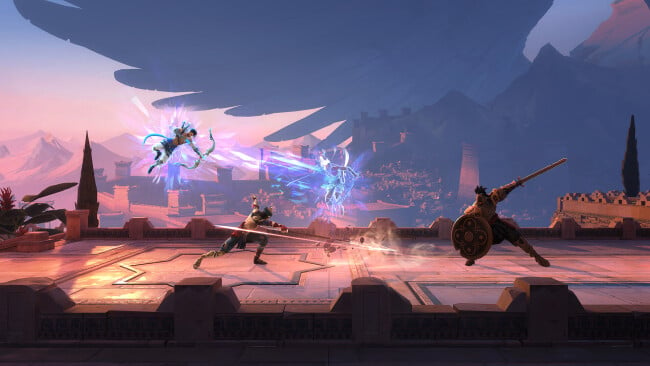
Combat demands more than button-mashing, combining twin blades, bows, parries, evasive maneuvers, and powerful Athra Surges into fluid strings of attacks. Platforming is equally central: wall-jumps, air dashes, grappling tools, and later Time Powers steadily expand where Sargon can travel, turning previously blocked paths into rewarding routes toward upgrades and secrets. Powers such as a temporal dash and a delayed shadow clone make both traversal and boss fights more inventive, while amulets let players tailor damage, defense, and utility effects to their style. Difficulty options offer meaningful control over enemy aggression, damage, and timing windows, so demanding encounters remain approachable without losing their edge.
Mount Qaf stands out as more than a collection of levels, with interconnected biomes ranging from ornate citadels and dense forests to underground ruins and surreal time-bent spaces. Its best quality-of-life idea is a screenshot-based memory system that lets players mark inaccessible points on the map, making backtracking less frustrating than in many genre rivals. Hand-drawn animation gives every leap, slash, and monstrous encounter a sharp sense of motion, while the story gradually reveals a web of betrayals and mythic stakes. Fans of Metroid Dread, Hollow Knight, or the faster combat of modern action games find plenty to enjoy here, and newcomers can use the flexible settings to learn its demanding rhythm.
Screenshots
Installation
- Click the green button below to be redirected to UploadHaven.
- Wait 15 seconds, then hit “Free Download.” (Free downloads may be slower — upgrade to UploadHaven Pro for faster speeds.)
- Once downloaded, right-click the .zip file and choose “Extract to Prince of Persia The Lost Crown.” (You’ll need 7-Zip for this.)
- Open the extracted folder and run the game as administrator.
- Enjoy! 🎮 If you see missing DLL errors, check the <strong>_Redist</strong> folder inside and install what’s needed.
System Requirements
- Requires a 64-bit processor and operating system
- OS: Windows 10 (64 bit only)
- Processor: Intel Core i5-4460 3.4 GHz, AMD Ryzen3 1200 3.1 GHz
- Memory: 8 GB RAM
- Graphics: NVIDIA GeForce GTX 950 (2GB VRAM) or AMD Radeon RX 5500 XT (4GB VRAM)
- DirectX: Version 11
- Storage: 30 GB available space
Setup Guide & Troubleshooting
How do I fix missing DLL errors for Prince of Persia The Lost Crown (v1.4.3)?
After extracting Prince of Persia The Lost Crown (v1.4.3), navigate to the _Redist or _CommonRedist folder inside the game directory and install DirectX, Vcredist, and any other dependencies included.
What should I do if the downloaded file is corrupted?
The full archive is 26.45 GB — make sure your download completed fully before extracting. Use 7-Zip to extract the files. If you still see a "file corrupted" error, re-download and try again.
Why should I run the game as administrator?
Right-click the game executable and select "Run as Administrator" to avoid save file issues and permission errors. This is especially important on the first launch.
How do I update my GPU drivers for this game?
Prince of Persia The Lost Crown (v1.4.3) requires a NVIDIA GeForce GTX 950 (2GB VRAM) or AMD Radeon RX 5500 XT (4GB VRAM) or equivalent. Update your NVIDIA or AMD drivers to the latest version for the best performance.
The game won't launch — what should I try?
This game requires Version 11. Try running in compatibility mode, install the latest DirectX runtime, or install the All-in-One VC Redist Package.
My antivirus is blocking the game — is it safe?
Antivirus false positives are common with pre-installed games. Temporarily pause your antivirus during extraction to prevent it from quarantining game files. You can re-enable it after the extraction completes.