
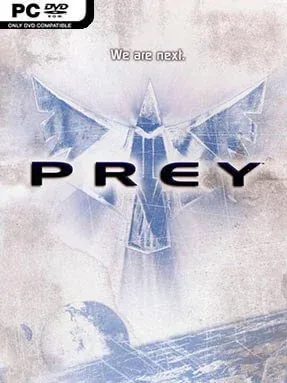
Game Overview
A grim alien abduction turns an ordinary mechanic’s life into a violent escape through one of the most imaginative shooters of its era. Prey follows Tommy, a Cherokee man taken from Earth alongside his girlfriend and fellow reservation residents, then deposited aboard a grotesque living spacecraft circling the planet. The tone mixes body horror, Native American spiritual themes, dark humor, and old-school sci-fi spectacle, while the ship itself feels less like a military base than a hostile biomechanical organism. Its story remains personal even as the stakes expand from survival to the fate of Earth.
Combat plays as a fast first-person shooter built around familiar weapons, enemy encounters, and keycard-style progression, but the environments constantly twist the formula. Tommy walks across walls and ceilings through gravity paths, fires through portals that connect distant rooms, and uses a spirit-walk ability to leave his body behind for scouting and puzzle solving. Death rarely means a hard reset: a brief afterlife minigame lets him shoot spectral targets to recover health and return to the fight, making the campaign more forgiving than many shooters from its generation. The original release also includes competitive multiplayer modes, though the single-player journey is clearly the main attraction.
What separates Prey from its contemporaries is how confidently it turns its ideas into level design rather than one-off visual tricks. Rooms rotate, impossible architecture becomes navigable, and alien machinery shifts from scenery into a puzzle-solving tool, giving the adventure a weirdness that still stands out. Some combat rhythms, visuals, and checkpoints show their age, and players expecting the systems-heavy 2017 game of the same name should know this is a completely different experience. Fans of Doom 3, Half-Life 2, and classic linear FPS campaigns will find a creative, compact cult favorite here, especially if they value memorable set pieces over modern open-world padding.
Installation
- Click the green button below to be redirected to UploadHaven.
- Wait 15 seconds, then hit “Free Download.” (Free downloads may be slower — upgrade to UploadHaven Pro for faster speeds.)
- Once downloaded, right-click the .zip file and choose “Extract to Prey.” (You’ll need 7-Zip for this.)
- Open the extracted folder and run the game as administrator.
- Enjoy! 🎮 If you see missing DLL errors, check the <strong>_Redist</strong> folder inside and install what’s needed.
System Requirements
- OS: Windows XP or newer
- Processor: Pentium 4/Athlon XP or better
- Memory: 512 MB RAM
- Graphics: 100% DirectX 9.0c compatible 64MB video card with latest manufacturer drivers (NVIDIA GeForce3+ / ATI Radeon 9600+)
- Storage: 2 GB available space
Setup Guide & Troubleshooting
How do I fix missing DLL errors for Prey (2006)?
After extracting Prey (2006), navigate to the _Redist or _CommonRedist folder inside the game directory and install DirectX, Vcredist, and any other dependencies included.
What should I do if the downloaded file is corrupted?
The full archive is 1.64 GB — make sure your download completed fully before extracting. Use 7-Zip to extract the files. If you still see a "file corrupted" error, re-download and try again.
Why should I run the game as administrator?
Right-click the game executable and select "Run as Administrator" to avoid save file issues and permission errors. This is especially important on the first launch.
How do I update my GPU drivers for this game?
Prey (2006) requires a 100% DirectX 9.0c compatible 64MB video card with latest manufacturer drivers (NVIDIA GeForce3+ / ATI Radeon 9600+) or equivalent. Update your NVIDIA or AMD drivers to the latest version for the best performance.
The game won't launch — what should I try?
Try running in compatibility mode, install the latest DirectX runtime, or install the All-in-One VC Redist Package.
My antivirus is blocking the game — is it safe?
Antivirus false positives are common with pre-installed games. Temporarily pause your antivirus during extraction to prevent it from quarantining game files. You can re-enable it after the extraction completes.