
Game Overview
Corporate success has rarely looked this suspiciously easy. Pocket Boss turns remote-office drudgery into a compact, satirical puzzle game where quarterly reports, customer metrics, and shareholder graphs become toys you physically reshape. Its bright, playful presentation hides a pointed joke about workplace pressure: your manager wants spectacular results, and the numbers only need to look convincing long enough to earn approval. The tone lands somewhere between a casual touchscreen puzzler and an awkward office comedy, with every cheerful chart carrying a faintly sinister implication.
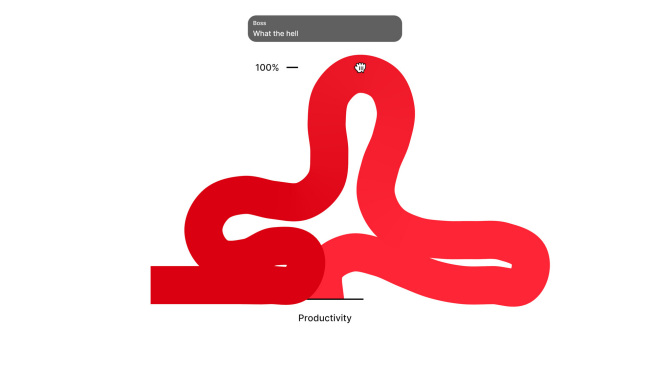
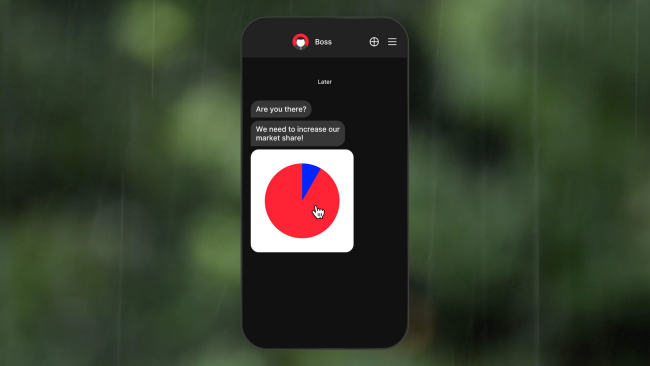
Each assignment presents a data problem that must be “fixed” through direct manipulation. Players drag bars, stretch lines, pinch pie charts, nudge scatter-plot points, and otherwise bend visualised business data until it satisfies a requested target. Objectives range from improving productivity and public trust to concealing losses or dealing with rivals, so the puzzle solutions often feel deliberately absurd rather than mathematically rigorous. Conversations with the boss punctuate the work, adding pressure and humor as performance reviews and promotion prospects hang over your ability to deliver polished-looking figures. The controls and short challenge format make it approachable for players who usually avoid dense management simulations, while later puzzles ask for more careful reading of what each graph is actually communicating.
What makes Pocket Boss memorable is its commitment to the bit: instead of building an empire or managing spreadsheets in earnest, it turns corporate jargon and visual data tricks into tactile comedy. The game’s chart-based puzzles have the immediate readability of a mobile brain teaser, but its workplace satire gives the activity more personality than simply matching colors or moving blocks. A thread involving pay equality also broadens the subject matter beyond harmless office gags, inviting players to think about the real consequences behind supposedly neutral numbers. Fans of short-form puzzle games, offbeat indie humor, and the bureaucratic satire of titles like Not Tonight or Papers, Please should find plenty to enjoy, especially if they prefer clever concepts over sprawling campaigns.
Installation
- Click the green button below to be redirected to UploadHaven.
- Wait 15 seconds, then hit “Free Download.” (Free downloads may be slower — upgrade to UploadHaven Pro for faster speeds.)
- Once downloaded, right-click the .zip file and choose “Extract to Pocket Boss.” (You’ll need 7-Zip for this.)
- Open the extracted folder and run the game as administrator.
- Enjoy! 🎮 If you see missing DLL errors, check the <strong>_Redist</strong> folder inside and install what’s needed.
System Requirements
- Requires a 64-bit processor and operating system
- OS: Windows 10+
- Processor: Intel i5/i7 or equivalent
- Memory: 2 GB RAM
- Graphics: Graphics card with DX10 (shader model 4.0) capabilities
Setup Guide & Troubleshooting
How do I fix missing DLL errors for Pocket Boss?
After extracting Pocket Boss, navigate to the _Redist or _CommonRedist folder inside the game directory and install DirectX, Vcredist, and any other dependencies included.
What should I do if the downloaded file is corrupted?
The full archive is 152.23 MB — make sure your download completed fully before extracting. Use 7-Zip to extract the files. If you still see a "file corrupted" error, re-download and try again.
Why should I run the game as administrator?
Right-click the game executable and select "Run as Administrator" to avoid save file issues and permission errors. This is especially important on the first launch.
How do I update my GPU drivers for this game?
Pocket Boss requires a Graphics card with DX10 (shader model 4.0) capabilities or equivalent. Update your NVIDIA or AMD drivers to the latest version for the best performance.
The game won't launch — what should I try?
Try running in compatibility mode, install the latest DirectX runtime, or install the All-in-One VC Redist Package.
My antivirus is blocking the game — is it safe?
Antivirus false positives are common with pre-installed games. Temporarily pause your antivirus during extraction to prevent it from quarantining game files. You can re-enable it after the extraction completes.