
Game Overview
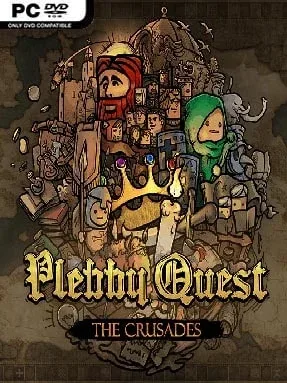
Medieval politics rarely leave room for clean victories, and Plebby Quest: The Crusades builds its strategy around that uncomfortable truth. Set across the Christian and Muslim powers of the 11th-century Mediterranean, it casts players as rulers trying to preserve a dynasty while expansionist neighbors, religious authorities, and internal rivals pull the realm apart. The tone is deliberately irreverent, with chunky hand-drawn portraits and exaggerated character animation softening a campaign filled with betrayal, war, and hard compromises. Beneath the playful presentation sits a demanding political survival game where every alliance has a price.
Turns revolve around managing territory, armies, diplomacy, and the personalities of the people around the throne. Wars matter, but force is only one answer: rulers negotiate, placate suspicious neighbors, respond to religious demands, and weigh whether a conflict is worth the unrest it creates at home. Characters remember how they are treated, and dealing with them according to their traits can unlock trust, while reckless choices encourage dissent and future retaliation. Scenario mode follows individual historical-inspired stories and introduces the systems through focused campaigns, while Sandbox mode opens the map for unrestricted conquest and benefits from outcomes earned in other playthroughs.
Its strongest feature is the way it treats history as a continuing relationship web rather than a simple map-painting contest. Decisions carry forward between modes, giving victories and failures more permanence than in many self-contained strategy campaigns, while the expressive portrait work makes political figures feel less like interchangeable menus. Plebby Quest: The Crusades favors calculated diplomacy and long-term reputation over constant battlefield action, though it still delivers the satisfaction of decisive territorial wars when negotiations collapse. Players who enjoy Crusader Kings-style intrigue but want a more approachable, turn-based structure will find plenty to appreciate, especially if they value character-driven strategy over exhaustive simulation.
Installation
- Click the green button below to be redirected to UploadHaven.
- Wait 15 seconds, then hit “Free Download.” (Free downloads may be slower — upgrade to UploadHaven Pro for faster speeds.)
- Once downloaded, right-click the .zip file and choose “Extract to Plebby Quest: The Crusades.” (You’ll need 7-Zip for this.)
- Open the extracted folder and run the game as administrator.
- Enjoy! 🎮 If you see missing DLL errors, check the <strong>_Redist</strong> folder inside and install what’s needed.
System Requirements
- OS: Windows 7+
- Processor: Dual core 2.6 ghz +
- Memory: 2 GB RAM
- Graphics: nVidia GTS 450 or better
- Storage: 500 MB available space
Setup Guide & Troubleshooting
How do I fix missing DLL errors for Plebby Quest: The Crusades (v1.61)?
After extracting Plebby Quest: The Crusades (v1.61), navigate to the _Redist or _CommonRedist folder inside the game directory and install DirectX, Vcredist, and any other dependencies included.
What should I do if the downloaded file is corrupted?
The full archive is 404.89 MB — make sure your download completed fully before extracting. Use 7-Zip to extract the files. If you still see a "file corrupted" error, re-download and try again.
Why should I run the game as administrator?
Right-click the game executable and select "Run as Administrator" to avoid save file issues and permission errors. This is especially important on the first launch.
How do I update my GPU drivers for this game?
Plebby Quest: The Crusades (v1.61) requires a nVidia GTS 450 or better or equivalent. Update your NVIDIA or AMD drivers to the latest version for the best performance.
The game won't launch — what should I try?
Try running in compatibility mode, install the latest DirectX runtime, or install the All-in-One VC Redist Package.
My antivirus is blocking the game — is it safe?
Antivirus false positives are common with pre-installed games. Temporarily pause your antivirus during extraction to prevent it from quarantining game files. You can re-enable it after the extraction completes.