
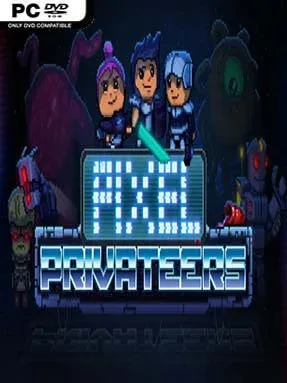
Game Overview
A stranded mercenary crew turns a routine technology-recovery job into a desperate life among the stars. Pixel Privateers blends squad-based tactical RPG combat with the compulsive reward loop of a loot-driven action game, placing players in a strange galaxy after a wormhole journey leaves no obvious route home. Its pixel-art presentation keeps the mood approachable, but the setting carries real danger: hostile alien life, competing factions, and poorly understood planets can quickly turn a profitable contract into a costly disaster. Whether the crew becomes a famous force in this new frontier or simply vanishes into it depends on the choices made between missions.
Players pilot a ship across a broad selection of worlds, choosing landing sites and sending a customized squad into hostile territory. Ground encounters revolve around tactical positioning, managing each mercenary’s equipment, and overcoming enemies while searching for valuable technology and increasingly powerful gear. The central loop is built around taking risks for loot, improving the team’s capabilities, and using those upgrades to survive tougher expeditions. Exploration is not a straight line, either; different planets and factions give the campaign a more open-ended rhythm, encouraging players to decide where their crew goes next and what dangers are worth facing.
Customization is the strongest selling point, letting players shape a squad around their own preferred approach rather than locking them into a single predefined party. Multiplayer support adds another dimension, allowing the chaos of alien firefights and equipment hunting to become a shared operation instead of a strictly solo grind. Pixel Privateers stands apart from more serious tactical RPGs by mixing spacefaring freedom, chunky retro visuals, and Diablo-like gear chasing into one accessible package. Fans of squad management, randomized treasure runs, and sci-fi exploration should find plenty to work with, while newcomers benefit from its approachable presentation and veterans can chase deeper builds, better equipment, and riskier planetary excursions.
Installation
- Click the green button below to be redirected to UploadHaven.
- Wait 15 seconds, then hit “Free Download.” (Free downloads may be slower — upgrade to UploadHaven Pro for faster speeds.)
- Once downloaded, right-click the .zip file and choose “Extract to Pixel Privateers.” (You’ll need 7-Zip for this.)
- Open the extracted folder and run the game as administrator.
- Enjoy! 🎮 If you see missing DLL errors, check the <strong>_Redist</strong> folder inside and install what’s needed.
System Requirements
- OS: Windows 7+
- Processor: i5-3337U @1.8Ghz or above
- Memory: 3 GB RAM
- Graphics: Pixel Shader Capable Graphics Card
- DirectX: Version 9.0c
- Storage: 2 GB available space
Setup Guide & Troubleshooting
How do I fix missing DLL errors for Pixel Privateers (v1.0.2)?
After extracting Pixel Privateers (v1.0.2), navigate to the _Redist or _CommonRedist folder inside the game directory and install DirectX, Vcredist, and any other dependencies included.
What should I do if the downloaded file is corrupted?
The full archive is 414.34 MB — make sure your download completed fully before extracting. Use 7-Zip to extract the files. If you still see a "file corrupted" error, re-download and try again.
Why should I run the game as administrator?
Right-click the game executable and select "Run as Administrator" to avoid save file issues and permission errors. This is especially important on the first launch.
How do I update my GPU drivers for this game?
Pixel Privateers (v1.0.2) requires a Pixel Shader Capable Graphics Card or equivalent. Update your NVIDIA or AMD drivers to the latest version for the best performance.
The game won't launch — what should I try?
This game requires Version 9.0c. Try running in compatibility mode, install the latest DirectX runtime, or install the All-in-One VC Redist Package.
My antivirus is blocking the game — is it safe?
Antivirus false positives are common with pre-installed games. Temporarily pause your antivirus during extraction to prevent it from quarantining game files. You can re-enable it after the extraction completes.