
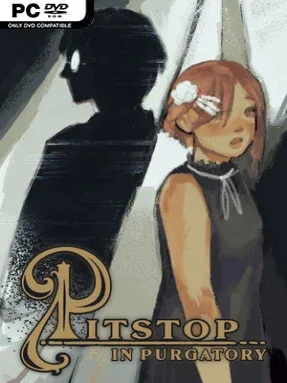
Game Overview
Astrid’s afterlife begins with a blank memory, an inconvenient death, and a strange stopover where unfinished emotions matter as much as facts. Pitstop in Purgatory is a story-led point-and-click adventure that blends visual novel conversations with investigation, using its limbo setting for comedy, melancholy, and occasional supernatural weirdness. The central mystery is personal rather than world-saving: Astrid must learn who she was, how she died, and whether she can accept it. Its tone shifts comfortably between witty character banter and sincere reflections on grief, regret, and connection.
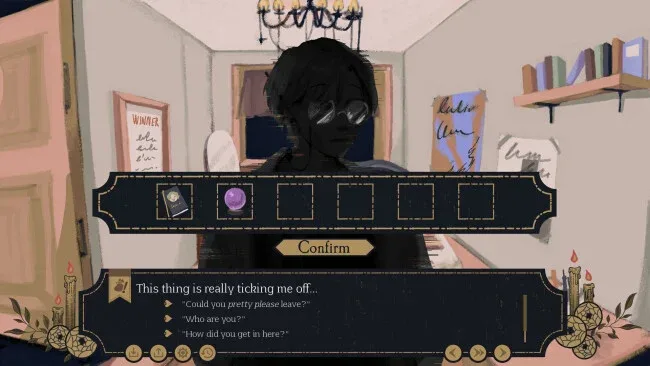
Players move through illustrated locations, inspect scenery, collect and combine inventory objects, and speak with the inhabitants of Purgatory to open new leads. Dialogue choices and route selection shape how Astrid pursues answers, with five interconnected paths gradually revealing the full picture instead of offering entirely separate stories. Expect traditional adventure-game logic, light exploration, and plenty of reading; progress comes from noticing details, following conversational threads, and using the right item in the right place rather than from reflex challenges. A complete run generally lands in the four-to-eight-hour range, while the added I Will Remember You chapter expands the narrative for players who want more closure.
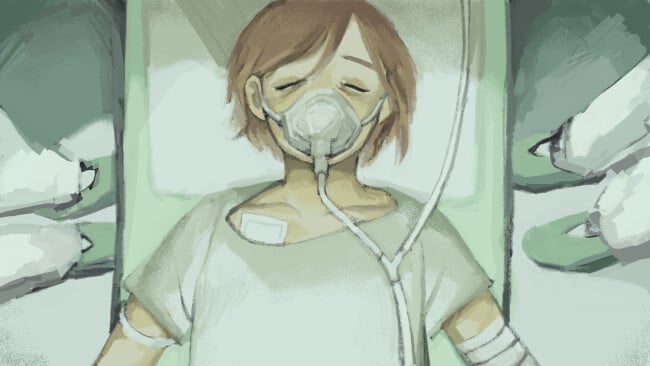
What makes the game memorable is its unusually polished presentation for a compact indie mystery: expressive character sprites, hand-drawn environments, illustrated story scenes, and partial voice work give its afterlife cast real personality. The soundtrack dynamically supports both its playful moments and heavier revelations, helping the story avoid feeling relentlessly bleak. Hidden collectibles, database lore, gallery art, and achievements offer reasons to revisit scenes, although the main appeal remains the writing and route structure. Fans of Ace Attorney-style character mysteries, classic point-and-click adventures, or emotional visual novels should feel at home, and newcomers to the genre can enjoy it as long as they are happy to read closely and experiment with clues.
Screenshots
Installation
- Click the green button below to be redirected to UploadHaven.
- Wait 15 seconds, then hit “Free Download.” (Free downloads may be slower — upgrade to UploadHaven Pro for faster speeds.)
- Once downloaded, right-click the .zip file and choose “Extract to Pitstop in Purgatory.” (You’ll need 7-Zip for this.)
- Open the extracted folder and run the game as administrator.
- Enjoy! 🎮 If you see missing DLL errors, check the <strong>_Redist</strong> folder inside and install what’s needed.
System Requirements
- Requires a 64-bit processor and operating system
- OS *: Windows 7
- Processor: 1.8GHz Dual-Core CPU
- Memory: 4 GB RAM
- Graphics: Integrated Graphics
- Storage: 3 GB available space
- Sound Card: Yes
Setup Guide & Troubleshooting
How do I fix missing DLL errors for Pitstop in Purgatory?
After extracting Pitstop in Purgatory, navigate to the _Redist or _CommonRedist folder inside the game directory and install DirectX, Vcredist, and any other dependencies included.
What should I do if the downloaded file is corrupted?
The full archive is 459.67 MB — make sure your download completed fully before extracting. Use 7-Zip to extract the files. If you still see a "file corrupted" error, re-download and try again.
Why should I run the game as administrator?
Right-click the game executable and select "Run as Administrator" to avoid save file issues and permission errors. This is especially important on the first launch.
How do I update my GPU drivers for this game?
Pitstop in Purgatory requires a Integrated Graphics or equivalent. Update your NVIDIA or AMD drivers to the latest version for the best performance.
The game won't launch — what should I try?
Try running in compatibility mode, install the latest DirectX runtime, or install the All-in-One VC Redist Package.
My antivirus is blocking the game — is it safe?
Antivirus false positives are common with pre-installed games. Temporarily pause your antivirus during extraction to prevent it from quarantining game files. You can re-enable it after the extraction completes.