
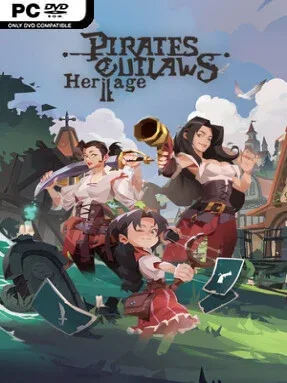
Game Overview
New Elysia trades old-school pirate grit for a colorful sea of alchemy, strange relics, and calculated card battles. Pirates Outlaws 2: Heritage is a roguelike deck-builder built around assembling a crew, plotting routes between islands, and surviving dangerous captains and mythical beasts. Its tone lands somewhere between adventurous swashbuckling and tense tactical problem-solving: every treasure chest can strengthen a run, but every fight can expose a weak deck. Rather than simply chasing damage, players must build a flexible strategy capable of adapting to the hazards waiting beyond the next port.
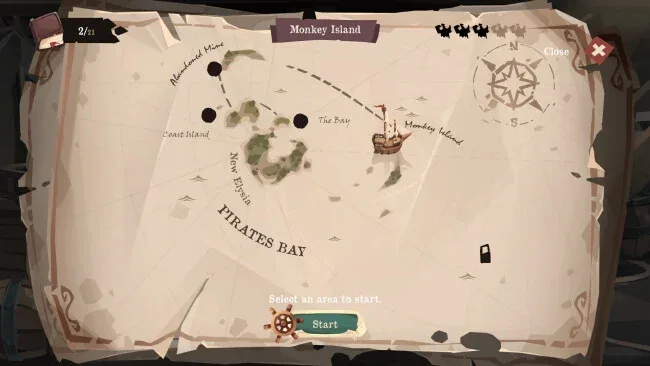
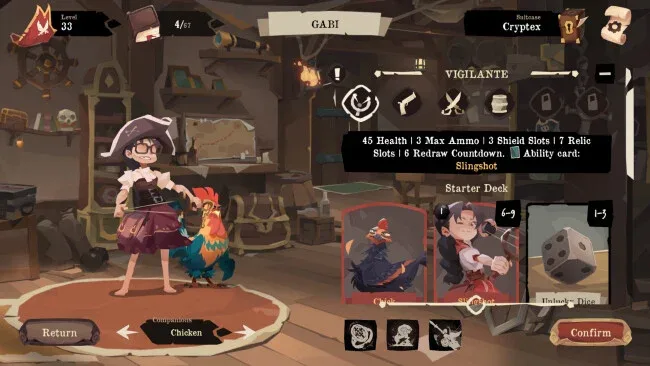
Runs begin by choosing a multi-class hero with their own stats, appearance, abilities, and starting card pool, then expanding that foundation with companion cards and equipment. Combat revolves around a Countdown system connected to the cards in hand, so drawing or playing cards can trigger enemy responses and force careful sequencing instead of simple energy efficiency. Sailing through Navigation mode opens a broader island map filled with quests, rewards, hidden finds, and encounters with nine major sea lords. Duplicate cards are especially valuable, since matching three copies allows an upgrade choice between two different evolutions, while the Workshop crafts premium Golden Cards and the Black Market removes clutter from a bloated deck.
What separates Heritage from many Slay the Spire-style deck-builders is how many systems feed into deck identity without reducing every choice to raw damage. The Heritage talent tree supplies lasting passive growth during an adventure, while more than 80 relics, outfit bonuses, companions, and over 250 cards create plenty of room for unusual combinations. Arena mode provides a more focused combat gauntlet for players who want to test a polished build against escalating opponents and a final champion. Fans of Pirates Outlaws, Slay the Spire, or Monster Train should find the blend of open-sea routing and reactive card timing appealing, while newcomers can learn the genre through its clear progression systems and gradually unlocked options.
Screenshots
Installation
- Select the <strong>Download</strong> button at the top of this page to open UploadHaven.
- On UploadHaven, wait for any countdown, then select <strong>Free Download</strong>. Optional: UploadHaven Pro for faster downloads.
- When complete, extract the archive to a <strong>Pirates Outlaws 2: Heritage</strong> folder using 7-Zip.
- Open the extracted folder and start the game normally.
- For errors, check <strong>Setup Guide & Troubleshooting</strong> below. Keep your security software enabled.
System Requirements
- OS *: Windows® 7/10
- Processor: 2.0 Ghz
- Memory: 2 GB RAM
- Graphics: DirectX 9 Compatible GPU
- DirectX: Version 9.0
- Storage: 1 GB available space
- Sound Card: DirectSound Compatible Sound Card with latest drivers
Setup Guide & Troubleshooting
How do I fix missing DLL errors for Pirates Outlaws 2: Heritage (v0.7.0)?
After extracting Pirates Outlaws 2: Heritage (v0.7.0), navigate to the _Redist or _CommonRedist folder inside the game directory and install DirectX, Vcredist, and any other dependencies included.
What should I do if the downloaded file is corrupted?
The full archive is 732.85 MB — make sure your download completed fully before extracting. Use 7-Zip to extract the files. If you still see a "file corrupted" error, re-download and try again.
Why should I run the game as administrator?
Right-click the game executable and select "Run as Administrator" to avoid save file issues and permission errors. This is especially important on the first launch.
How do I update my GPU drivers for this game?
Pirates Outlaws 2: Heritage (v0.7.0) requires a DirectX 9 Compatible GPU or equivalent. Update your NVIDIA or AMD drivers to the latest version for the best performance.
The game won't launch — what should I try?
This game requires Version 9.0. Try running in compatibility mode, install the latest DirectX runtime, or install the All-in-One VC Redist Package.
My antivirus is blocking the game — is it safe?
Antivirus false positives are common with pre-installed games. Temporarily pause your antivirus during extraction to prevent it from quarantining game files. You can re-enable it after the extraction completes.