
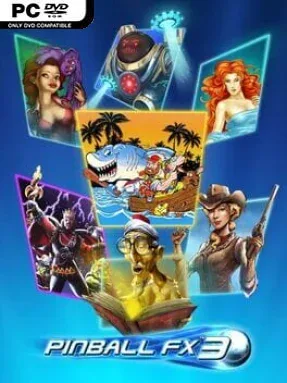
Game Overview
Steel balls, flashing ramps, and the satisfying panic of a last-second save define this polished digital pinball package. Pinball FX3 brings together authentic recreations of legendary licensed machines, especially tables from Williams and Bally, alongside Zen Studios’ more fantastical original designs. The mood shifts with each cabinet: one table may be a faithful slice of arcade history, while another throws players into films, comics, or elaborate themed adventures. It is approachable enough for a quick score chase, yet demanding enough to expose every weakness in a player’s timing and table knowledge.
Matches revolve around mastering flipper control, nudging the table without triggering a tilt, learning shot routes, and stacking scoring opportunities during multiball. Each table has its own missions, modes, jackpots, hidden rules, and mechanical personality, so progress comes from repeated runs and gradually understanding how every feature connects. Practice-focused options and single-player challenges help newcomers learn specific shots rather than simply losing ball after ball, while leaderboards make improving a high score feel meaningful. Competitive players can take part in online matchups, scheduled events, leagues, and community-made tournaments, turning a traditionally solitary arcade pastime into a persistent social contest.
Real-time lighting, sharper table details, and lively effects make the cabinets feel far more convincing than static simulations, especially when ramps, toys, and lights all activate at once. The real attraction is variety: physics and basic controls remain familiar, but every table asks for a different strategy, from controlled shot repetition to chaotic survival during multiball. Content is structured around individual table packs, meaning the available selection can vary considerably depending on which add-ons are owned, but that also lets players focus on themes they genuinely enjoy. Fans of Zen Pinball, classic arcade cabinets, or score-driven games like Tetris Effect’s competitive modes find plenty to chase here, while beginners benefit from its unusually helpful learning tools.
Installation
- Click the green button below to be redirected to UploadHaven.
- Wait 15 seconds, then hit “Free Download.” (Free downloads may be slower — upgrade to UploadHaven Pro for faster speeds.)
- Once downloaded, right-click the .zip file and choose “Extract to Pinball FX3 .” (You’ll need 7-Zip for this.)
- Open the extracted folder and run the game as administrator.
- Enjoy! 🎮 If you see missing DLL errors, check the <strong>_Redist</strong> folder inside and install what’s needed.
System Requirements
- OS: Windows 7
- Processor: Dual Core CPU @ 1.6GHz
- Memory: 4 GB RAM
- Graphics: Nvida GTS 450 or AMD equivalent
- DirectX: Version 11
- Storage: 6 GB available space
- Sound Card: DirectX compatible sound card / integrated
Setup Guide & Troubleshooting
How do I fix missing DLL errors for Pinball FX3 (v1.0.26 & ALL DLC)?
After extracting Pinball FX3 (v1.0.26 & ALL DLC), navigate to the _Redist or _CommonRedist folder inside the game directory and install DirectX, Vcredist, and any other dependencies included.
What should I do if the downloaded file is corrupted?
The full archive is 7.41 GB — make sure your download completed fully before extracting. Use 7-Zip to extract the files. If you still see a "file corrupted" error, re-download and try again.
Why should I run the game as administrator?
Right-click the game executable and select "Run as Administrator" to avoid save file issues and permission errors. This is especially important on the first launch.
How do I update my GPU drivers for this game?
Pinball FX3 (v1.0.26 & ALL DLC) requires a Nvida GTS 450 or AMD equivalent or equivalent. Update your NVIDIA or AMD drivers to the latest version for the best performance.
The game won't launch — what should I try?
This game requires Version 11. Try running in compatibility mode, install the latest DirectX runtime, or install the All-in-One VC Redist Package.
My antivirus is blocking the game — is it safe?
Antivirus false positives are common with pre-installed games. Temporarily pause your antivirus during extraction to prevent it from quarantining game files. You can re-enable it after the extraction completes.