
Game Overview
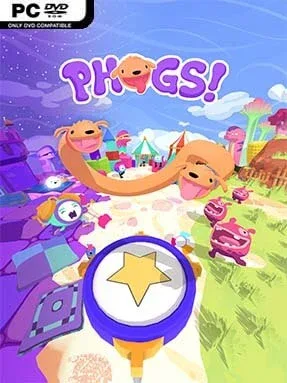
Red and Blue share one stretchy body, turning a simple dog adventure into a wonderfully chaotic co-op puzzle game. PHOGS! sends its two-headed canine heroes through the colorful dream realms of Food, Sleep, and Play, where every object seems built for chewing, bouncing, pulling, or accidentally knocking over. The tone stays cheerful and absurd, with cartoonish creatures, toy-like scenery, and physical comedy doing as much work as the puzzles. It is an approachable game for all ages, but its stranger challenges still reward players who enjoy experimenting.
Each player can control one dog in local or online co-op, while solo players switch between both ends of the duo to solve the same problems. Progress depends on stretching across gaps, anchoring one pup while the other swings forward, grabbing mechanisms with your mouths, and using barks to trigger devices or interact with the environment. Levels regularly introduce fresh ideas, from inflatable platforms and conveyor belts to oversized snacks and sleepy dream contraptions, so the central gimmick rarely wears out. Checkpoints are generous, and failure is more likely to produce a laugh than frustration, though coordinating movement with a partner can become delightfully messy.
Its best feature is how naturally cooperation grows out of the dogs’ shared body: communication matters, but so does accepting the occasional disastrous tug in opposite directions. The soft, rounded art style and imaginative environments give it the playful appeal of a children’s animation, while the level design has enough cleverness to keep experienced puzzle fans engaged. Hidden collectibles and optional secrets encourage revisiting stages, especially with a different co-op partner whose approach may change the entire solution. Fans of Human: Fall Flat, Unravel Two, or other physics-driven couch co-op games should find plenty to enjoy, and newcomers get an especially forgiving introduction to collaborative puzzle solving.
Installation
- Click the green button below to be redirected to UploadHaven.
- Wait 15 seconds, then hit “Free Download.” (Free downloads may be slower — upgrade to UploadHaven Pro for faster speeds.)
- Once downloaded, right-click the .zip file and choose “Extract to PHOGS!.” (You’ll need 7-Zip for this.)
- Open the extracted folder and run the game as administrator.
- Enjoy! 🎮 If you see missing DLL errors, check the <strong>_Redist</strong> folder inside and install what’s needed.
System Requirements
- OS: Windows 7
- Processor: Core i3 or equivalent
- Memory: 2 GB RAM
- Graphics: Intel HD4000 or equivalent
- DirectX: Version 11
- Storage: 6 GB available space
- Sound Card: Windows Compatible
Setup Guide & Troubleshooting
How do I fix missing DLL errors for PHOGS!?
After extracting PHOGS!, navigate to the _Redist or _CommonRedist folder inside the game directory and install DirectX, Vcredist, and any other dependencies included.
What should I do if the downloaded file is corrupted?
The full archive is 1.55 GB — make sure your download completed fully before extracting. Use 7-Zip to extract the files. If you still see a "file corrupted" error, re-download and try again.
Why should I run the game as administrator?
Right-click the game executable and select "Run as Administrator" to avoid save file issues and permission errors. This is especially important on the first launch.
How do I update my GPU drivers for this game?
PHOGS! requires a Intel HD4000 or equivalent or equivalent. Update your NVIDIA or AMD drivers to the latest version for the best performance.
The game won't launch — what should I try?
This game requires Version 11. Try running in compatibility mode, install the latest DirectX runtime, or install the All-in-One VC Redist Package.
My antivirus is blocking the game — is it safe?
Antivirus false positives are common with pre-installed games. Temporarily pause your antivirus during extraction to prevent it from quarantining game files. You can re-enable it after the extraction completes.