
Game Overview
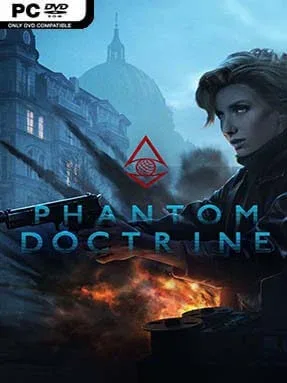
Cold War paranoia drives every decision in this tense turn-based espionage thriller, where a single intercepted document can matter as much as a clean shot. You lead the Cabal, a covert organization operating in the shadows of the 1980s, and work to expose a conspiracy designed to turn rival superpowers against one another. Missions move between safehouses, embassies, airfields, and other tightly guarded locations, while the mood stays grounded in spy-film suspicion rather than superhero spectacle. Phantom Doctrine treats intelligence work as a dangerous contest of pressure, deception, and imperfect information.
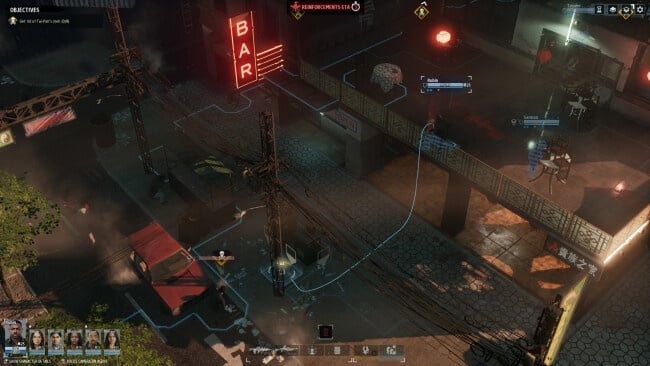
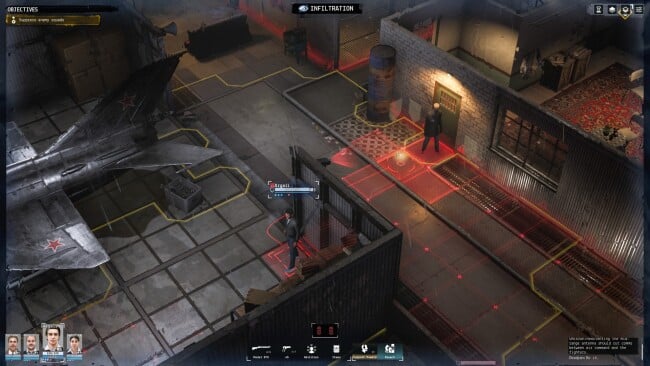
The campaign alternates between managing your network and commanding small squads in tactical operations. Agents infiltrate enemy sites, disable security, gather evidence, extract targets, and fight their way out when stealth fails; combat uses a familiar cover-and-action-point structure, but adds features such as body dragging, surveillance, disguises, and interrogations. Between missions, you recruit operatives, train their specialties, equip weapons, investigate leads on a conspiracy board, and decide which threats need immediate attention. Captured agents, injuries, enemy heat, and the possibility of compromised identities give failures lasting consequences, so careless victories can create serious problems later.
Its investigation board is the standout idea, turning strings of names, code words, and documents into leads that gradually reveal the people behind the plot. The game combines XCOM-style tactical tension with the mood of Tinker Tailor Soldier Spy, placing greater emphasis on clandestine preparation and geopolitical intrigue than on spectacular sci-fi battles. Maps and mission circumstances offer enough variation to keep a long campaign engaging, while the opposing intelligence agencies and shifting strategic pressures make the world feel reactive. Players who enjoy deliberate turn-based combat, base management, and conspiracy-solving will find plenty to like, although newcomers should expect a demanding learning curve and a pace closer to a methodical spy drama than a fast action game.
Installation
- Click the green button below to be redirected to UploadHaven.
- Wait 15 seconds, then hit “Free Download.” (Free downloads may be slower — upgrade to UploadHaven Pro for faster speeds.)
- Once downloaded, right-click the .zip file and choose “Extract to Phantom Doctrine.” (You’ll need 7-Zip for this.)
- Open the extracted folder and run the game as administrator.
- Enjoy! 🎮 If you see missing DLL errors, check the <strong>_Redist</strong> folder inside and install what’s needed.
System Requirements
- Requires a 64-bit processor and operating system
- OS: Windows 7 / 8 / 8.1 / 10
- Processor: Intel Core i3-2100 / AMD Phenom II X4 965 or equivalent
- Memory: 6 GB RAM
- Graphics: GeForce GTX 550 Ti / Intel HD 620 / Radeon HD 5770
- DirectX: Version 11
- Storage: 35 GB available space
- Additional Notes: Online connection required for Multiplayer
Setup Guide & Troubleshooting
How do I fix missing DLL errors for Phantom Doctrine (v1.1)?
After extracting Phantom Doctrine (v1.1), navigate to the _Redist or _CommonRedist folder inside the game directory and install DirectX, Vcredist, and any other dependencies included.
What should I do if the downloaded file is corrupted?
The full archive is 14.40 GB — make sure your download completed fully before extracting. Use 7-Zip to extract the files. If you still see a "file corrupted" error, re-download and try again.
Why should I run the game as administrator?
Right-click the game executable and select "Run as Administrator" to avoid save file issues and permission errors. This is especially important on the first launch.
How do I update my GPU drivers for this game?
Phantom Doctrine (v1.1) requires a GeForce GTX 550 Ti / Intel HD 620 / Radeon HD 5770 or equivalent. Update your NVIDIA or AMD drivers to the latest version for the best performance.
The game won't launch — what should I try?
This game requires Version 11. Try running in compatibility mode, install the latest DirectX runtime, or install the All-in-One VC Redist Package.
My antivirus is blocking the game — is it safe?
Antivirus false positives are common with pre-installed games. Temporarily pause your antivirus during extraction to prevent it from quarantining game files. You can re-enable it after the extraction completes.