
Game Overview
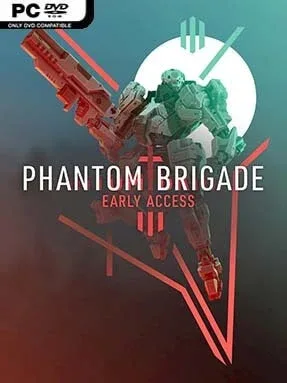
A ruined homeland becomes the battlefield for a desperate mech resistance campaign in Phantom Brigade, a tactical RPG built around reading the future before committing to the fight. You command the last remnants of an elite pilot unit as it strikes at an occupying army that has superior numbers, heavier machines, and control of vital territory. The mood is tense and war-weary rather than heroic fantasy, with every raid serving the larger effort to reclaim cities, factories, and supply lines. Its signature idea is simple but compelling: plan the perfect counterattack, then watch it either unfold with cinematic precision or collapse under the pressure of war.
Battles alternate between a planning phase and a short burst of simultaneous action. You study projected enemy paths, aim weapons, assign movement, use cover, and time evasive maneuvers across a visible timeline, then let several seconds of combat play out in real time before revising the next plan. Mechs can target individual parts, so removing a weapon arm, crippling legs, or destroying a cockpit changes the tactical situation immediately. Outside combat, the Brigade moves across a campaign map from a mobile base, chooses which regions to contest, takes objectives, manages repairs, and salvages enemy equipment to keep its underdog force operational.
What separates Phantom Brigade from more conventional grid tactics games is its emphasis on prediction: enemy intentions are not hidden behind vague percentages, but displayed as information you must interpret and exploit. Deep mech construction lets you mix frames, armor, weapons, and equipment while considering weight, heat, speed, and survivability, and visual customization gives the squad a personal identity. Destructible scenery and close-range collisions make positioning feel physical, especially when a heavy machine crashes through cover or a missile barrage reshapes an otherwise safe route. Fans of Into the Breach, Front Mission, and Battletech who want more kinetic, hands-on combat should find plenty to enjoy, though its layered planning rewards patient strategy veterans more than players seeking instant action.
Installation
- Click the green button below to be redirected to UploadHaven.
- Wait 15 seconds, then hit “Free Download.” (Free downloads may be slower — upgrade to UploadHaven Pro for faster speeds.)
- Once downloaded, right-click the .zip file and choose “Extract to Phantom Brigade.” (You’ll need 7-Zip for this.)
- Open the extracted folder and run the game as administrator.
- Enjoy! 🎮 If you see missing DLL errors, check the <strong>_Redist</strong> folder inside and install what’s needed.
System Requirements
- OS: Windows 7 SP1 or Higher
- Processor: Intel Haswell 2 cores / 4 threads @ 2.5Ghz or equivalent
- Memory: 8 GB RAM
- Graphics: Geforce GTX 6xx series, Radeon RX 4xx or equivalent
- DirectX: Version 10
- Storage: 6 GB available space
- Additional Notes: Phantom Brigade is still in development, minimum specifications may change during development
Setup Guide & Troubleshooting
How do I fix missing DLL errors for Phantom Brigade (v2.0.2)?
After extracting Phantom Brigade (v2.0.2), navigate to the _Redist or _CommonRedist folder inside the game directory and install DirectX, Vcredist, and any other dependencies included.
What should I do if the downloaded file is corrupted?
The full archive is 5.22 GB — make sure your download completed fully before extracting. Use 7-Zip to extract the files. If you still see a "file corrupted" error, re-download and try again.
Why should I run the game as administrator?
Right-click the game executable and select "Run as Administrator" to avoid save file issues and permission errors. This is especially important on the first launch.
How do I update my GPU drivers for this game?
Phantom Brigade (v2.0.2) requires a Geforce GTX 6xx series, Radeon RX 4xx or equivalent or equivalent. Update your NVIDIA or AMD drivers to the latest version for the best performance.
The game won't launch — what should I try?
This game requires Version 10. Try running in compatibility mode, install the latest DirectX runtime, or install the All-in-One VC Redist Package.
My antivirus is blocking the game — is it safe?
Antivirus false positives are common with pre-installed games. Temporarily pause your antivirus during extraction to prevent it from quarantining game files. You can re-enable it after the extraction completes.