
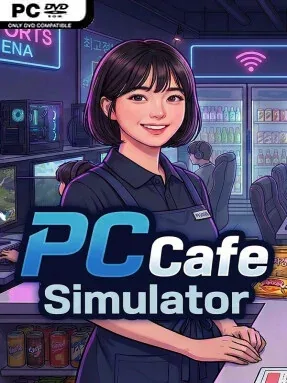
Game Overview
A modest Korean internet café becomes a surprisingly hands-on business in this relaxed but occasionally chaotic management sim. You begin with a small venue, limited equipment, and the simple goal of giving local gamers a comfortable place to play, eat, and stay awhile. Growth comes from turning bare rooms into an inviting PC café packed with machines, furniture, decorations, and the kind of atmosphere that keeps customers returning. The tone stays light and social, though unruly visitors and unpaid bills add a slapstick edge to the daily routine.
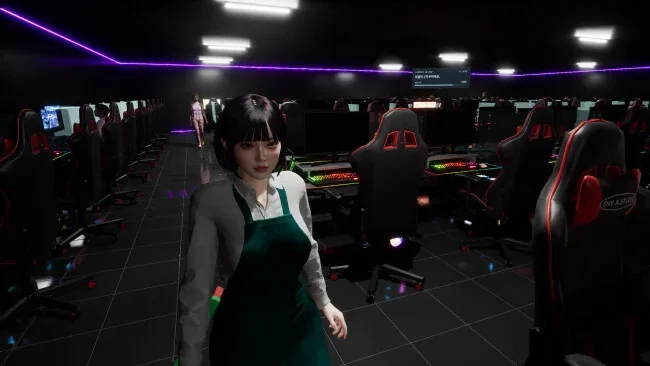
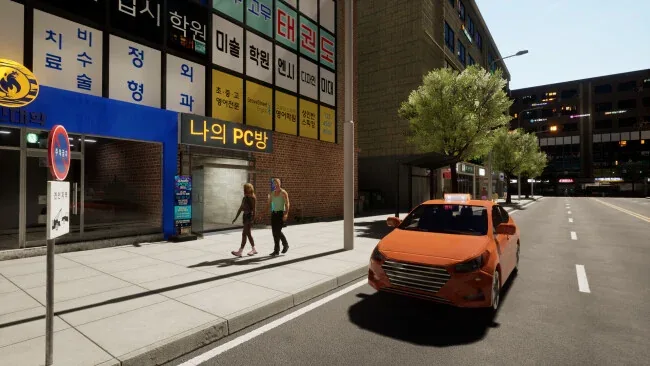
Running the café means far more than placing computers and waiting for money to arrive. You purchase equipment, arrange the interior, monitor supplies, accept deliveries, and make sure popular food ingredients never run out. Customers occupy PCs, place meal orders, and leave opinions based on both service and surroundings, so cooking and personally delivering food becomes as important as smart layout planning. Quiet periods let you head outside to draw in pedestrians, while troublemakers may require direct intervention with the ever-useful broom. Day-and-night cycles and changing weather give each shift a little variation, and the pace can be managed alone or shared in online co-op with up to eight players.
Its most appealing feature is the way restaurant work, shop customization, and social multiplayer overlap in a distinctly Korean PC-bang setting. Rather than chasing deep corporate spreadsheets, it emphasizes visible progress: more seats filled, better décor, smoother service, and a café that gradually feels like your own hangout. Co-op creates natural division of labor, with one player cooking, another stocking shelves, and others handling customers—or creating mischief with emotes, music, videos, and after-hours fireworks. Fans of Internet Cafe Simulator, Overcooked-style task juggling, or approachable tycoon games should find plenty to enjoy, especially if they want a low-pressure management game that becomes livelier with friends.
Screenshots
Installation
- Select the <strong>Download</strong> button at the top of this page to open UploadHaven.
- On UploadHaven, wait for any countdown, then select <strong>Free Download</strong>. Optional: UploadHaven Pro for faster downloads.
- When complete, extract the archive to a <strong>PC Cafe Simulator</strong> folder using 7-Zip.
- Open the extracted folder and start the game normally.
- For errors, check <strong>Setup Guide & Troubleshooting</strong> below. Keep your security software enabled.
System Requirements
- Requires a 64-bit processor and operating system
- OS: Windows 10 (64-bit)
- Processor: Intel Core i5-8400 / AMD Ryzen 5 2600
- Memory: 8 GB RAM
- Graphics: NVIDIA GTX 1060 / AMD RX 580
- DirectX: Version 11
- Network: Broadband Internet connection
- Storage: 10 GB available space