
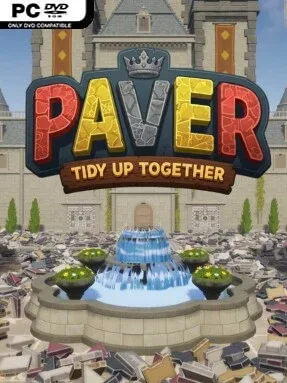
Game Overview
A castle renovation nears its finish line, but the broad plaza outside remains a chaotic spread of loose stone. Paver: Tidy Up Together turns that mess into a calm, methodical first-person restoration project, asking players to rebuild an intricate paved surface one piece at a time. The mood is deliberately low-pressure and satisfying rather than frantic, built around the simple pleasure of seeing disorder become a clean, complete pattern. It is essentially a digital sorting-and-placement puzzle with the scale of a small construction job.
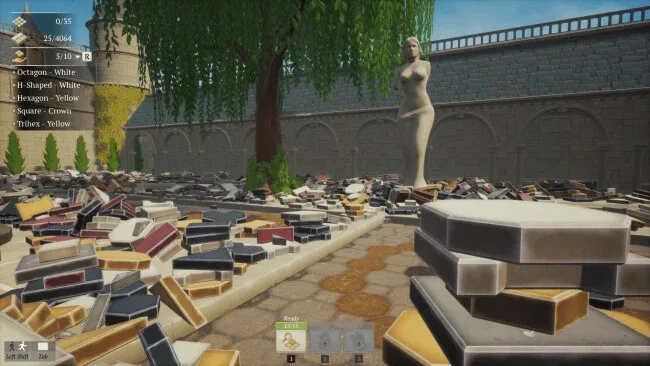
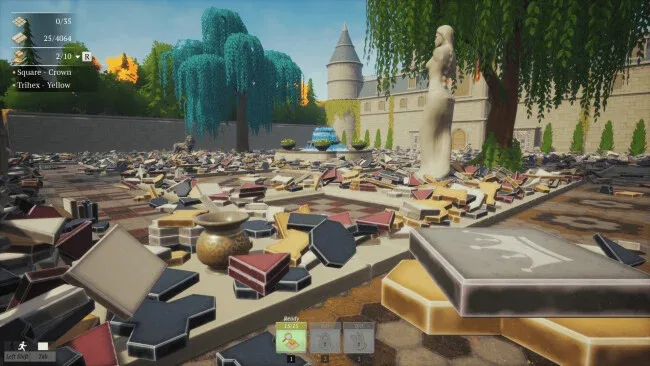
Players pick up scattered pavers, identify their color and shape, then match them to the original layout plan across a plaza containing 4,064 individual pieces. The job involves much more than squares and rectangles: octagons, trapezoids, hexagons, triangles, H-shaped stones, radial parts, and other unusual forms make careful observation important. Normal Mode gradually grants practical aids, including a tool that shows where the held piece belongs, automatic collection of matching stones, and automatic placement. Solo play suits an unhurried session, while online co-op lets several people divide up the work and turn the cleanup into a shared, quietly productive activity; Sandbox Mode begins with every aid available, whereas No-Skill Mode leaves the entire puzzle to manual effort.
What separates it from the usual cleaning-game formula is its focus on a fixed architectural design rather than random clutter. Every correctly placed stone contributes to a visible larger pattern, making progress feel tangible even when the task is repetitive. The accessibility options let newcomers enjoy the restorative side of the premise without getting stuck, while the stripped-back challenge mode gives detail-oriented players a stricter test of spatial recognition. Fans of PowerWash Simulator, A Little to the Left, or meticulous jigsaw-style puzzles should find its slow, orderly rhythm especially appealing.
Screenshots
Installation
- Select the <strong>Download</strong> button at the top of this page to open UploadHaven.
- On UploadHaven, wait for any countdown, then select <strong>Free Download</strong>. Optional: UploadHaven Pro for faster downloads.
- When complete, extract the archive to a <strong>Paver: Tidy Up Together</strong> folder using 7-Zip.
- Open the extracted folder and start the game normally.
- For errors, check <strong>Setup Guide & Troubleshooting</strong> below. Keep your security software enabled.
System Requirements
- Requires a 64-bit processor and operating system
- OS *: Windows 7 64-bit | Windows 8 64-bit | Windows 10 64-bit
- Processor: Intel Core i5-11400F | AMD Ryzen 5 5600x
- Memory: 8 GB RAM
- Graphics: NVIDIA GeForce GTX 1060 | AMD Radeon R9-290X
- Network: Broadband Internet connection
- Storage: 750 MB available space