
Game Overview
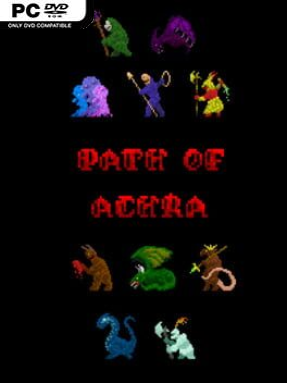
A fast, ferocious roguelike built around outrageous character builds, Path of Achra turns every run into a hunt for the combination that breaks the rules hardest. Its mythic fantasy setting draws from a broad mix of cultures and faiths, letting players assemble a hero from a chosen people, class, and religion before descending toward the elusive Obelisk. The world is not waiting patiently: a deadly flood steadily pushes forward, giving each expedition an urgent, doomed momentum. Despite its stark presentation, the mood is playful in the way great roguelikes are—failure is painful, but the next absurd idea is always waiting.
Runs revolve around clearing compact, turn-based maps while collecting gear, powers, and passive effects that radically reshape how a character fights. Elemental abilities cover far more than ordinary fireballs and healing spells; players can command ice, blood, death magic, vines, psychic force, lightning, and a host of stranger interactions. Equipment is freely swapped and often carries build-defining effects, while triggers can chain together into ridiculous outcomes, such as attacks that summon allies, movement that fires beams, or defensive actions that punish whole crowds. Automove keeps the pace brisk between threats, but carelessness is punished immediately by aggressive enemies and the constant pressure of the rising water.
What separates Path of Achra from many traditional dungeon crawlers is its commitment to letting players become spectacularly overpowered—provided they understand how the pieces connect. More than a thousand possible starting combinations, unlockable options, summon-focused strategies, and wildly different power synergies make experimentation the real progression system. Its visual style is deliberately minimal, putting readability and tactical speed ahead of decorative detail, while the dense mechanics reward repeated runs and careful theorycrafting. Fans of Tales of Maj’Eyal, Dungeon Crawl Stone Soup, Rift Wizard, or build-heavy action RPGs should find plenty to obsess over, though newcomers need patience for its unforgiving combat and unusual systems.
Installation
- Click the green button below to be redirected to UploadHaven.
- Wait 15 seconds, then hit “Free Download.” (Free downloads may be slower — upgrade to UploadHaven Pro for faster speeds.)
- Once downloaded, right-click the .zip file and choose “Extract to Path of Achra.” (You’ll need 7-Zip for this.)
- Open the extracted folder and run the game as administrator.
- Enjoy! 🎮 If you see missing DLL errors, check the <strong>_Redist</strong> folder inside and install what’s needed.
System Requirements
- OS: Windows Vista
- Memory: 512 MB RAM
- Graphics: Open GL 2.1+
- Storage: 512 MB available space
Setup Guide & Troubleshooting
How do I fix missing DLL errors for Path of Achra (v1.4.4)?
After extracting Path of Achra (v1.4.4), navigate to the _Redist or _CommonRedist folder inside the game directory and install DirectX, Vcredist, and any other dependencies included.
What should I do if the downloaded file is corrupted?
The full archive is 169.64 MB — make sure your download completed fully before extracting. Use 7-Zip to extract the files. If you still see a "file corrupted" error, re-download and try again.
Why should I run the game as administrator?
Right-click the game executable and select "Run as Administrator" to avoid save file issues and permission errors. This is especially important on the first launch.
How do I update my GPU drivers for this game?
Path of Achra (v1.4.4) requires a Open GL 2.1+ or equivalent. Update your NVIDIA or AMD drivers to the latest version for the best performance.
The game won't launch — what should I try?
Try running in compatibility mode, install the latest DirectX runtime, or install the All-in-One VC Redist Package.
My antivirus is blocking the game — is it safe?
Antivirus false positives are common with pre-installed games. Temporarily pause your antivirus during extraction to prevent it from quarantining game files. You can re-enable it after the extraction completes.