
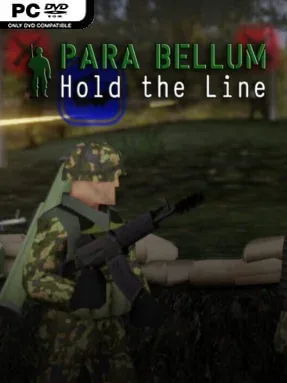
Game Overview
A thin defensive line, a handful of soldiers, and an enemy that refuses to stop coming define the tense battlefield rhythm of Para Bellum – Hold The Line. This is a real-time tactical defense game focused on positioning infantry, anticipating attack routes, and surviving escalating assaults rather than racing across a giant map. Its military tone is grounded and pressurized: every rifleman has a role, every support call can rescue a failing position, and a single careless order can cost troops you may need later. The campaign frames that pressure across 15 hand-built missions, while skirmishes offer a more open-ended way to test strategies.
Commanding squads means placing riflemen where their fire can cover approaches, keeping machine gunners on strong lanes of sight, moving medics toward wounded troops, and reserving anti-vehicle specialists for armored threats. Battles unfold in real time, so success comes from responding quickly without abandoning defensive discipline. Mortar barrages, air support, resupply crates, and other battlefield requests give you emergency tools, but they work best when used to reinforce a sound plan instead of patching up panic. Survivors earn experience and carry forward through the campaign, making veterans increasingly valuable; permanent losses, however, give each mission a meaningful sense of risk. Between operations, platoon customization lets you request different unit types and support options to better suit your preferred approach.
The persistent-soldier system is the strongest hook, adding a touch of XCOM-style attachment to a compact, defense-oriented RTS format. Rather than demanding the large-scale economy management of Company of Heroes, it concentrates on the immediate problem of holding terrain with limited manpower and smart support usage. Skirmish mode extends the package by allowing any map to be replayed with adjustable conditions, making it useful for experimenting with new platoon compositions. Para Bellum – Hold The Line suits players who enjoy methodical tactical games, punishing attrition, and the satisfaction of watching a carefully prepared line withstand one more wave.
Installation
- Click the green button below to be redirected to UploadHaven.
- Wait 15 seconds, then hit “Free Download.” (Free downloads may be slower — upgrade to UploadHaven Pro for faster speeds.)
- Once downloaded, right-click the .zip file and choose “Extract to Para Bellum - Hold The Line.” (You’ll need 7-Zip for this.)
- Open the extracted folder and run the game as administrator.
- Enjoy! 🎮 If you see missing DLL errors, check the <strong>_Redist</strong> folder inside and install what’s needed.
System Requirements
- OS *: Windows 7 or greater
- Processor: Quad Core CPU @ 2.7GHz
- Memory: 8 GB RAM
- Graphics: GTX 970 / RX 480
- Storage: 20 GB available space
- Additional Notes: The game has been tested to run with harddrive described above. It could run with lighter setups, but you’re at your own risk.
Setup Guide & Troubleshooting
How do I fix missing DLL errors for Para Bellum – Hold The Line (v1.0.0)?
After extracting Para Bellum – Hold The Line (v1.0.0), navigate to the _Redist or _CommonRedist folder inside the game directory and install DirectX, Vcredist, and any other dependencies included.
What should I do if the downloaded file is corrupted?
The full archive is 1.73 GB — make sure your download completed fully before extracting. Use 7-Zip to extract the files. If you still see a "file corrupted" error, re-download and try again.
Why should I run the game as administrator?
Right-click the game executable and select "Run as Administrator" to avoid save file issues and permission errors. This is especially important on the first launch.
How do I update my GPU drivers for this game?
Para Bellum – Hold The Line (v1.0.0) requires a GTX 970 / RX 480 or equivalent. Update your NVIDIA or AMD drivers to the latest version for the best performance.
The game won't launch — what should I try?
Try running in compatibility mode, install the latest DirectX runtime, or install the All-in-One VC Redist Package.
My antivirus is blocking the game — is it safe?
Antivirus false positives are common with pre-installed games. Temporarily pause your antivirus during extraction to prevent it from quarantining game files. You can re-enable it after the extraction completes.