
Game Overview
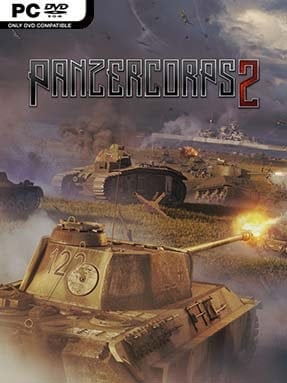
World War II becomes a demanding tabletop-style campaign of armored thrusts, desperate defensive lines, and hard-earned victories. Panzer Corps 2 is a turn-based wargame built around commanding historical forces across the European theatre, with an emphasis on planning rather than reflexes. Its clean presentation and fully modeled units make tanks, infantry, artillery, aircraft, and naval assets easy to read on the battlefield without stripping away the seriousness of the setting. The tone is methodical and tactical, rewarding players who enjoy seeing a carefully prepared offensive unfold over several turns.
Each scenario asks you to move units across hex-based maps, seize objectives, protect supply lines, and eliminate enemy formations while preserving the core troops you want to carry into later battles. Positioning matters as much as raw firepower: artillery softens defenses, reconnaissance reveals threats, air power supports breakthroughs, and encirclement can collapse an otherwise stubborn enemy line. Weather, terrain, fuel, movement restrictions, unit experience, and captured equipment add layers to every decision, while reinforcements and upgrades let veteran formations develop into specialized tools. A large branching campaign follows Germany through roughly 60 missions, but standalone battles, randomly generated skirmishes, and scenarios for major powers offer plenty beyond that central route. Multiplayer supports asynchronous matches, hotseat sessions, conventional online play, and cooperative battles against the AI.
What separates Panzer Corps 2 from lighter strategy games is the enormous breadth of its unit roster and the way it balances accessibility with genuine operational depth. More than a thousand distinct units give history-minded players plenty to experiment with, yet the interface keeps the essential combat forecasts and unit information understandable for newcomers. Its scenario editor is a major long-term advantage, allowing players to create campaigns and maps or dig into community-made content. Fans of the original Panzer Corps, Unity of Command, or approachable alternatives to heavier simulations such as Gary Grigsby’s war games will find a polished, replayable strategy package that remains welcoming without becoming shallow.
Installation
- Click the green button below to be redirected to UploadHaven.
- Wait 15 seconds, then hit “Free Download.” (Free downloads may be slower — upgrade to UploadHaven Pro for faster speeds.)
- Once downloaded, right-click the .zip file and choose “Extract to Panzer Corps 2.” (You’ll need 7-Zip for this.)
- Open the extracted folder and run the game as administrator.
- Enjoy! 🎮 If you see missing DLL errors, check the <strong>_Redist</strong> folder inside and install what’s needed.
System Requirements
- OS: 64-bit Windows 8/10 (the game runs on Windows 7 but no support will be provided)
- Processor: Intel or AMD, Dual Core or better (Requires a 64-bit processor and operating system)
- Memory: 8 GB RAM
- Graphics: nVidia or AMD, 2GB VRAM
- DirectX: Version 11
- Storage: 12 GB available space
- Sound Card: DirectX compatible sound device
Setup Guide & Troubleshooting
How do I fix missing DLL errors for Panzer Corps 2 (v1.11.1 & ALL DLC)?
After extracting Panzer Corps 2 (v1.11.1 & ALL DLC), navigate to the _Redist or _CommonRedist folder inside the game directory and install DirectX, Vcredist, and any other dependencies included.
What should I do if the downloaded file is corrupted?
The full archive is 7.52 GB — make sure your download completed fully before extracting. Use 7-Zip to extract the files. If you still see a "file corrupted" error, re-download and try again.
Why should I run the game as administrator?
Right-click the game executable and select "Run as Administrator" to avoid save file issues and permission errors. This is especially important on the first launch.
How do I update my GPU drivers for this game?
Panzer Corps 2 (v1.11.1 & ALL DLC) requires a nVidia or AMD, 2GB VRAM or equivalent. Update your NVIDIA or AMD drivers to the latest version for the best performance.
The game won't launch — what should I try?
This game requires Version 11. Try running in compatibility mode, install the latest DirectX runtime, or install the All-in-One VC Redist Package.
My antivirus is blocking the game — is it safe?
Antivirus false positives are common with pre-installed games. Temporarily pause your antivirus during extraction to prevent it from quarantining game files. You can re-enable it after the extraction completes.