
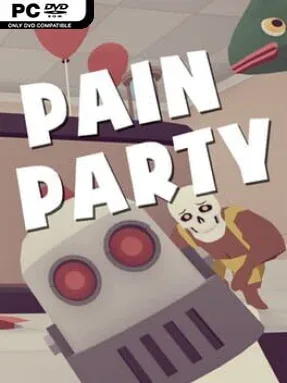
Game Overview
A fatal mini-golf mishap sends you to a purgatory run like a vicious televised competition, where survival means earning a shot at ascension and failure means an eternity of unpaid forum moderation. Pain Party is an indie multiplayer brawler built around slapstick brutality, precision platforming, and the punishing rhythm of a Souls-like challenge. Its tone is gleefully absurd, but the hazards, falls, and boss encounters demand real concentration. Whether you face the gauntlet alone or among a crowd of hostile contestants, every arena turns death into part of the joke.
Movement and combat form the heart of each match and level, asking players to manage stamina, time jumps carefully, and use physics to their advantage. Stages are designed to punish sloppy inputs with traps, dangerous drops, and environmental chaos, while more than 20 weapons and usable items give fighters ways to reverse a losing situation. The offline story mode lets you clear demanding levels, gain experience, and spend it on upgrades such as increased speed and stamina, steadily opening further progression. Online play supports free-for-all battles and cooperative Survival sessions for up to 24 players, with friend-based sessions available for groups that want to keep the carnage private.
Its strongest appeal comes from the collision between exacting platform-game controls and the unpredictable disorder of a large party game. A clean leap or well-timed attack can feel satisfying, yet one misplaced landing can send a run spiraling into a ridiculous physics-driven disaster. Unlockable hats and masks provide cosmetic goals, while normal, retro, and retro+ visual modes let players tailor the presentation from clean modern clarity to a deliberately old-school look. Fans of Gang Beasts-style physical chaos who also enjoy the hard lessons of Dark Souls or demanding obstacle courses should find plenty to like, though newcomers should expect a steep learning curve rather than an easygoing party night.
Installation
- Click the green button below to be redirected to UploadHaven.
- Wait 15 seconds, then hit “Free Download.” (Free downloads may be slower — upgrade to UploadHaven Pro for faster speeds.)
- Once downloaded, right-click the .zip file and choose “Extract to Pain Party.” (You’ll need 7-Zip for this.)
- Open the extracted folder and run the game as administrator.
- Enjoy! 🎮 If you see missing DLL errors, check the <strong>_Redist</strong> folder inside and install what’s needed.
System Requirements
- OS: Windows 7/8/10
- Processor: Intel or AMD processor, 2.5 GHz
- Memory: 2 GB RAM
- Graphics: NVIDIA GeForce 470 GTX or AMD Radeon 6870 HD
- Network: Broadband Internet connection
- Storage: 500 MB available space
Setup Guide & Troubleshooting
How do I fix missing DLL errors for Pain Party?
After extracting Pain Party, navigate to the _Redist or _CommonRedist folder inside the game directory and install DirectX, Vcredist, and any other dependencies included.
What should I do if the downloaded file is corrupted?
The full archive is 215.07 MB — make sure your download completed fully before extracting. Use 7-Zip to extract the files. If you still see a "file corrupted" error, re-download and try again.
Why should I run the game as administrator?
Right-click the game executable and select "Run as Administrator" to avoid save file issues and permission errors. This is especially important on the first launch.
How do I update my GPU drivers for this game?
Pain Party requires a NVIDIA GeForce 470 GTX or AMD Radeon 6870 HD or equivalent. Update your NVIDIA or AMD drivers to the latest version for the best performance.
The game won't launch — what should I try?
Try running in compatibility mode, install the latest DirectX runtime, or install the All-in-One VC Redist Package.
My antivirus is blocking the game — is it safe?
Antivirus false positives are common with pre-installed games. Temporarily pause your antivirus during extraction to prevent it from quarantining game files. You can re-enable it after the extraction completes.