

Game Overview
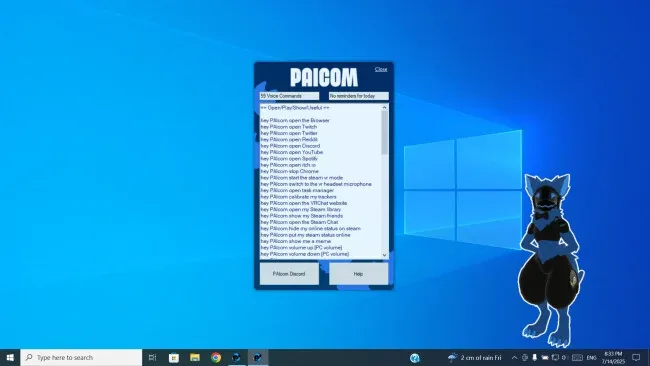
A talking protogen sits on your desktop as a deliberately silly, voice-acted computer companion rather than a sterile productivity tool. PAIcom turns everyday PC commands into a character-driven interaction, pairing practical shortcuts with jokes, reactions, and an unmistakably furry presentation. Its tone stays light, chaotic, and community-minded, aimed at users who want their assistant to feel like a customizable virtual mascot. VR users in particular get a companion built around avoiding the annoyance of digging through desktop windows while wearing a headset.
PAIcom accepts voice input but also works without a microphone, letting you trigger commands through other means when speaking aloud is not convenient. The core loop involves asking it to launch programs, games, websites, Steam, or SteamVR, while its scripted responses make even routine actions feel less mechanical. Steam status controls and SlimeVR tracker recalibration add genuinely useful functions for social VR and full-body-tracking setups, especially when controller-based desktop navigation slows everything down. Everything operates locally, so the software avoids sending personal data away for processing, and its lightweight footprint suits older PCs as well as newer hardware.
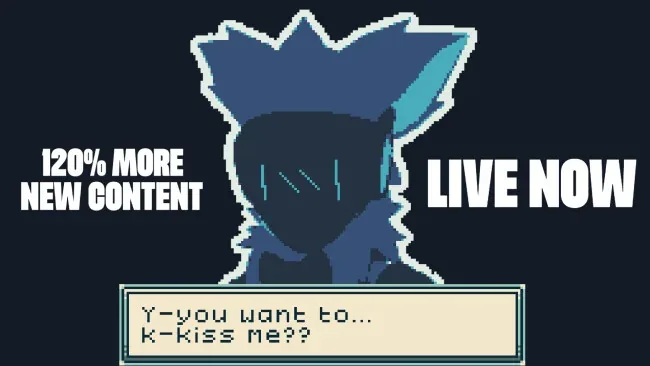
Customization is the real draw: users can alter the assistant’s name, appearance, dialogue, voice, and other behavior without needing programming expertise. That flexibility lets players build an entirely different character around the same engine, giving the software more longevity than a one-note desktop novelty. The animated protogen model, hand-authored dialogue, and deliberately unpolished humor set it apart from conventional voice assistants that prioritize neutral utility over personality. PAIcom best suits furry fans, VRChat regulars, and SlimeVR users who appreciate a practical desktop tool with strong character; anyone seeking a serious, highly intelligent AI assistant may find its scripted approach too limited, but that limitation is also part of its privacy-friendly charm.
Screenshots
Installation
- Select the <strong>Download</strong> button at the top of this page to open UploadHaven.
- On UploadHaven, wait for any countdown, then select <strong>Free Download</strong>. Optional: UploadHaven Pro for faster downloads.
- When complete, extract the archive to a <strong>PAIcom (furry computer assistant)</strong> folder using 7-Zip.
- Open the extracted folder and start the game normally.
- For errors, check <strong>Setup Guide & Troubleshooting</strong> below. Keep your security software enabled.
System Requirements
- OS: Windows 10 / Windows 11
- Processor: i3 4th generation CPU (or AMD equivalent)
- Memory: 4 GB RAM
- Graphics: A GPU that actually works
- Network: Broadband Internet connection
- Storage: 510 MB available space
- Sound Card: Works with any audio card (may require external microphone)
- VR Support: Works in Desktop and VR
- Additional Notes: You need a microphone (to make the assistant hear you) + English (United States) [Speech Language Pack] installed