
Game Overview
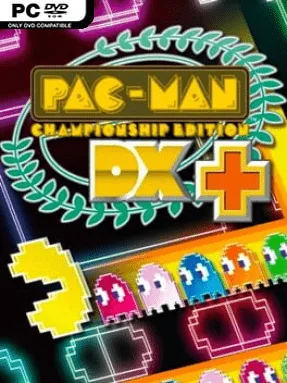
Neon mazes turn the familiar yellow hero into the star of a ruthless score-attack sprint. PAC-MAN Championship Edition DX+ strips the arcade formula down to its most exhilarating idea: eat dots, wake sleeping ghosts, lure an enormous train behind you, then devour it for a massive points burst. Its bright electronic presentation and escalating speed make every run feel like a controlled panic, with music, visuals, and movement all pushing toward a frantic arcade high.
Each maze begins with a manageable route, but clearing fruit opens new sections and sends Pac-Man racing through increasingly dangerous corridors. Ghosts do not simply hunt you individually; they join a growing pursuit chain, rewarding smart route planning and perfectly timed reversals when you finally grab a power pellet. Collisions trigger a helpful slowdown effect, giving you a brief chance to steer clear, while limited bombs provide an emergency escape when a packed ghost train blocks every route. Seven distinct maze layouts and five rule sets, including score-focused, time-limit, and challenge variants, constantly alter the pace and priorities of a run. Difficulty settings let newcomers build confidence before confronting the highest-speed courses, where quick reactions alone are not enough.
What separates DX+ from a standard Pac-Man revival is how elegantly it turns survival into momentum. The mazes are compact but strategically dense, demanding that you remember fruit spawns, keep ghost chains alive, and leave yourself an exit before greed closes the trap. Extensive visual, music, character, and difficulty customization gives the package a surprisingly personal arcade feel, while score comparison encourages repeat attempts long after the first clear. Fans of Geometry Wars, Tetris Effect’s sensory intensity, or classic leaderboard chasing find a similarly pure, endlessly replayable rush here, and it remains approachable even for players who only know Pac-Man from the original maze.
Installation
- Click the green button below to be redirected to UploadHaven.
- Wait 15 seconds, then hit “Free Download.” (Free downloads may be slower — upgrade to UploadHaven Pro for faster speeds.)
- Once downloaded, right-click the .zip file and choose “Extract to PAC-MAN Championship Edition DX+.” (You’ll need 7-Zip for this.)
- Open the extracted folder and run the game as administrator.
- Enjoy! 🎮 If you see missing DLL errors, check the <strong>_Redist</strong> folder inside and install what’s needed.
System Requirements
- OS: Windows XP, Windows Vista, Windows 7, Windows 8
- Processor: 1 GHz or faster 32-bit (x86) or 64-bit (x64) processor
- Memory: 1 GB RAM
- Graphics: DirectX 9 graphics device
- DirectX: Version 9.0c
- Storage: 500 MB available space
- Sound Card: DirectX 9 sound device
Setup Guide & Troubleshooting
How do I fix missing DLL errors for PAC-MAN Championship Edition DX+?
After extracting PAC-MAN Championship Edition DX+, navigate to the _Redist or _CommonRedist folder inside the game directory and install DirectX, Vcredist, and any other dependencies included.
What should I do if the downloaded file is corrupted?
The full archive is 474.89 MB — make sure your download completed fully before extracting. Use 7-Zip to extract the files. If you still see a "file corrupted" error, re-download and try again.
Why should I run the game as administrator?
Right-click the game executable and select "Run as Administrator" to avoid save file issues and permission errors. This is especially important on the first launch.
How do I update my GPU drivers for this game?
PAC-MAN Championship Edition DX+ requires a DirectX 9 graphics device or equivalent. Update your NVIDIA or AMD drivers to the latest version for the best performance.
The game won't launch — what should I try?
This game requires Version 9.0c. Try running in compatibility mode, install the latest DirectX runtime, or install the All-in-One VC Redist Package.
My antivirus is blocking the game — is it safe?
Antivirus false positives are common with pre-installed games. Temporarily pause your antivirus during extraction to prevent it from quarantining game files. You can re-enable it after the extraction completes.