
Game Overview
Desktop customization takes center stage in this lightweight creative utility, turning an ordinary monitor into a layered canvas for animated art, fan-made decorations, stream-friendly widgets, and personal flair. Overlay Studio is not a traditional game, but it scratches a similar creative itch: you collect assets, arrange them precisely, and build a setup that feels distinctly yours. The mood is relaxed and experimental, whether you want subtle ambient effects around your desktop or a busy display inspired by favorite games, shows, and online communities. Its appeal lies in making a static workspace feel alive without demanding design software expertise.
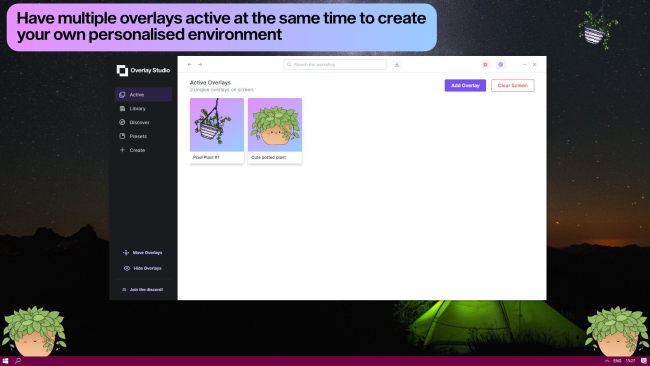
The main loop revolves around importing or downloading visual elements, then placing them across one or more displays. Images, transparent PNG files, GIF animations, and WEBM video clips all work as overlay material, while an edit mode lets you drag, scale, rotate, flip, and adjust opacity until everything sits correctly around your windows and icons. Users can run as many as 100 elements at once, although performance options matter if a setup uses numerous animated effects. Presets make it easy to swap between clean work layouts, themed gaming screens, or seasonal designs, and a single control hides the entire arrangement when a distraction-free desktop is needed. More technically inclined creators can also build browser-powered overlays with scripting support, opening the door to reactive widgets and custom interactive ideas.
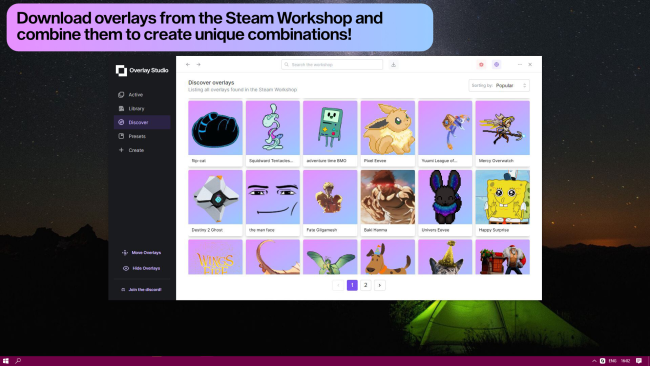
Workshop integration gives the app much of its longevity, since it supports both browsing community creations and publishing original work for others to use. Unlike basic wallpaper tools, its focus is on stacking, positioning, and mixing independent visual pieces rather than merely setting one background. Multi-monitor support is especially useful for players, streamers, and productivity users who treat each display differently. Fans of Wallpaper Engine-style desktop personalization who want more hands-on control over foreground decorations should find plenty to enjoy, while newcomers can start simply with downloaded assets before experimenting with their own designs.
Installation
- Click the green button below to be redirected to UploadHaven.
- Wait 15 seconds, then hit “Free Download.” (Free downloads may be slower — upgrade to UploadHaven Pro for faster speeds.)
- Once downloaded, right-click the .zip file and choose “Extract to Overlay Studio.” (You’ll need 7-Zip for this.)
- Open the extracted folder and run the game as administrator.
- Enjoy! 🎮 If you see missing DLL errors, check the <strong>_Redist</strong> folder inside and install what’s needed.
System Requirements
- Requires a 64-bit processor and operating system
- OS: Windows 10
- Processor: Dual Core
- Memory: 1000 MB RAM
Setup Guide & Troubleshooting
How do I fix missing DLL errors for Overlay Studio?
After extracting Overlay Studio, navigate to the _Redist or _CommonRedist folder inside the game directory and install DirectX, Vcredist, and any other dependencies included.
What should I do if the downloaded file is corrupted?
The full archive is 202.38 MB — make sure your download completed fully before extracting. Use 7-Zip to extract the files. If you still see a "file corrupted" error, re-download and try again.
Why should I run the game as administrator?
Right-click the game executable and select "Run as Administrator" to avoid save file issues and permission errors. This is especially important on the first launch.
How do I update my GPU drivers for this game?
Update your NVIDIA or AMD drivers to the latest version for the best performance and compatibility.
The game won't launch — what should I try?
Try running in compatibility mode, install the latest DirectX runtime, or install the All-in-One VC Redist Package.
My antivirus is blocking the game — is it safe?
Antivirus false positives are common with pre-installed games. Temporarily pause your antivirus during extraction to prevent it from quarantining game files. You can re-enable it after the extraction completes.