
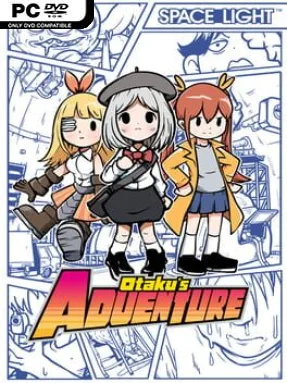
Game Overview
A lonely anime obsessive becomes the unlikely hero of a wildly unpredictable romantic adventure, and the result is far stranger than a standard dating sim. Otaku’s Adventure mixes visual-novel storytelling, point-and-click puzzling, comedy, and sudden genre detours into a hand-drawn journey that can swing from awkward flirting to fantasy action in moments. Its tone is knowingly silly and often self-deprecating, but beneath the jokes sits a branching story about a socially isolated protagonist chasing connection. Each potential romance leads toward a different kind of escapade, giving the game a playful “anything can happen” energy.
Most of the time, players click through scenes, inspect environments, talk to characters, and combine or drag items to solve puzzles. The puzzle design takes inspiration from classic escape-room adventures, asking you to notice odd details, test objects, and occasionally think beyond the most obvious solution. Story routes are broken up by varied mini-games and battle sequences, so one chapter may play like a dialogue-heavy visual novel while the next becomes a quick reaction challenge or a bizarre combat encounter. Choices and route-specific events guide the protagonist toward multiple endings, encouraging repeat runs to uncover jokes, alternate outcomes, and the full set of character stories.
What makes Otaku’s Adventure memorable is its willingness to abandon convention whenever a gag or route calls for it. Its expressive cartoon art, exaggerated characters, and frequent shifts in gameplay make it feel closer to a comedy adventure game than a pure romance visual novel. Some puzzles rely on absurd logic and the humor leans heavily on otaku culture, so players wanting a grounded, serious dating story may find its style too chaotic. Fans of offbeat point-and-click titles, branching visual novels, and games such as Doki Doki Literature Club that enjoy playing with expectations should find plenty to like, while newcomers can handle its simple mouse-driven controls.
Installation
- Click the green button below to be redirected to UploadHaven.
- Wait 15 seconds, then hit “Free Download.” (Free downloads may be slower — upgrade to UploadHaven Pro for faster speeds.)
- Once downloaded, right-click the .zip file and choose “Extract to Otaku's Adventure.” (You’ll need 7-Zip for this.)
- Open the extracted folder and run the game as administrator.
- Enjoy! 🎮 If you see missing DLL errors, check the <strong>_Redist</strong> folder inside and install what’s needed.
System Requirements
- OS: Windows 7/8/8.1/10 32/64bit
- Processor: Intel Core 2 Duo or greater
- Memory: 2 GB RAM
- Graphics: Intel HD Graphics 4000 or greater
- DirectX: Version 11
- Storage: 3 GB available space
Setup Guide & Troubleshooting
How do I fix missing DLL errors for Otaku’s Adventure (v1.3.0)?
After extracting Otaku’s Adventure (v1.3.0), navigate to the _Redist or _CommonRedist folder inside the game directory and install DirectX, Vcredist, and any other dependencies included.
What should I do if the downloaded file is corrupted?
The full archive is 626.11 MB — make sure your download completed fully before extracting. Use 7-Zip to extract the files. If you still see a "file corrupted" error, re-download and try again.
Why should I run the game as administrator?
Right-click the game executable and select "Run as Administrator" to avoid save file issues and permission errors. This is especially important on the first launch.
How do I update my GPU drivers for this game?
Otaku’s Adventure (v1.3.0) requires a Intel HD Graphics 4000 or greater or equivalent. Update your NVIDIA or AMD drivers to the latest version for the best performance.
The game won't launch — what should I try?
This game requires Version 11. Try running in compatibility mode, install the latest DirectX runtime, or install the All-in-One VC Redist Package.
My antivirus is blocking the game — is it safe?
Antivirus false positives are common with pre-installed games. Temporarily pause your antivirus during extraction to prevent it from quarantining game files. You can re-enable it after the extraction completes.