
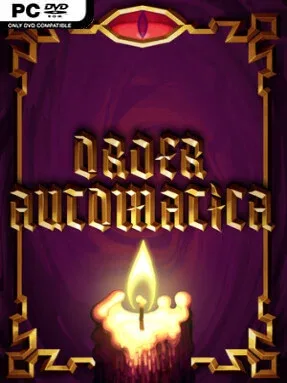
Game Overview
A tiny ritual board becomes a lethal battlefield where every placement carries consequences. Order Automatica is a dark tactical roguelite built around preparation rather than reflexes: combat plays out automatically, while the real contest happens beforehand as you arrange a compact formation to survive demonic opposition. Its grim fantasy atmosphere and unforgiving runs give each encounter the tension of a puzzle with lives on the line. The “chess with demons” comparison fits, although the focus is less on direct exchanges and more on engineering a plan that collapses the enemy in a cascade of effects.
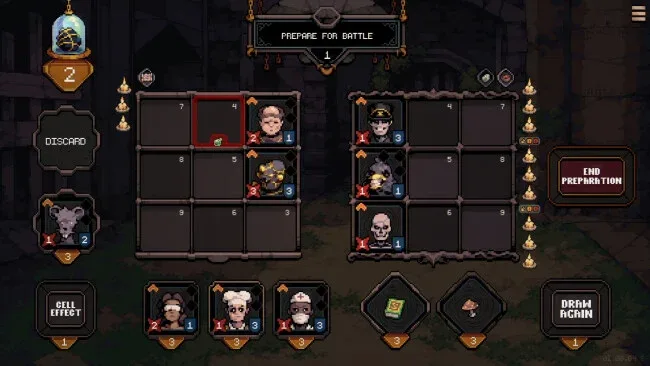
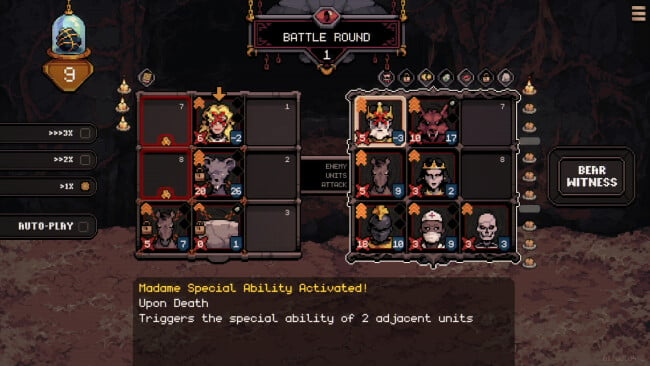
Each run revolves around assembling a team on a 3×3 grid, deciding where units belong, and exploiting the properties of the tiles beneath them. Positioning determines who benefits from buffs, who absorbs danger, and how attacks or triggered abilities chain together once the battle begins. Units can be merged into stronger forms, while relics, curses, tile manipulation, and timing-based interactions steadily turn a basic formation into a specialized engine. Since enemies act on their own and encounters can disrupt a comfortable strategy, success comes from adapting the build instead of relying on one safe arrangement.
What makes the game compelling is how much room it finds inside such a small board. A single changed tile or swapped unit can transform a weak lineup into a destructive combo, but an overlooked interaction can also end an otherwise promising run in seconds. The roguelite structure encourages experimentation with unusual synergies and rewards players who enjoy learning systems through repeated attempts rather than simply grinding upgrades. Fans of Backpack Battles, auto-battlers, and tightly designed tactical puzzlers should find plenty to chew on, especially if they prefer dark themes over colorful genre staples. Newcomers can understand the basic rules quickly, but veterans of strategy roguelites are best positioned to appreciate the deeper possibilities behind its deliberately limited space.
Screenshots
Installation
- Click the green button below to be redirected to UploadHaven.
- Wait 15 seconds, then hit “Free Download.” (Free downloads may be slower — upgrade to UploadHaven Pro for faster speeds.)
- Once downloaded, right-click the .zip file and choose “Extract to Order Automatica.” (You’ll need 7-Zip for this.)
- Open the extracted folder and run the game as administrator.
- Enjoy! 🎮 If you see missing DLL errors, check the <strong>_Redist</strong> folder inside and install what’s needed.
System Requirements
- OS: Any recent windows version
- Processor: Probably any processor from the last 6 years
- Memory: 100 MB RAM
- Graphics: Probably any graphics card will work
- Storage: 100 MB available space
- Additional Notes: If this doesn’t run on your windows machine let me know
Setup Guide & Troubleshooting
How do I fix missing DLL errors for Order Automatica?
After extracting Order Automatica, navigate to the _Redist or _CommonRedist folder inside the game directory and install DirectX, Vcredist, and any other dependencies included.
What should I do if the downloaded file is corrupted?
The full archive is 151.51 MB — make sure your download completed fully before extracting. Use 7-Zip to extract the files. If you still see a "file corrupted" error, re-download and try again.
Why should I run the game as administrator?
Right-click the game executable and select "Run as Administrator" to avoid save file issues and permission errors. This is especially important on the first launch.
How do I update my GPU drivers for this game?
Order Automatica requires a Probably any graphics card will work or equivalent. Update your NVIDIA or AMD drivers to the latest version for the best performance.
The game won't launch — what should I try?
Try running in compatibility mode, install the latest DirectX runtime, or install the All-in-One VC Redist Package.
My antivirus is blocking the game — is it safe?
Antivirus false positives are common with pre-installed games. Temporarily pause your antivirus during extraction to prevent it from quarantining game files. You can re-enable it after the extraction completes.