
Game Overview
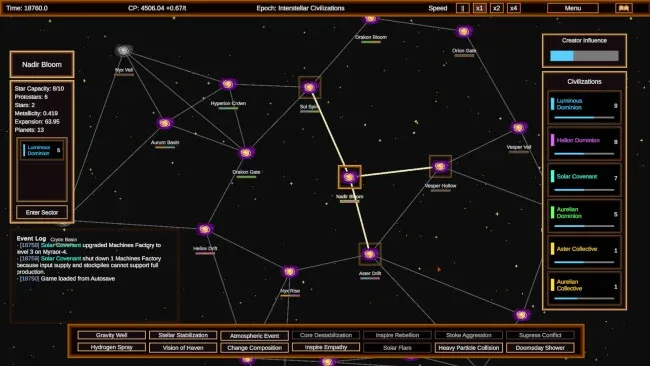
An empty cosmos full of incandescent hydrogen becomes your sandbox in this unusually grand god simulation. Once Upon The Universe begins in the aftermath of the Big Bang, long before there are planets, organisms, or civilizations to command, and asks you to create the conditions that let all three emerge. Its scale moves from guiding loose matter into stars and worlds to watching entire species reach the space age. The mood is more contemplative than frantic, although the sight of a flourishing society collapsing through war, scarcity, or a dying sun gives the sandbox real tension.
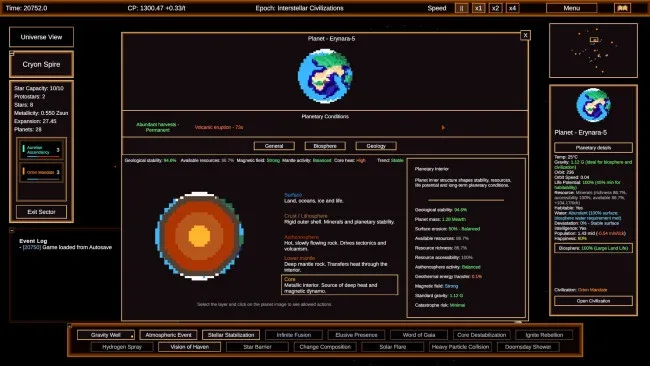
Your tools revolve around manipulating gravity, matter, orbital paths, stellar stability, water, and planetary environments. Rather than placing buildings or issuing direct orders to individual citizens, you shape the physical rules around life and nudge ecosystems toward habitability, then decide how much help intelligent societies deserve. Plants and animals spread, compete, and develop into more complicated ecologies on their own, while advanced cultures colonize worlds, construct fleets, negotiate, fight, and undertake colossal engineering projects. Intervention can be gentle, such as saving a threatened planet, or openly destructive; either way, repeated acts make civilizations increasingly aware that a creator is watching them.
The strongest idea here is its willingness to treat a universe as a living system rather than a conventional empire-builder. Civilizations possess their own agency and can prosper for ages before failing from internal problems, hostile neighbors, or cosmic disasters, so success never feels permanently secured. Later-era ambitions such as Dyson spheres and relocating planets give the simulation a satisfying escalation beyond ordinary planetary god games. Players who enjoy the indirect influence of Black & White, the emergent storytelling of universe sandboxes, or the scientific scale of space strategy games should find plenty to experiment with, while patient newcomers can enjoy simply observing how their smallest celestial adjustments echo across millennia.
Screenshots
Installation
- Click the green button below to be redirected to UploadHaven.
- Wait 15 seconds, then hit “Free Download.” (Free downloads may be slower — upgrade to UploadHaven Pro for faster speeds.)
- Once downloaded, right-click the .zip file and choose “Extract to Once Upon The Universe.” (You’ll need 7-Zip for this.)
- Open the extracted folder and run the game as administrator.
- Enjoy! 🎮 If you see missing DLL errors, check the <strong>_Redist</strong> folder inside and install what’s needed.
System Requirements
- Requires a 64-bit processor and operating system
- OS: Windows 11
- Processor: Core Duo 2
- Memory: 4 GB RAM
- Graphics: Nvidia 8600
- DirectX: Version 11
- Storage: 100 MB available space
Setup Guide & Troubleshooting
How do I fix missing DLL errors for Once Upon The Universe?
After extracting Once Upon The Universe, navigate to the _Redist or _CommonRedist folder inside the game directory and install DirectX, Vcredist, and any other dependencies included.
What should I do if the downloaded file is corrupted?
The full archive is 85.29 MB — make sure your download completed fully before extracting. Use 7-Zip to extract the files. If you still see a "file corrupted" error, re-download and try again.
Why should I run the game as administrator?
Right-click the game executable and select "Run as Administrator" to avoid save file issues and permission errors. This is especially important on the first launch.
How do I update my GPU drivers for this game?
Once Upon The Universe requires a Nvidia 8600 or equivalent. Update your NVIDIA or AMD drivers to the latest version for the best performance.
The game won't launch — what should I try?
This game requires Version 11. Try running in compatibility mode, install the latest DirectX runtime, or install the All-in-One VC Redist Package.
My antivirus is blocking the game — is it safe?
Antivirus false positives are common with pre-installed games. Temporarily pause your antivirus during extraction to prevent it from quarantining game files. You can re-enable it after the extraction completes.