
Game Overview
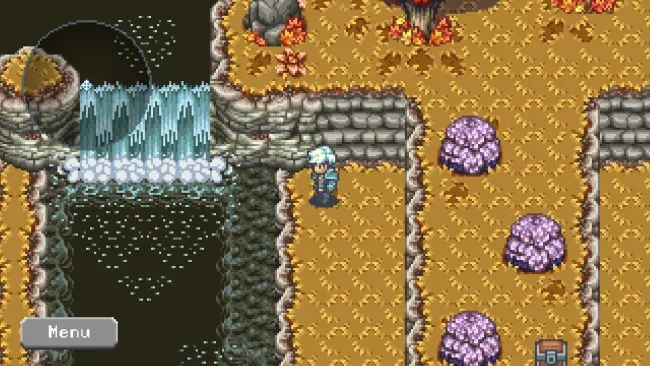
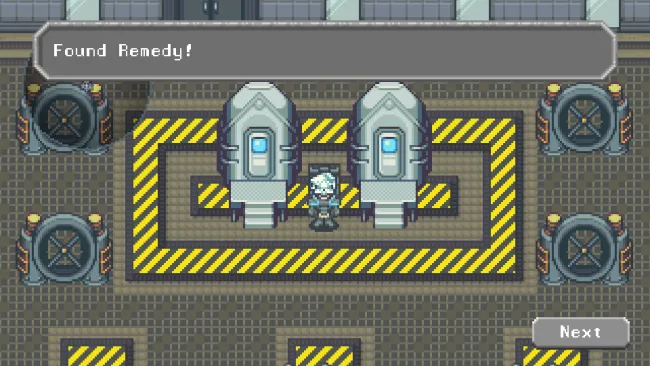
A surreal fantasy journey drives Omni Blade, a retro-styled RPG that favors tension, mystery, and hard-earned victories over modern hand-holding. Its vividly colored pixel landscapes and moody score create a dreamlike atmosphere, while the story leans into dense themes rather than simple hero-versus-villain fantasy. The result feels deliberately old-school: inviting on the surface, yet often strange, demanding, and quietly unsettling beneath it. Players looking for a compact RPG with the spirit of the 16-bit era get a substantial adventure rather than a nostalgic imitation.
Combat and party management form the heart of the experience, asking players to think carefully about their available allies and how they approach dangerous encounters. Recruitment is not locked to one fixed sequence, so the companions you gain and the order in which your party develops can change from playthrough to playthrough. Procedurally assembled areas further disrupt rote memorization, keeping dungeon runs and repeat attempts less predictable than in a typical linear pixel RPG. Expect roughly twenty hours for a first run, with a challenge level aimed at players willing to learn systems, adapt to setbacks, and make tactical decisions instead of simply overpowering every obstacle.
What separates Omni Blade from many modern retro RPGs is its combination of authored narrative ambition and variable structure. The visual presentation is bright and expressive, but the tone is more enigmatic than cozy, supported by music that gives exploration and conflict a strong emotional pull. Its custom-built technology also helps it feel less like a stock RPG-maker throwback, even while its influences clearly include classics such as Chrono Trigger, Grandia, and 7th Saga. Fans of thoughtful party-based RPGs, replayable dungeon layouts, and demanding console-era design should find plenty to enjoy, while newcomers should arrive ready for a tougher, less guided adventure.
Screenshots
Installation
- Select the <strong>Download</strong> button at the top of this page to open UploadHaven.
- On UploadHaven, wait for any countdown, then select <strong>Free Download</strong>. Optional: UploadHaven Pro for faster downloads.
- When complete, extract the archive to a <strong>Omni Blade</strong> folder using 7-Zip.
- Open the extracted folder and start the game normally.
- For errors, check <strong>Setup Guide & Troubleshooting</strong> below. Keep your security software enabled.
System Requirements
- Requires a 64-bit processor and operating system
- OS: Windows 10
- Memory: 4 GB RAM
- Graphics: OpenGL 4.1 or higher
- Storage: 1 GB available space
- Sound Card: Sound playback required
Setup Guide & Troubleshooting
How do I fix missing DLL errors for Omni Blade?
After extracting Omni Blade, navigate to the _Redist or _CommonRedist folder inside the game directory and install DirectX, Vcredist, and any other dependencies included.
What should I do if the downloaded file is corrupted?
The full archive is 682.60 MB — make sure your download completed fully before extracting. Use 7-Zip to extract the files. If you still see a "file corrupted" error, re-download and try again.
Why should I run the game as administrator?
Right-click the game executable and select "Run as Administrator" to avoid save file issues and permission errors. This is especially important on the first launch.
How do I update my GPU drivers for this game?
Omni Blade requires a OpenGL 4.1 or higher or equivalent. Update your NVIDIA or AMD drivers to the latest version for the best performance.
The game won't launch — what should I try?
Try running in compatibility mode, install the latest DirectX runtime, or install the All-in-One VC Redist Package.
My antivirus is blocking the game — is it safe?
Antivirus false positives are common with pre-installed games. Temporarily pause your antivirus during extraction to prevent it from quarantining game files. You can re-enable it after the extraction completes.